R12 Publication-2025July16
Create and Run a Report
The report organizes data from different automation assets into reports, such as device, intent, application, change management, and site. Besides that, the Pivot Table in Report can help further analyze and summarize the report data.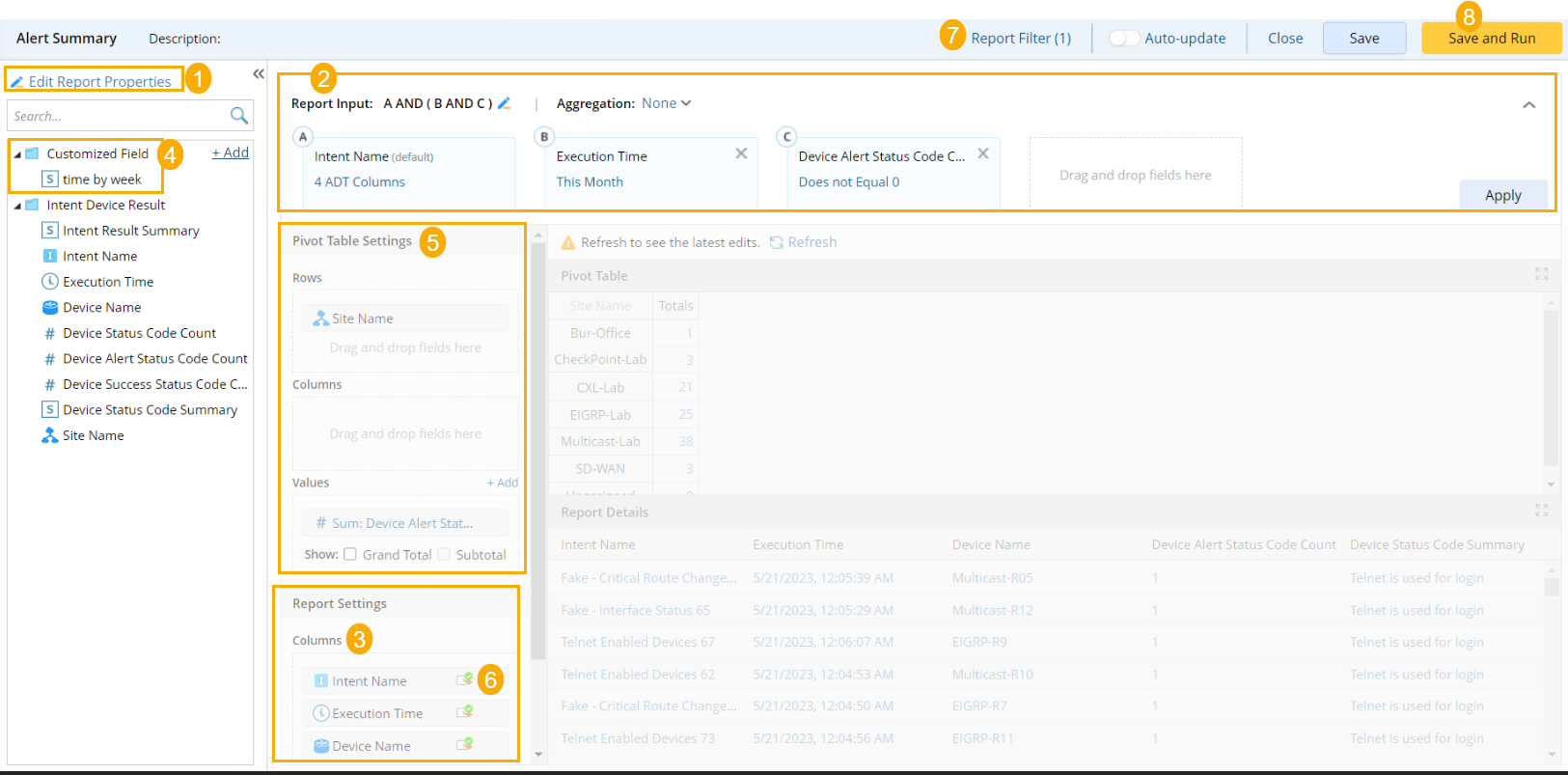
Follow the steps to create a report:
- Define Report Property
- Define Report Input
- Define Report Columns
- (Optional) Define Customized fields
- Define Pivot Table
- Define drill-down action
- Define report filter
- Run the report
See also: