R12 Publication-2025July16
Manage Report
In the Report Manager, you can manage and view all the reports.
Click the start menu  , and select Intent-Based Automation >Report Manager.
-
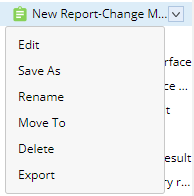
Hover over the desired report, click
 and you can:
- Edit the report
- Move the report to another folder
- Save as
- Rename the report
- Delete the report
-
Export the report to a local folder
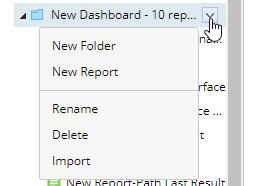
- Hover over the desired folder, click
 and you can:
- Create a subfolder
- Create a new report within the folder
- Rename the folder
- Delete the folder
-
Import a report into this folder