ADT can serve to build an intent-based automation database for customized network assets to share across the organization, and you can use this database for Triggered and Preventive automation.
Where to Start?
- Go to
 menu, and click New Automation Data Table widget. In the popup dialog, define table name and select location to store the table.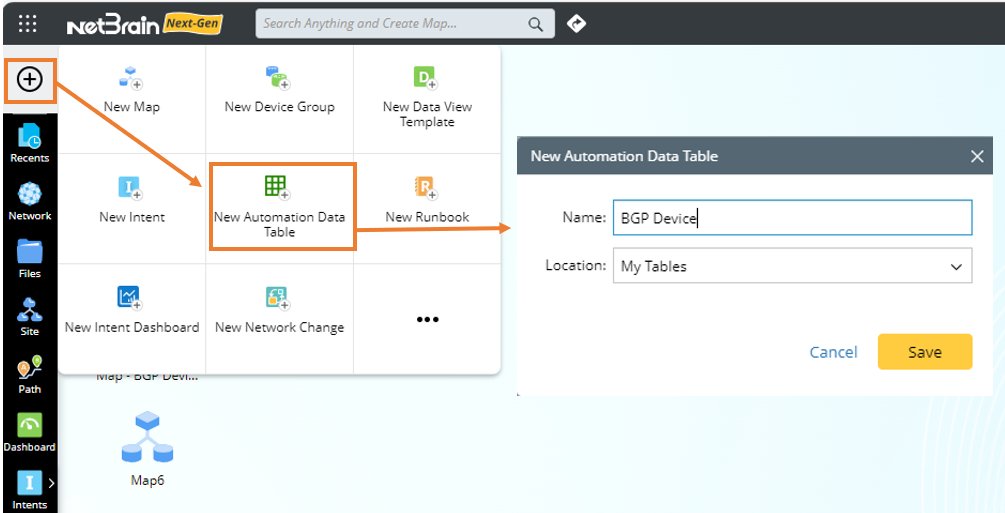
- Go to Automation Data Table Builder>Base to build a base table containing data fields to include automation asset data to be used.
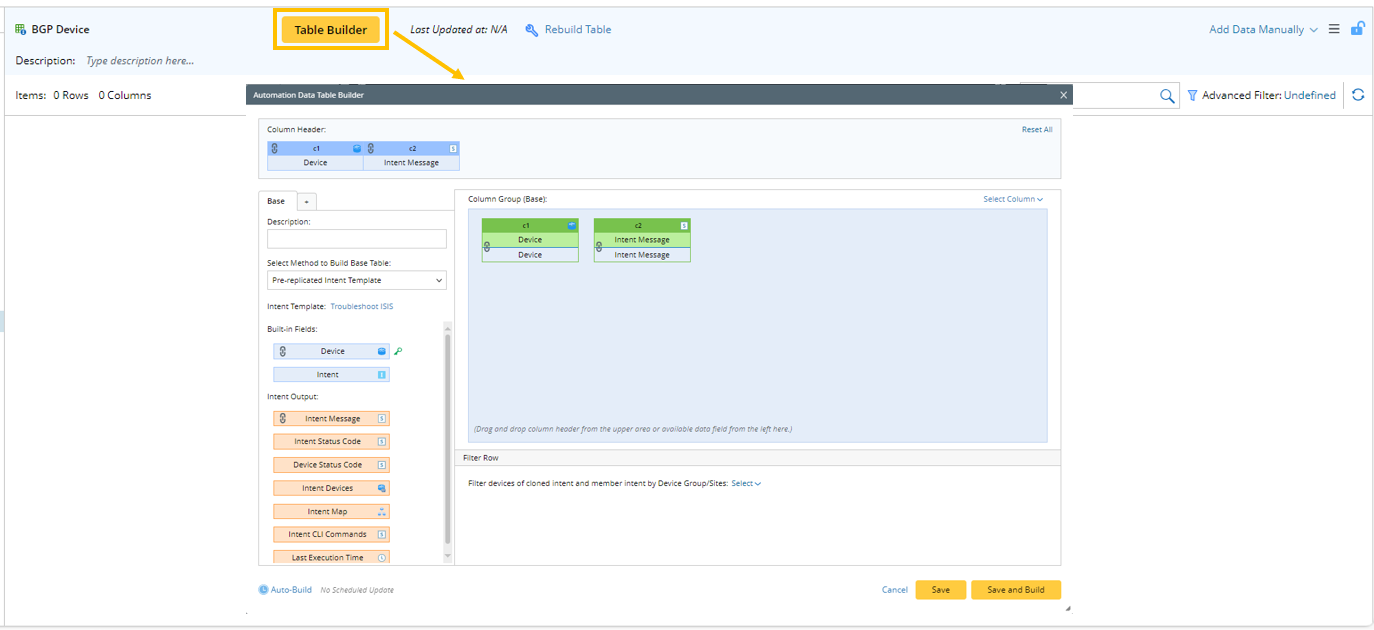
- Go to Automation Data Table Builder > New Group (
 ) to create column groups to enrich the base table data.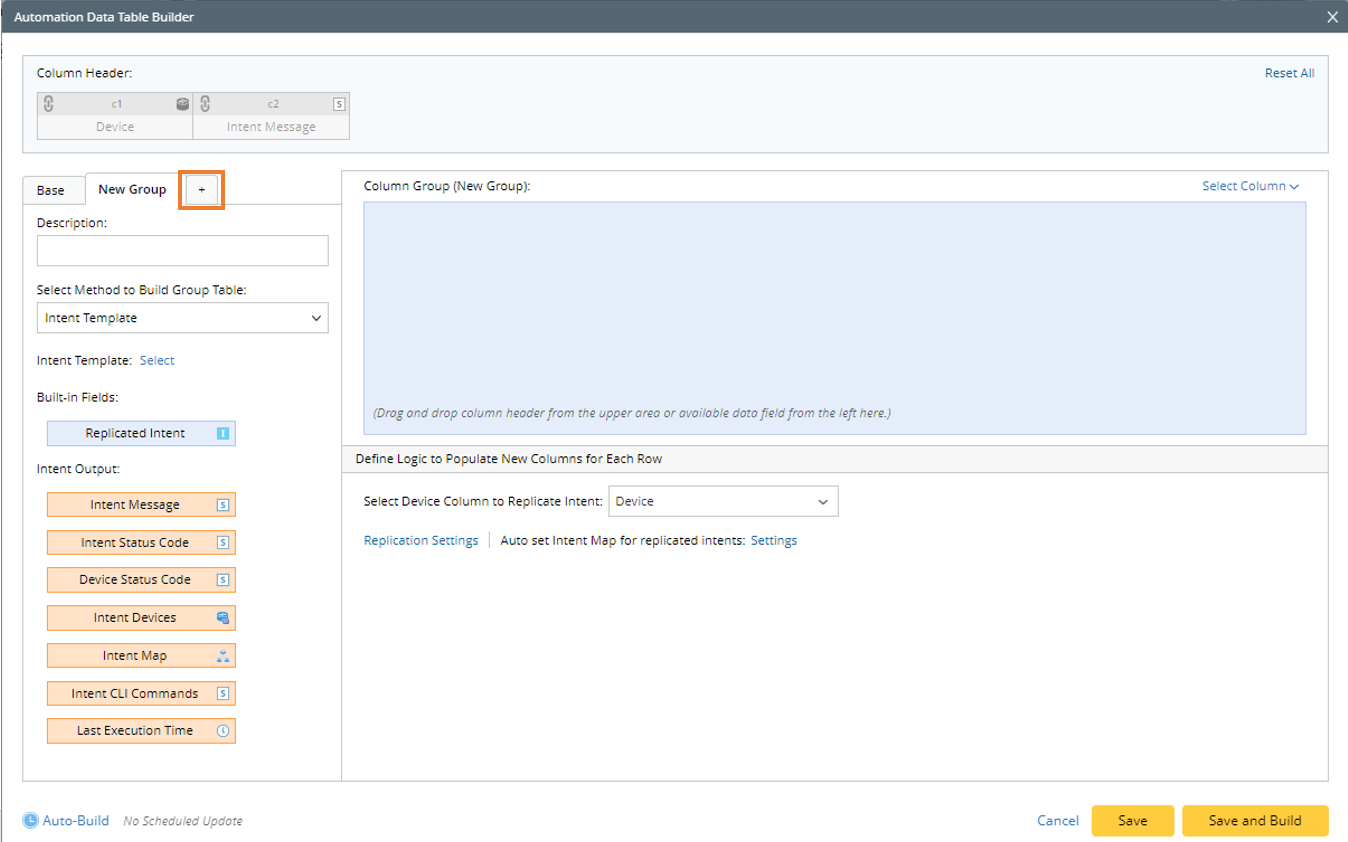
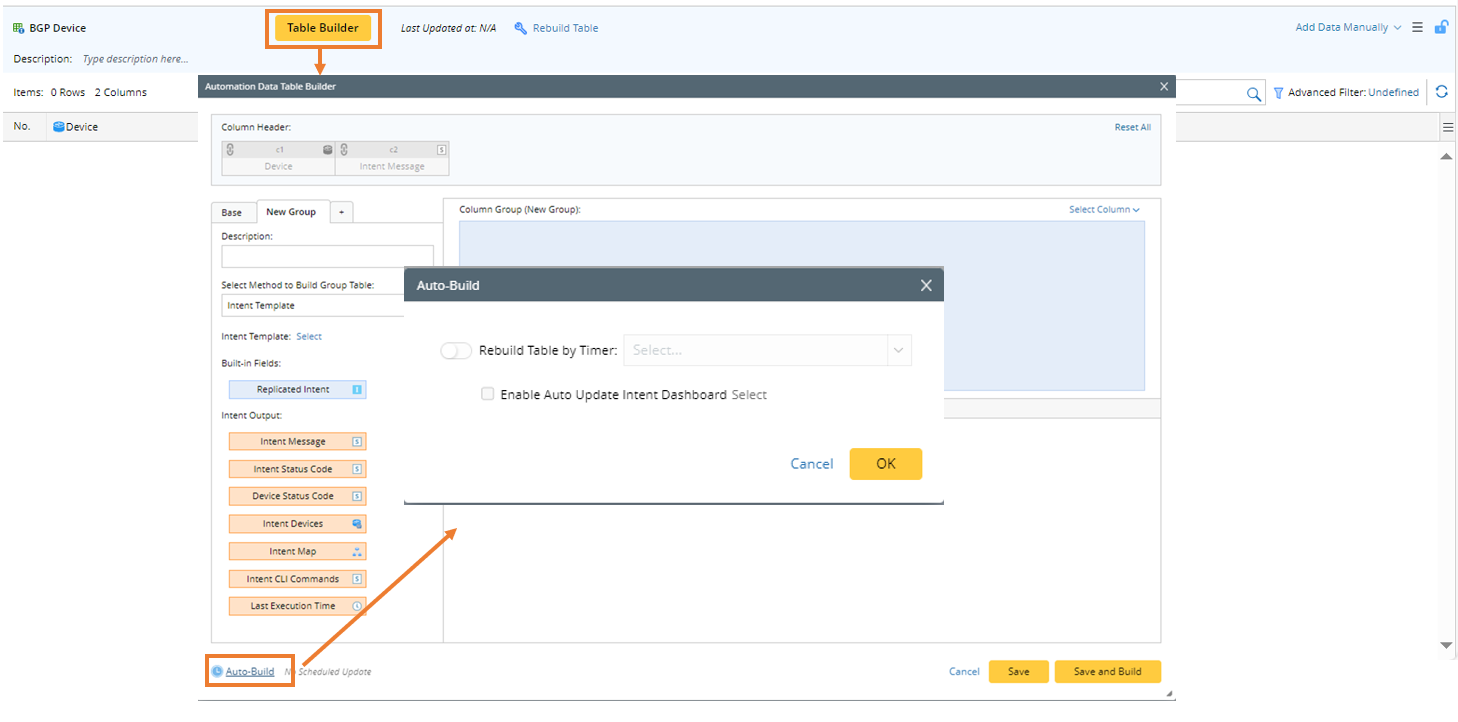
- Go to Automation Data Table Builder (Auto-Build) to schedule to update ADT data periodically.
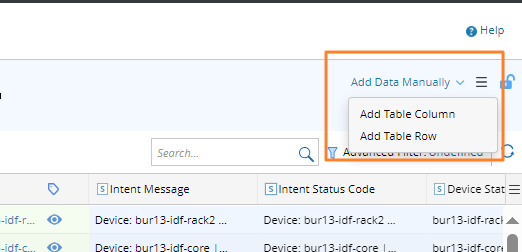
- Go to Automation Data Table Manager (Add Data Manually) to manually add or adjust the table data.
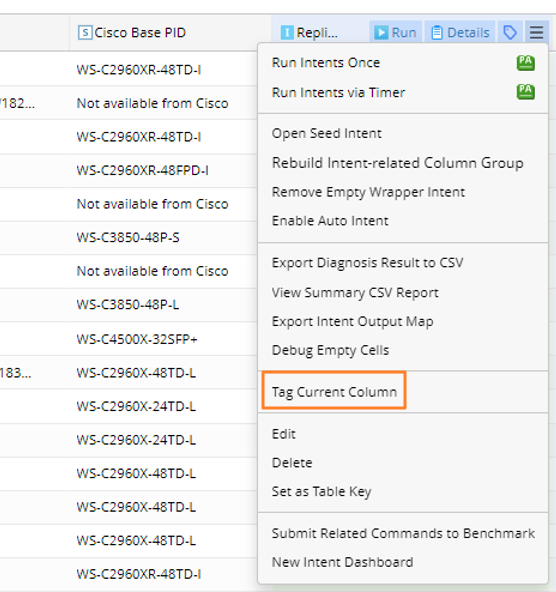
- Go to Automation Data Table Manager, then create tags for the automation column/map column from Tag Current Column of the drop-down menu. The tags can be applied to filtering the intents used for TAF, PAF, Bot, Auto Intent or Follow-up Intent.
To build an ADT, several methods are provided to build the base table automatically. The following table provides an overview of the methods:
| Method | When do I need to use this method? | Use Case |
| Pre-replicated Intent Template | Need to created a device-based data table. Required Necessary Conditions:
| Build the intent database for each pre-decoded device with the selected intent template. The resulting table contains 1 device and 1 replicated intent per row. Furthermore, the network attributes corresponding to the device can be extended by Macro Variables. |
| Intent Cluster | Need to create a network automation asset data table about a specific network technology. Required Necessary Conditions:
| Build automation intent database for pre-generated member intents of an intent cluster. One intent cluster represents one network technology. The resulting table contains 1 member intent per row. Furthermore, the attributes corresponding to the automation asset can be extended by signature variables. |
| Application Path | Need to create a key application paths data table. Required Necessary Conditions:
| Build automation intent database for a set of selected critical application paths. The resulting table contains 1 path per row. Furthermore, the path properties can be used to extend this table. |
| Map and Intent | Need to create a key map properties data table. Required Necessary Conditions:
| Build an automation intent center for a set of selected key maps and use this ADT for trigger automation to fix the network problem of the devices of the key map. The resulting table contains 1 map and 1 map intent per row. Further, the map properties can be used to extend this table. |
| Site | Need to create a critical site properties data table. Required Necessary Conditions:
| Build automation intent database for a set of selected critical sites. The resulting table contains 1 site device and 1site map intent per row. Furthermore, the site properties can be used to extend this table. |
| Devices of Device Group | Need to create a critical device properties data table. Required Necessary Condition:
| Build automation intent database for device groups with device properties in the device group. The resulting table contains 1 device per row. |
| Interfaces of Device Group | Need to create a device and Interface data table. Required necessary group:
| Build automation intent database for device groups with device and interface in the device group. The resulting table conatins 1 device per row. |
| Imported CSV | A pre-generated CSV file is available and want to create a table data with the CSV data. Required Necessary Condition:
| Build an intent database with the columns in the imported CSV file. The resulting table contains 1 CSV row per row. |
| Add Data Manually | This method is applied when the auto-generated data cannot meet the requirements. | Manually Build an automation intent database with the available data type. One row or column (added one by one). |

|
Tip: You can populate ADT column or update ADT column by using intent template data in Intent Replication Wizard. |