R12 Publication-2025July16
Delete/Unlock Path Intents in Batch
Delete/Unlock Path Intents in Batch
With the intent replication for path service, a large amount of path intents may be generated and saved to the path. When it is needed to delete/lock path intents at scale, it is desirable to complete deleting/locking path intents with simple operations.
The system allows users to delete/unlock path intents in batch from Network Intent Manager.
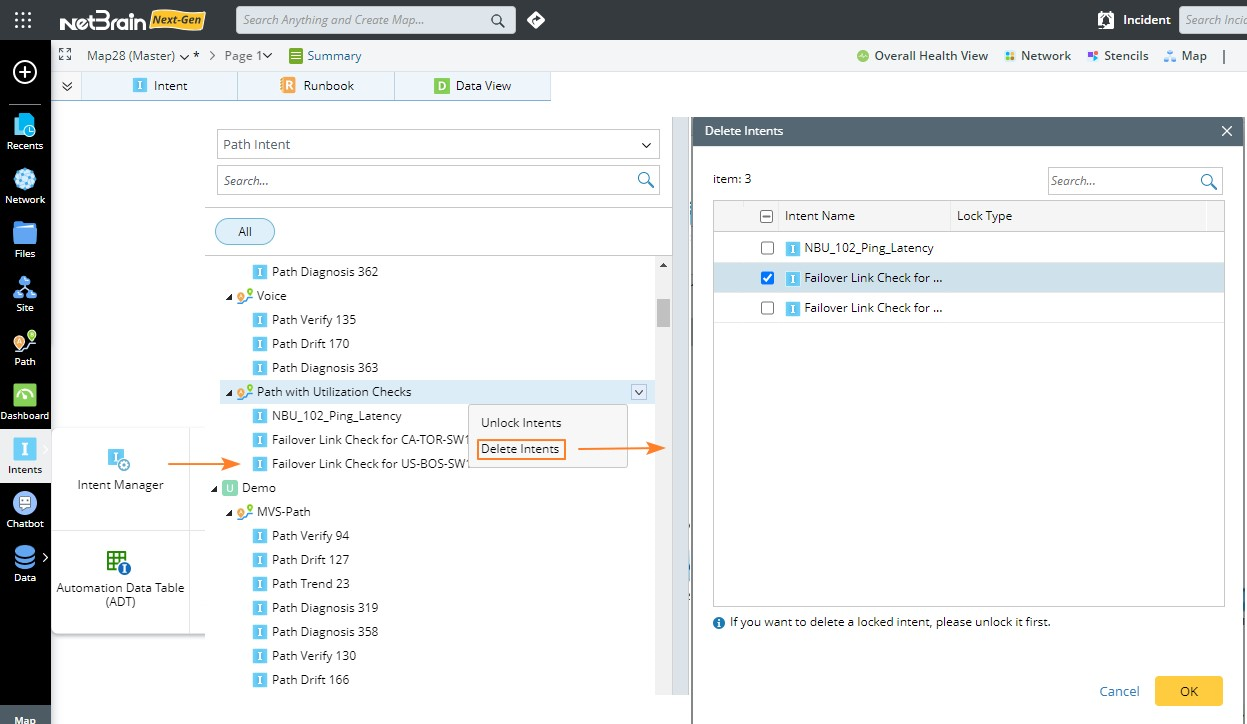
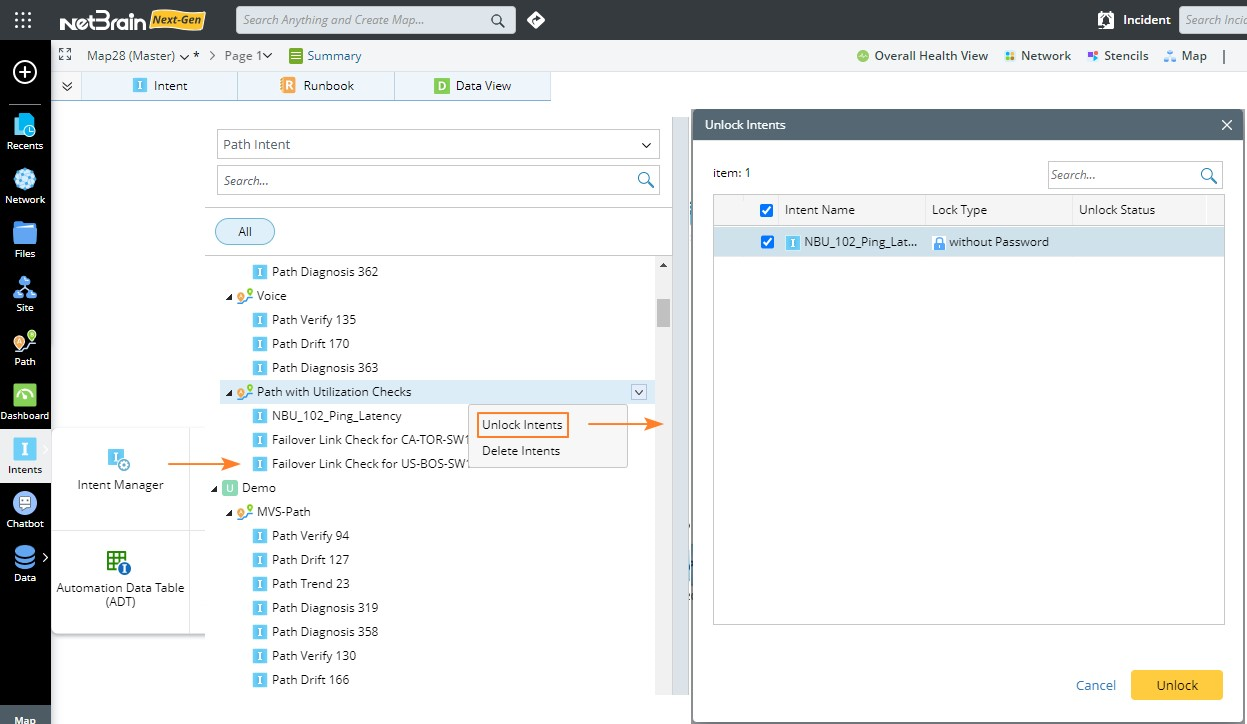
In Intent Manager > Path Intent, each path forms a folder to include all the associated path intents. Such a folder structure for path intents can organize the path intents in a better way. You can delete/unlock multiple path intents at one time in the pop-up Dialog opened from the drop-down menu.
- Delete path intents:
- Unlock path intents (if there are):

|
Note: Similarly, you can delete path intents at scale from the pop-up Dialog from the drop-down menu of items if the folder tree structure in Select Network Intents dialog. |