R12.1 Project Publication-2025Dec23
Use Cases
Issue Command and Draw Arrow
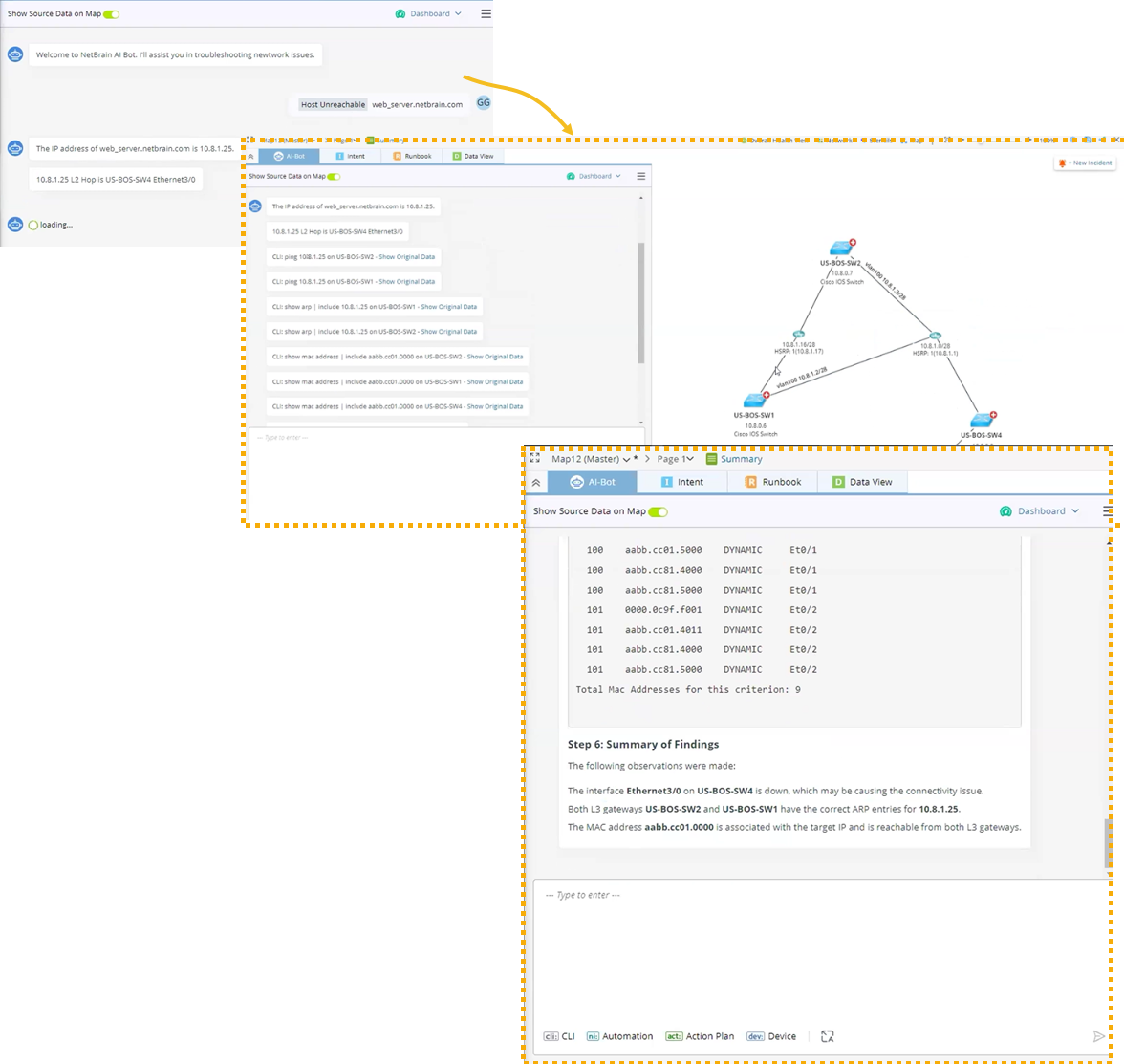
Open a map, and select the AI-Bot tab.
-
Find the next hop devices based on the CLI results.
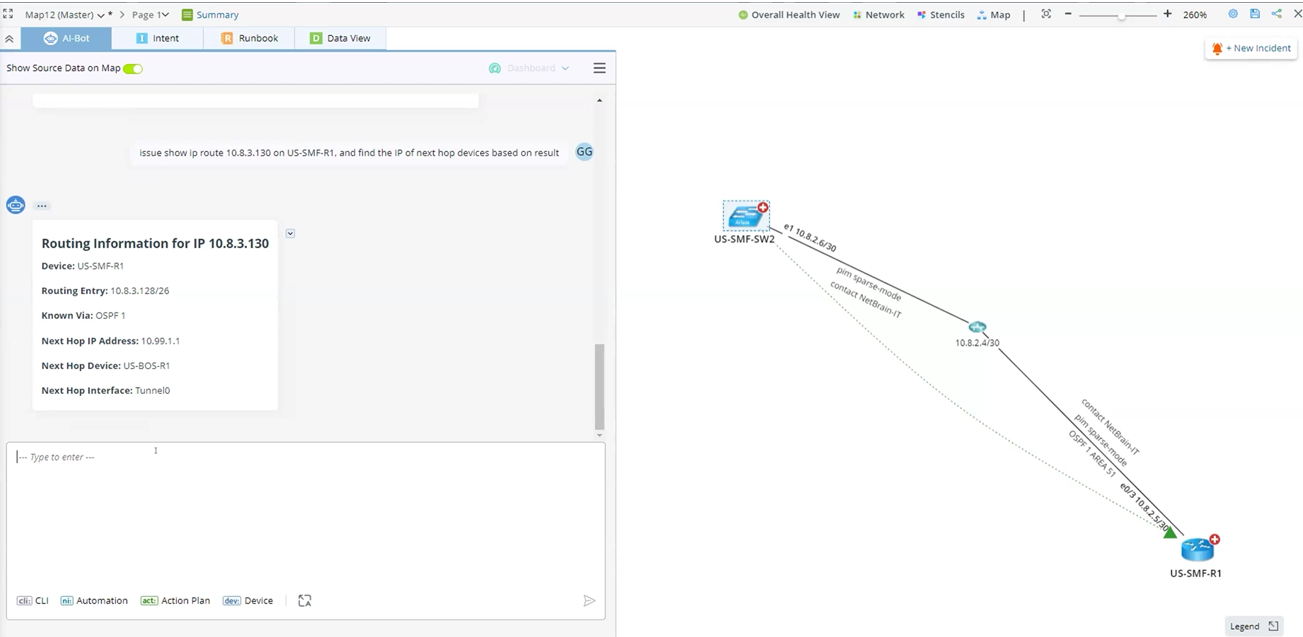
-
Draw an arrow to the next hop device.
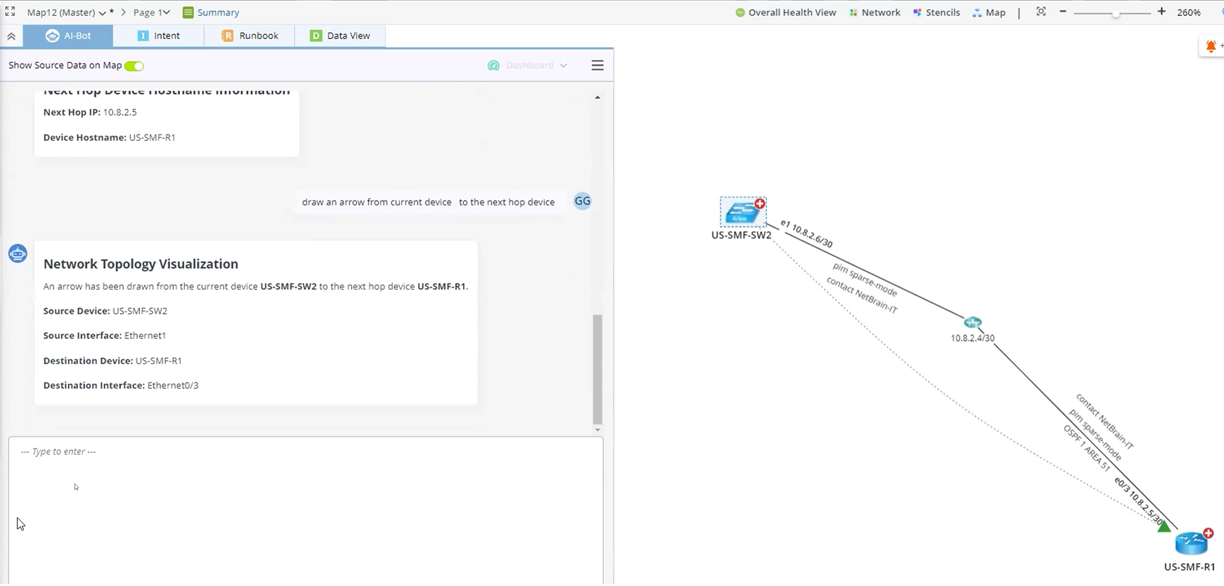
Multi-step CLI Command Cases
-
Method 1:
-
Issue the show ip route command on a device and find the next hop.
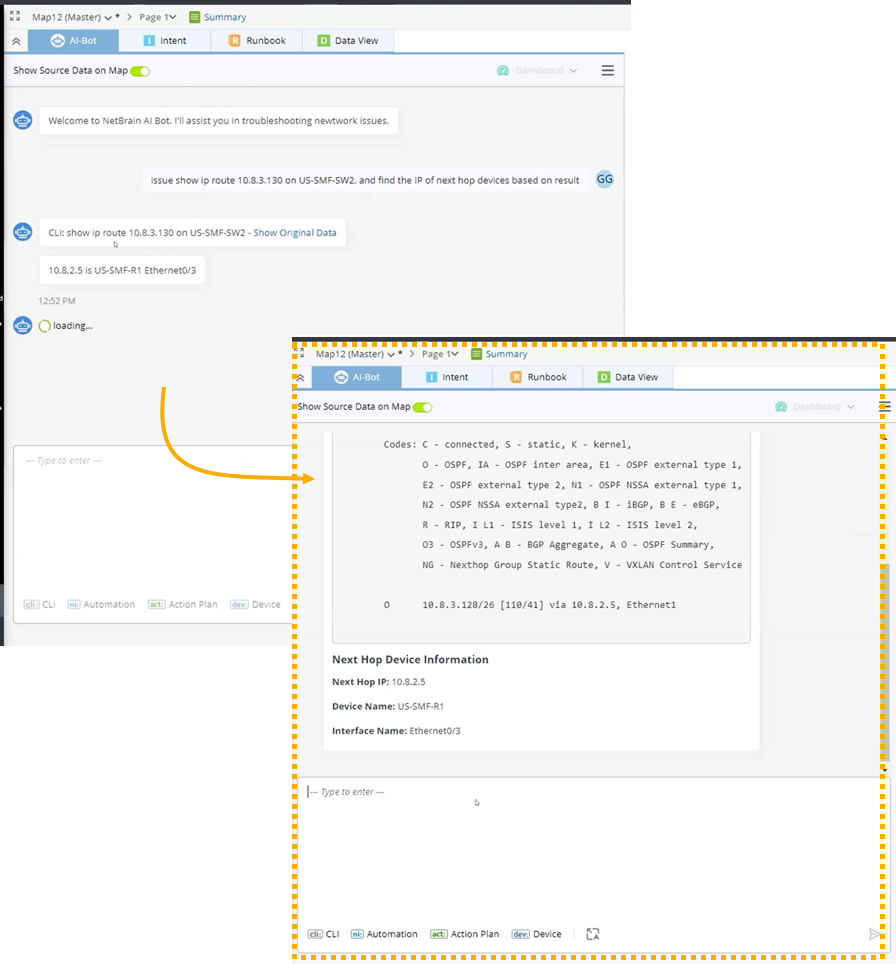
-
Draw an arrow to the next hop device.

- Repeat the above steps and discover the whole path of the device.
-
Issue the show ip route command on a device and find the next hop.
-
Method 2: Input all steps and instruct the AI bot to repeat the steps.
‘Step 1: Issue command ‘show ip route <target IP>’ on current device.
Step 2: Find the next hop devices, draw an arrow from current device to the next hop.
Step 3: Repeat step 1-3 on next hop devices for at least 5 times.’
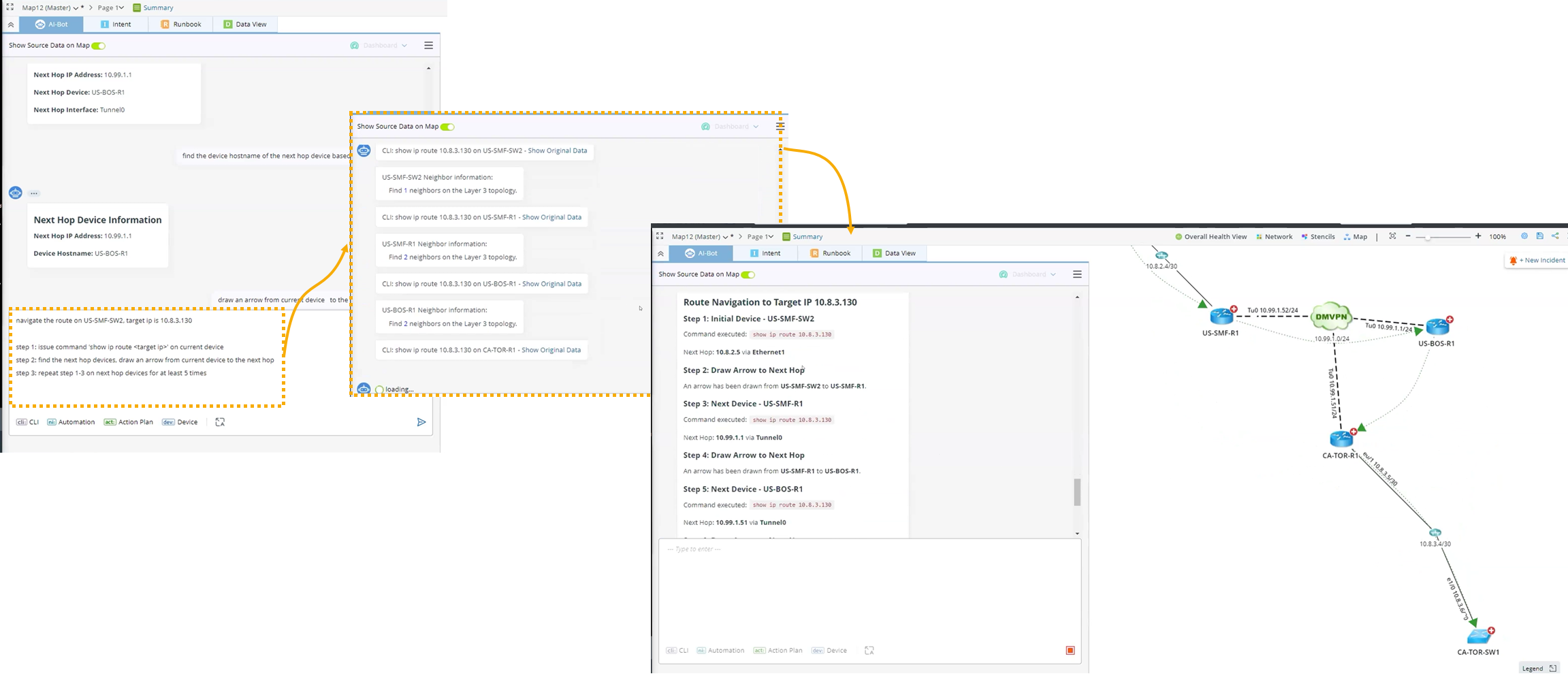
You can save the steps as input or an action plan for future use.
Run Automation
Prerequisites: The automation needs to be added to AI Bot Manager.
Run an automation to ping a certain IP from a device and ping it every 2 minutes for 5 times to ensure it’s stable.


|
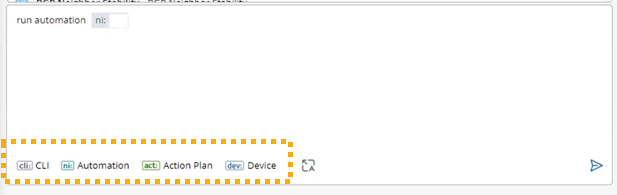
Tip: It is recommended to use these buttons so LLM will not misinterpret the tool you want to use.
|
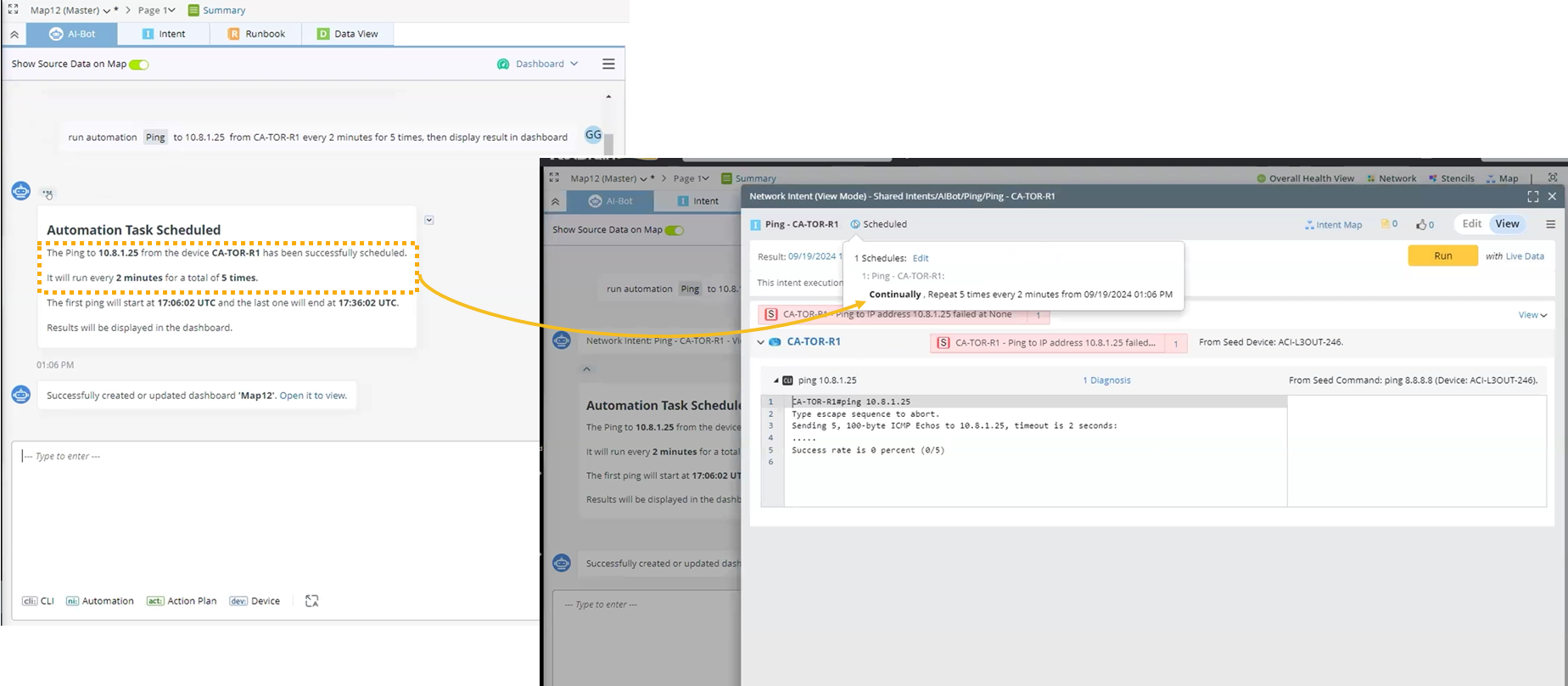
The task has been scheduled successfully.
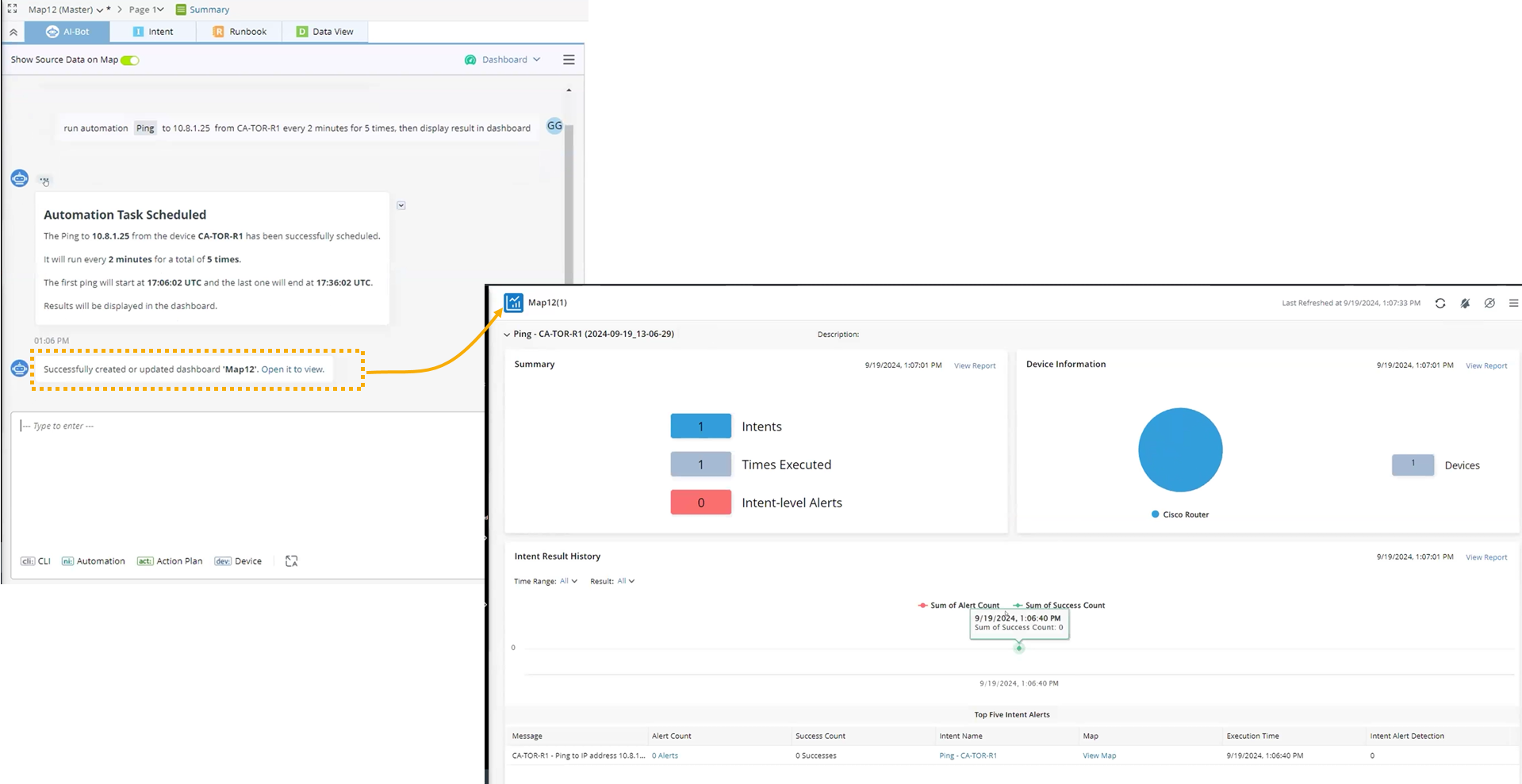
The dashboard has been created and updated.
Use Action Plan
-
Define the action plan to troubleshoot a reachable issue. Use a bracket when describing the input of variables.
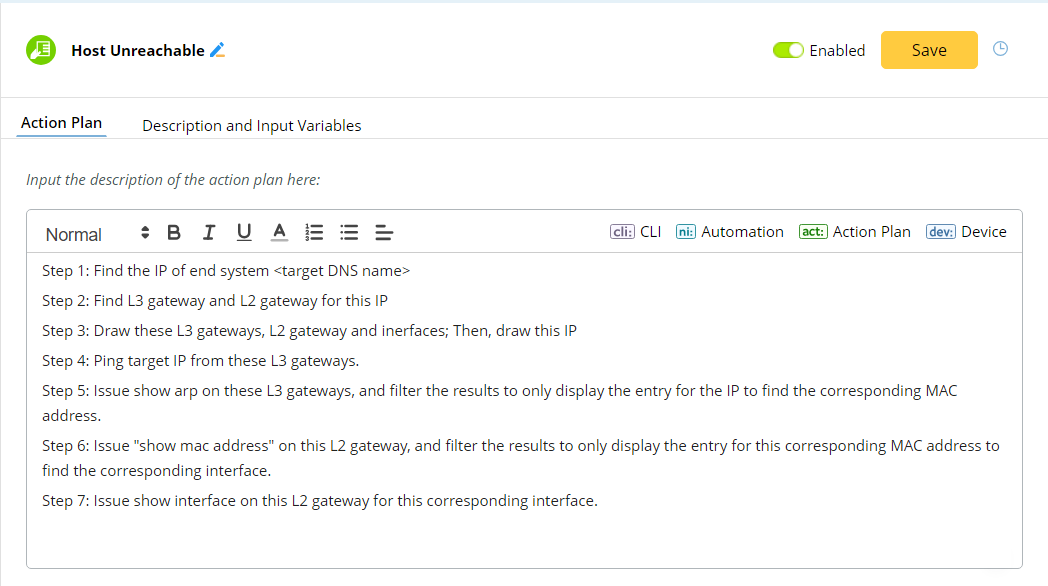
Tip: Use a bracket when describing the input of variables. The LLM will replace this with your input. -
Use the Action Plan button in the conversational UI, and select the desired action plan.

The AI bot completes the troubleshooting and gives the results of diagnosis.