Schedule Golden Intent
Schedule Golden Intent enables users to batch and schedule the execution of golden member intents for periodic network diagnostics, supporting preventive automation. The result of the scheduled execution can be viewed/browsed through the dashboard or golden intent pane.

You can do the following actions with respect to scheduling Golden Intents:
-
View Scheduled Golden Intents
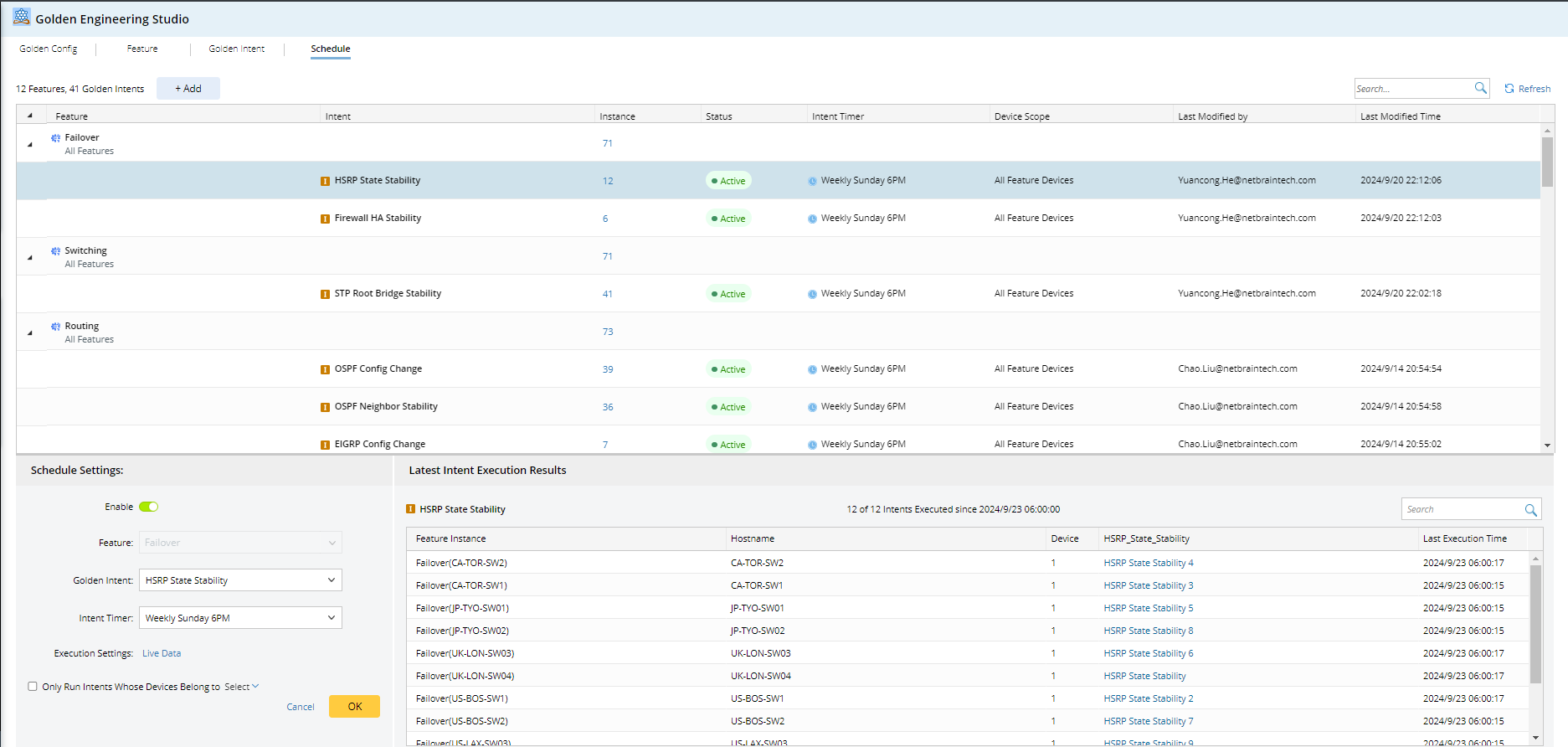
All scheduled golden intents are listed under the Schedule tab, grouped by feature. Click a scheduled task to display its details in the bottom.
-
Add New Schedule
You can click the +Add button to create a new schedule, the flow is ‘Select a Published Feature > Select a Published Golden Intent > Select a Timer’.
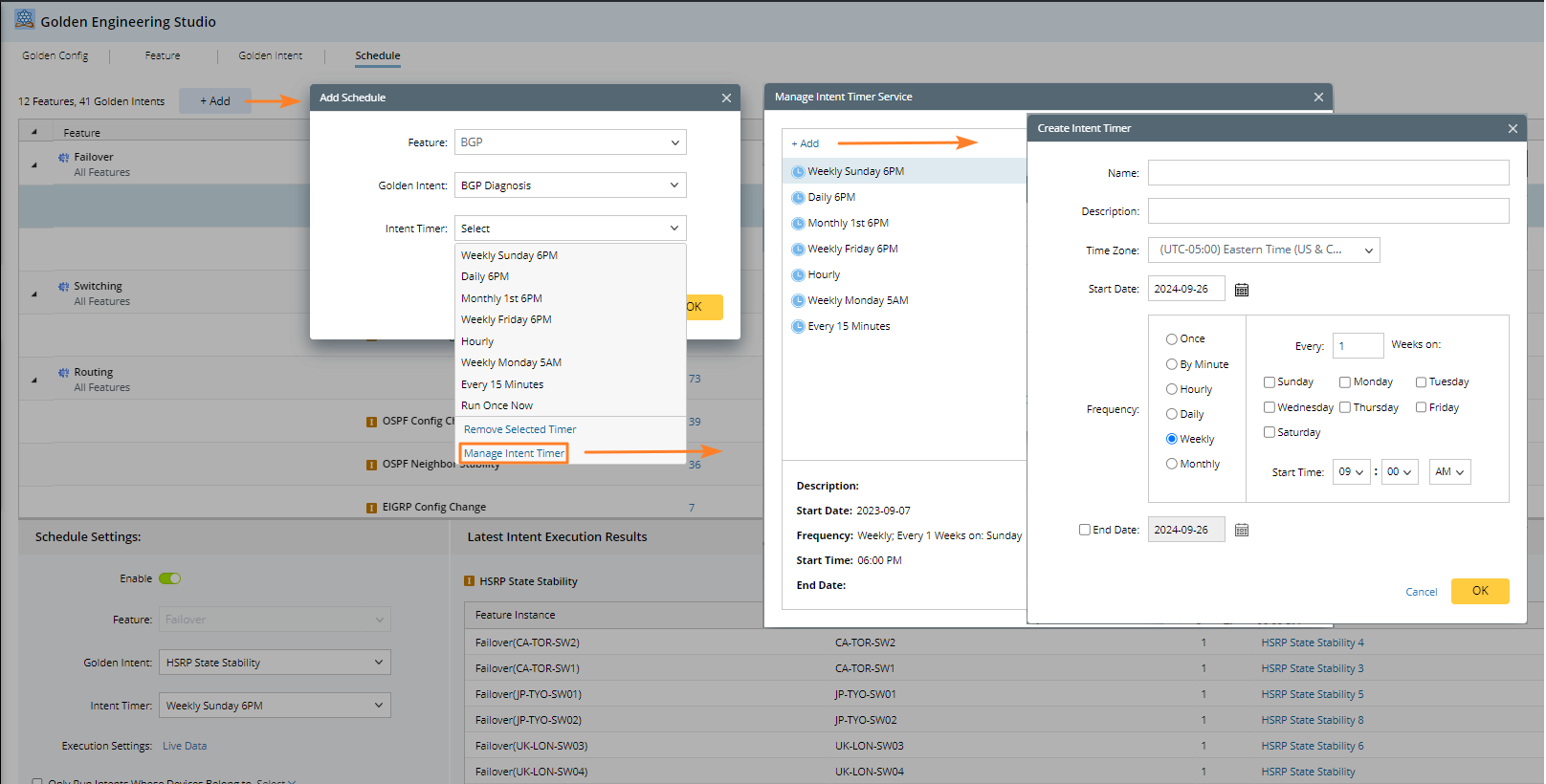
When selecting an intent timer, you can either choose a predefined one in PAF or create a new one by clicking +Intent Timer.
-
Edit Existing Schedule
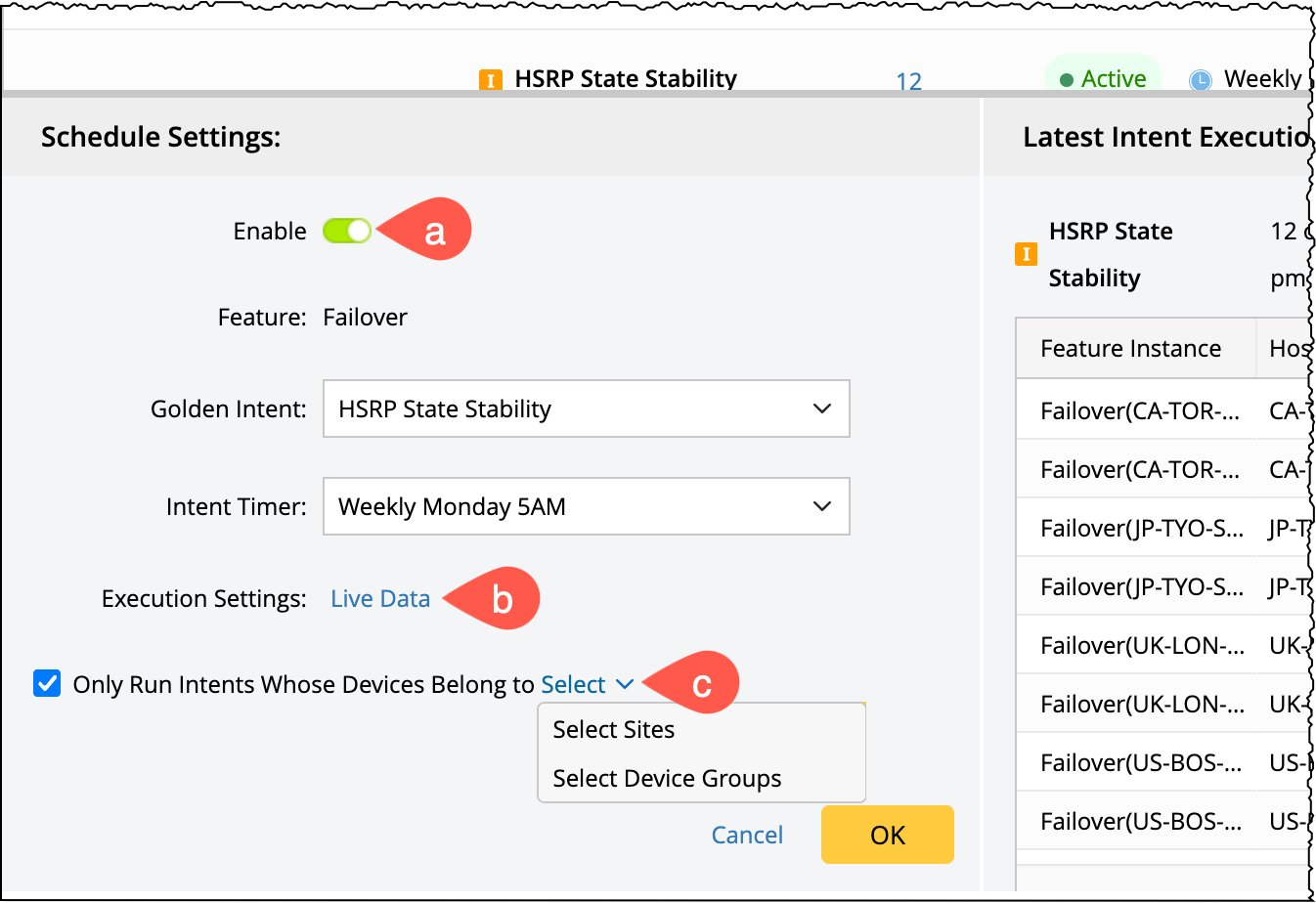
You can select a scheduled golden intent and edit its definition information below.
- Enable: Switch the radio button to activate the task to execute as per schedule.
- Execution Settings: Define the data source, it will be Live Data by default.
-
Only Run Intents Whose Devices Belong to: Check box determines which intents are scheduled to run.
-
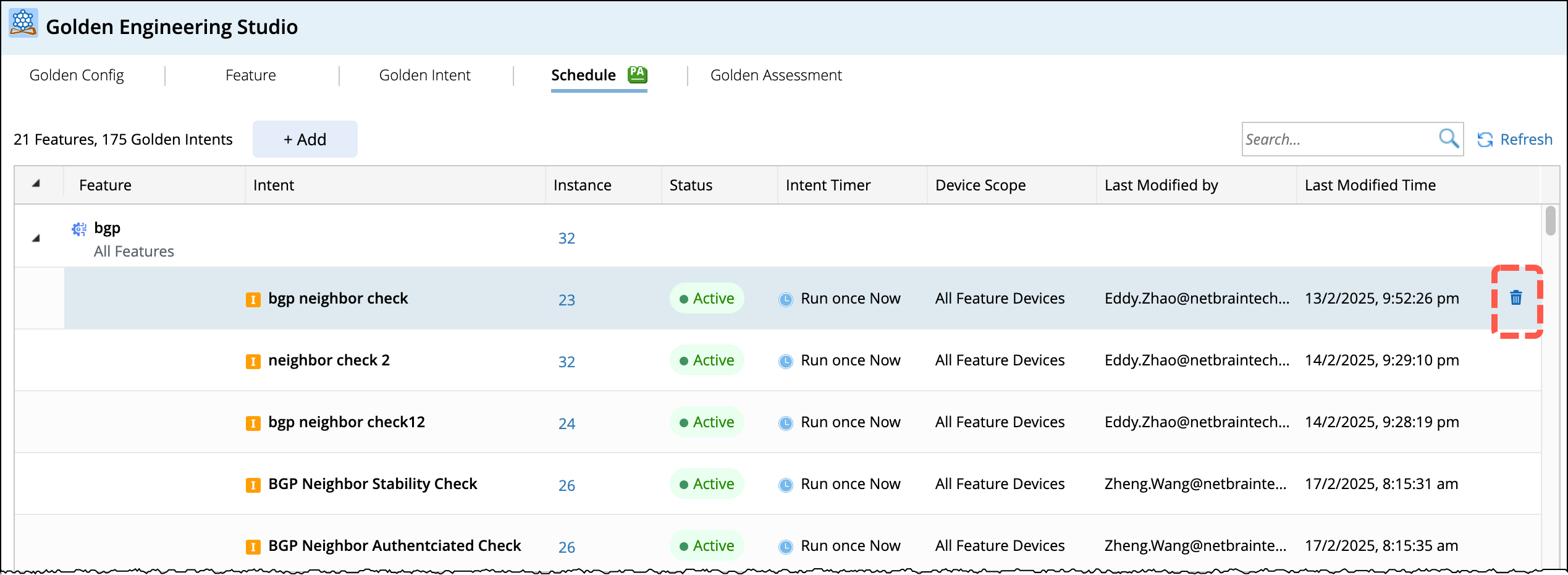
Delete a Scheduled: Hover over a scheduled task and delete icon will appear, click the delete icon remove the task from schedule.

Note: The Add/Edit/Delete Schedule actions require the 'Triggered Intent Management' permissions.