R12.1 Project Publication-2025Dec23
Build Dashboard
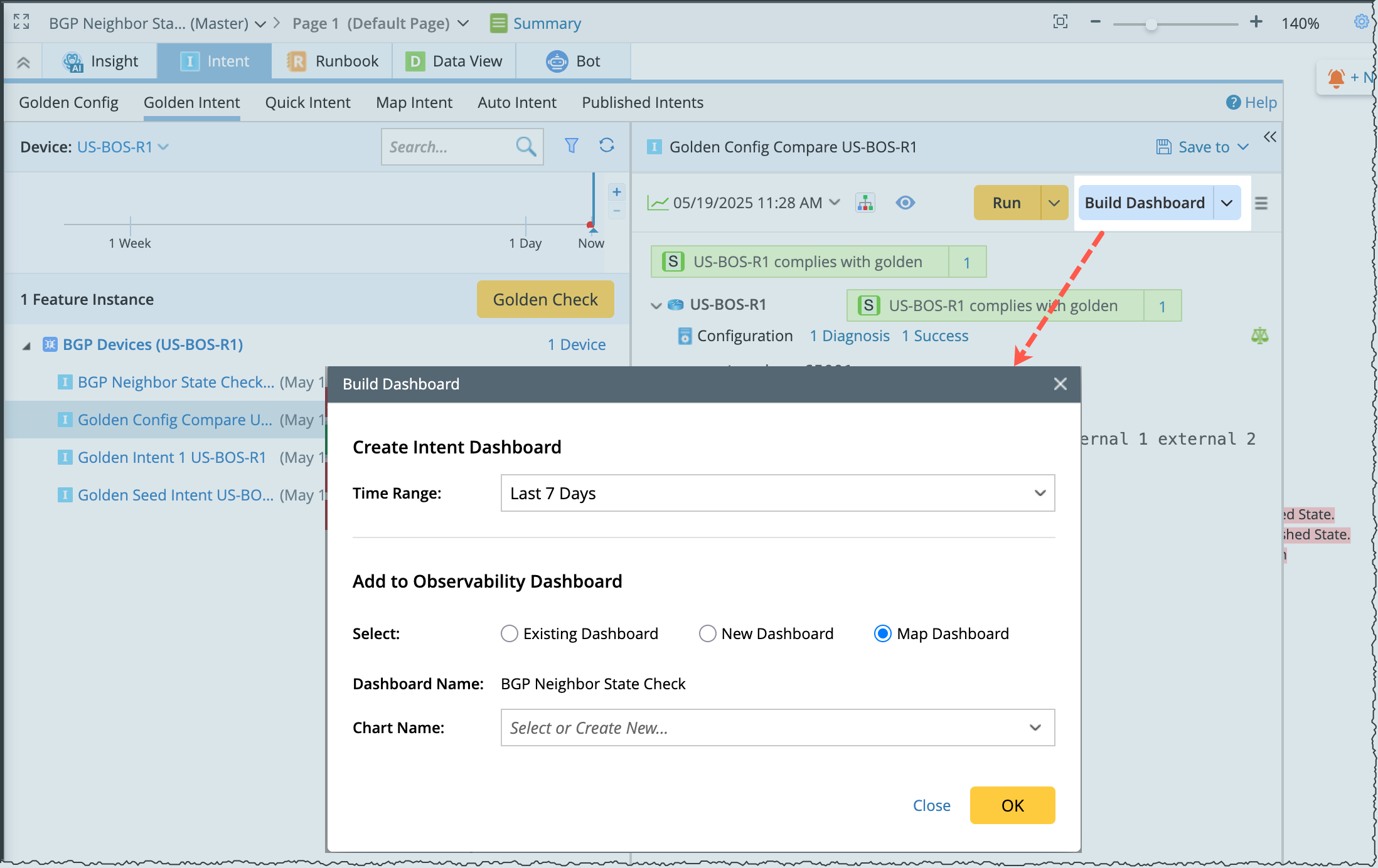
Golden Intent pane allows you to generate an intent dashboard, and add it to a new observability dashboard or existing one to display the current intent results.

|
Note: You must save the current map before building a dashboard. |
Define the following information to build a dashboard:
- Time Range: Select the time range to narrow down the range of results displayed.
-
Add the generated intent dashboard to one of the following observability dashboard:
- Existing Dashboard: The generated intent dashboard will be added to an selected existing dashboard from the folder structure. The current intent dashboard will be added as new chart in the existing dashboard.
- New Dashboard: To create a new dashboard, enter the dashboard name, chart name and location. And the new dashboard will be saved in the observability dashboard manager.
- Map Dashboard: The generated intent dashboard can be added to the current map and the current chart in the current map.
Dashboard Required Inputs Existing Dashboard 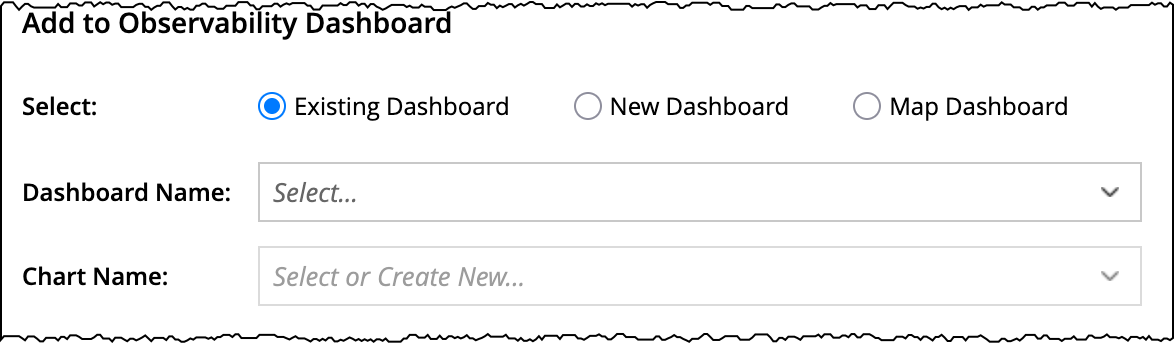
New Dashboard 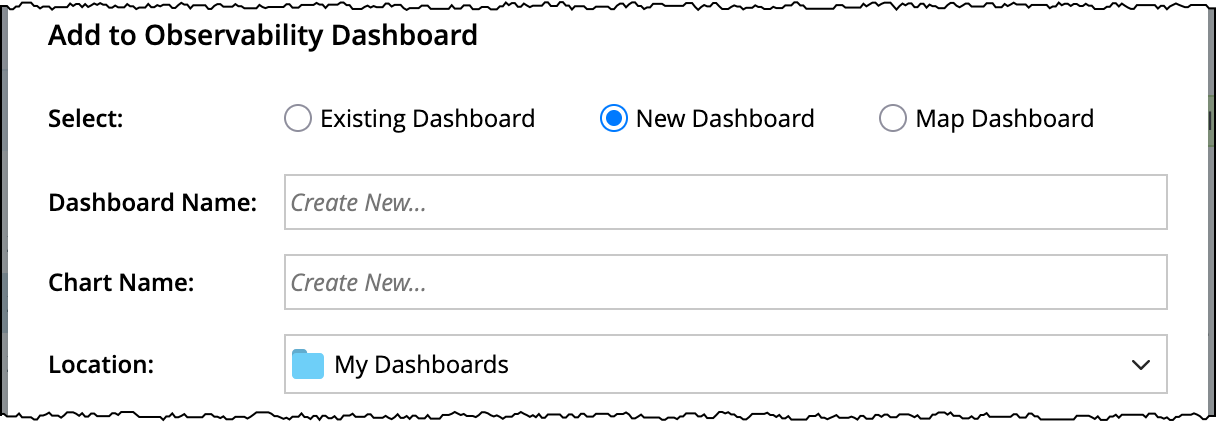
Map Dashboard 
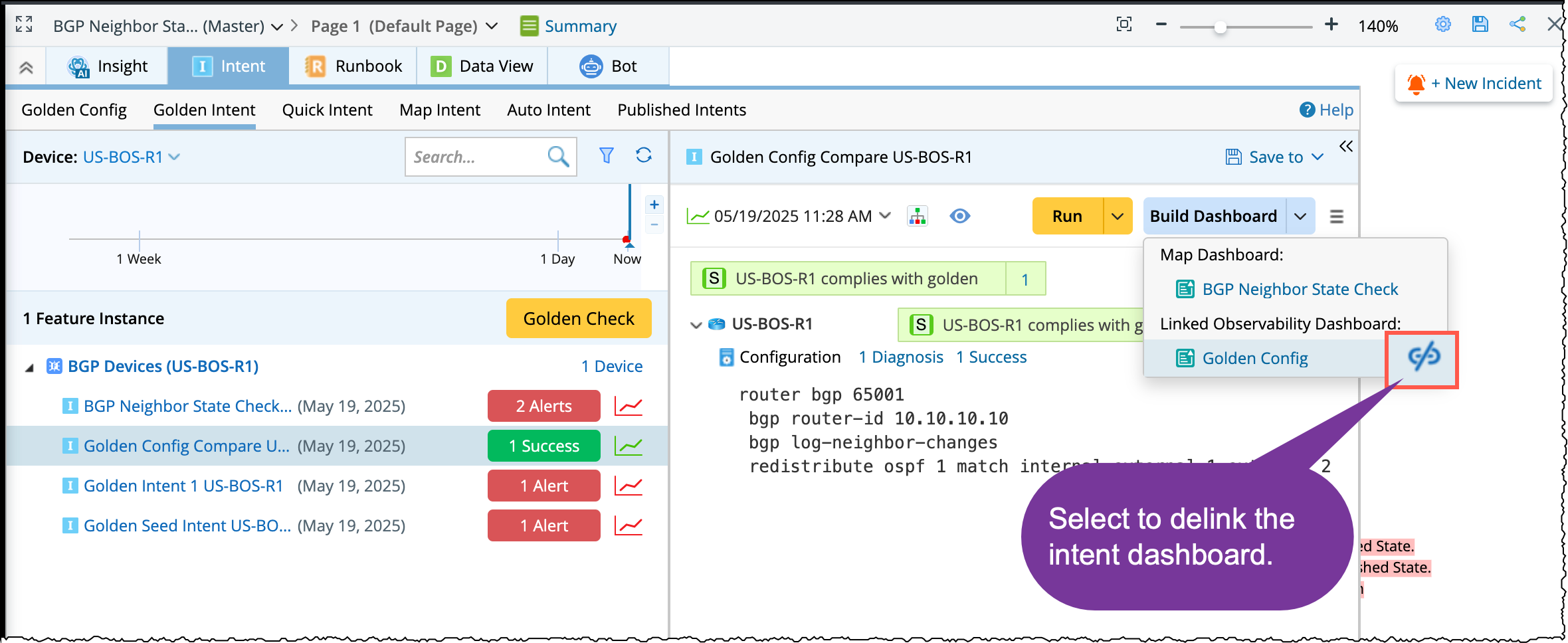
The generated dashboards will be linked with the current map and can be seen under the Build Dashboard  menu. In case if you wish to de-link the generated dashboards, scroll down to the dashboard in the list and click
  .
.