Overview
NetBrain’s Jira Cloud Application tightly joins the two systems together enriching the value of your Jira Cloud deployment. Following initial setup and configuration and integration of the Jira Cloud platform with your NetBrain system, the NetBrain Administrator can perform all ongoing tasks and automation enhancements without the need to involve Jira Cloud Administrators.
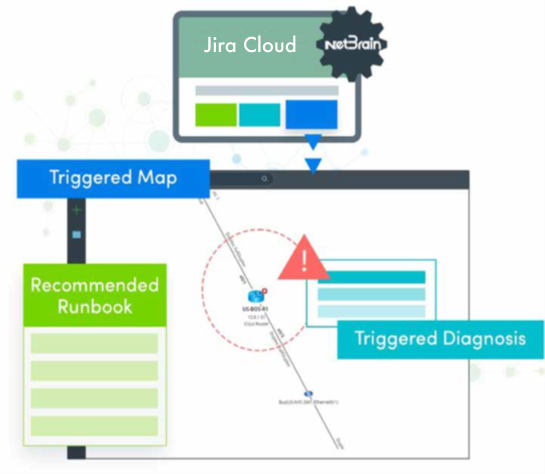
Following the successful integration of the two systems, Jira Cloud will have the capability to automatically trigger the NetBrain Problem Diagnosis Automation System (PDAS) to begin problem diagnosis the instant any service ticket is generated, not hours or days after the problem has been reported, facilitating the resolution of intermittent or transient issues.
Once triggered, the NetBrain PDAS will spring into action using conditional filtering of the incoming service ticket record data to identify all applicable automation and automatically execute. NetBrain PDAS will pull real-time information from device and interface configuration, routing tables, NAT polices, ACLs, VRFs, MAC Address tables, and even layer 2 devices into consideration when constructing the automated response to the problem. Then, the NetBrain PDAS will generate a real-time visual map of the impacted network devices and application paths with any applied automation to help decode your network.
The result? The NetBrain diagnostic results are populated and available in the Jira Cloud ticket record itself coupled with a complete NetBrain map made available in the NetBrain Incident Portal for collaborative troubleshooting across all teams in your organization to solve the issue faster.
NetBrain Jira Cloud App helps to achieve the basic end-to-end integration of the Jira Cloud platform with the NetBrain Problem Diagnosis Automation System in your environment. The topics that will be covered include:
- Satisfying integration pre-requisites
- Establishing and validating connectivity between the NetBrain and Jira Cloud systems
- Creating the required Intent-Based Triggered Automation to test the integration
- Completing an end-to-end test of the integrated systems