Assessment Library
The Assessment Feature and Assessment Rule will be synchronized to the Assessment Library. You can download the Assessment Library via the NetBrain Download function. The downloaded resources include Reference Cluster, Assessment Feature, and Assessment Rule Definition, which are used for Golden Assessment. Power users can install and manage these resources through the Assessment Library interface. In this topic, you will explore:
- Assessment Library Table options
- Table Column Details
- Analyze Relevance: This function is provided to analyze device relevance for assessment rules.
- Generate Assets: This function is provided to directly generate the selected assets from the Library.
- Uninstall Selected Items
Assessment Library Table options
At the top of the Assessment Library table, the following options and controls are provided:
- Filter: The default display shows Installed Rules, To Be Updated Rules. You can filter the content based on the rule status.
- Local Version: It help you to filter the versions for the currently listed items. This enables locating the relevant Local Versions without being impacting the Installed Rules, To Be Updated.
- Refresh: Reloads data in the table and updates the status of each rule.
- Last download info: Displays the timestamp of the last synchronization with NetBrain Download (e.g., Last download from NetBrain Download 7 days ago). A link is provided to access NetBrain Download in a new browser tab.
-
Search Scope: You can search a keyword within the columns: Assessment Rule, Description, Local Version, Library Version.
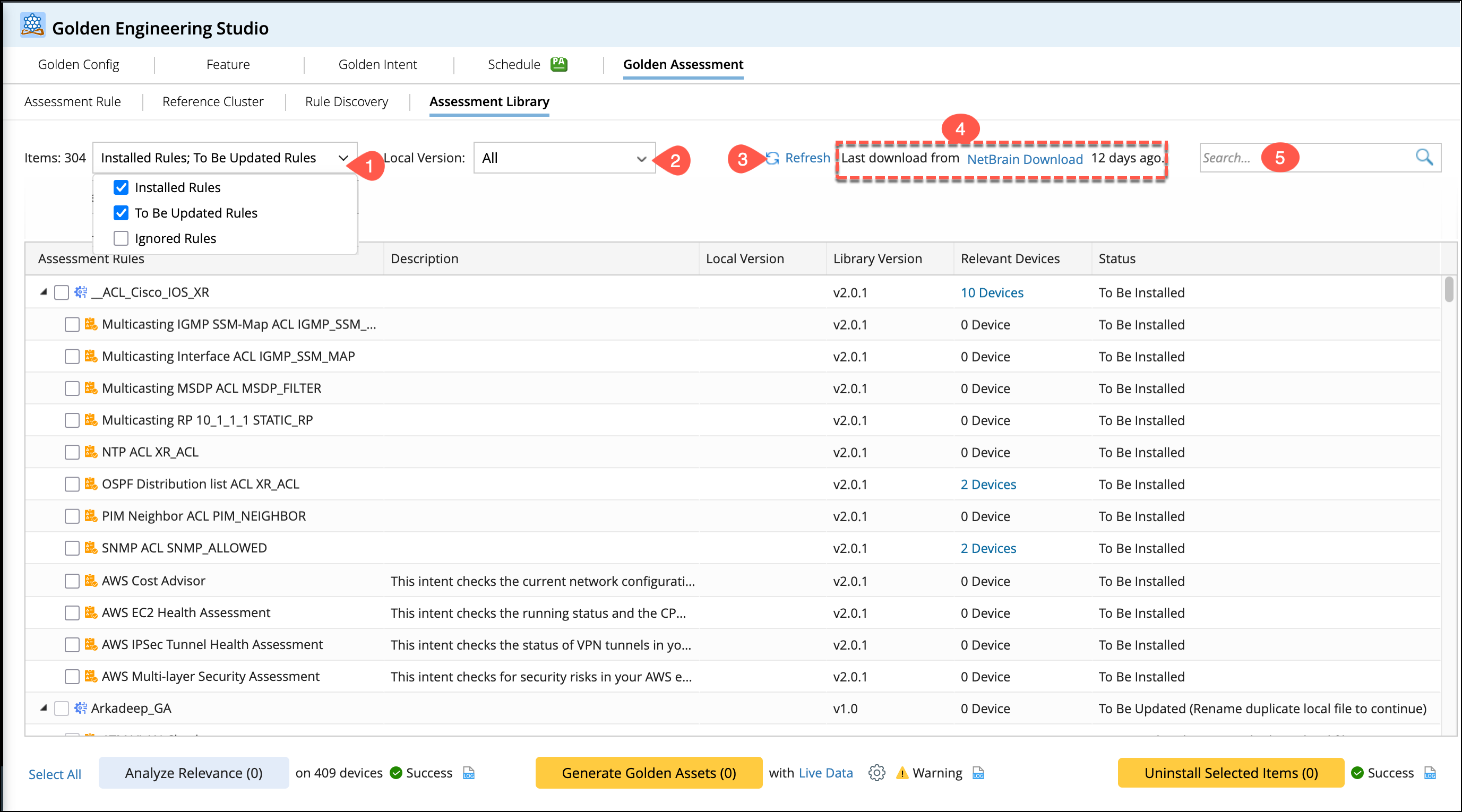
Table Column Details
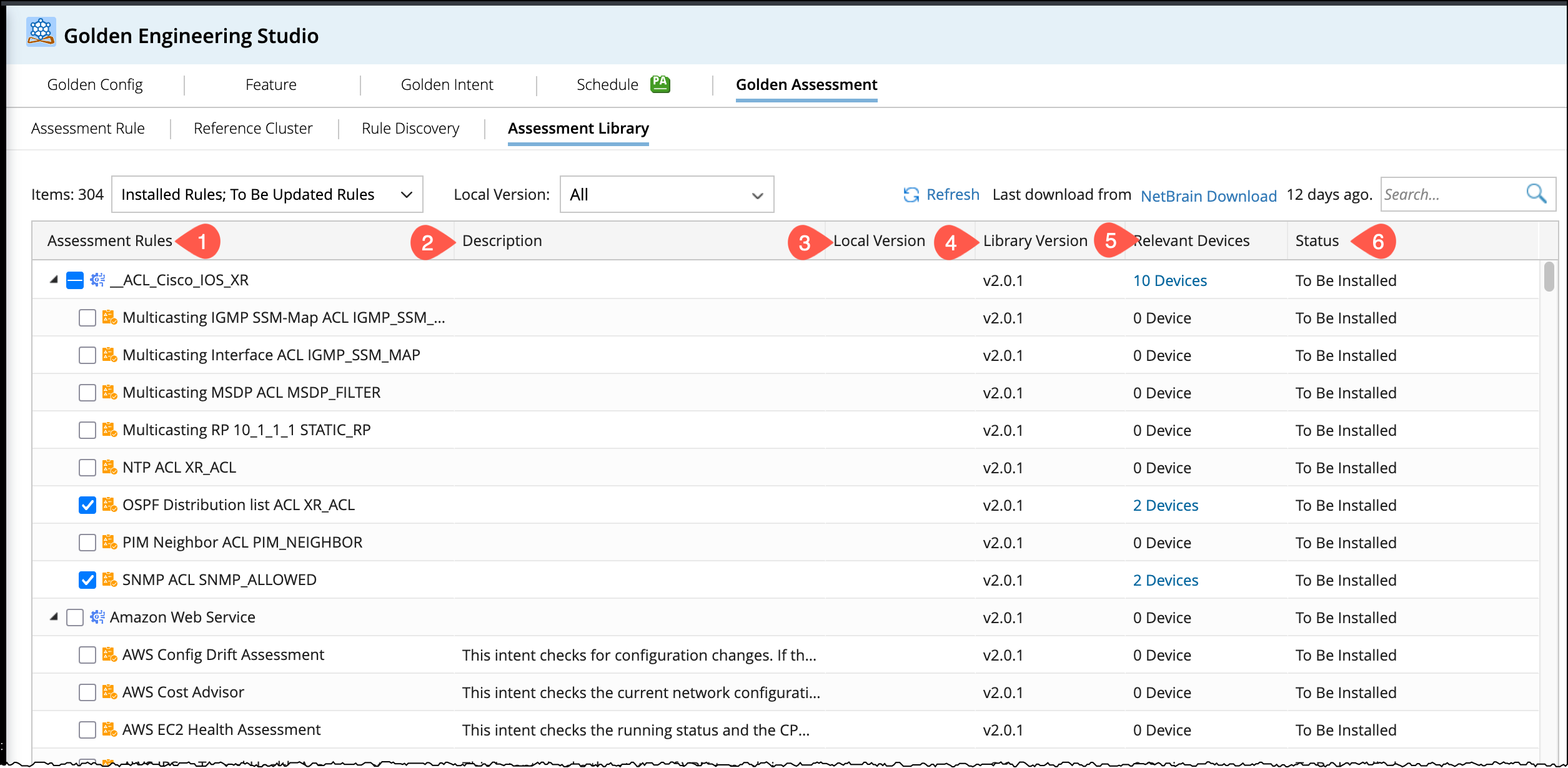
The following details pertain to the table column:
- Assessment Rules: Lists the Assessment Features and Assessment Rules that were synchronized after downloading from NetBrain Download. They are structured by Feature and Rule relationship.
- Description: Displays the description as defined in the Assessment Rule.
- Local Version: Indicates the version currently in the local system:
- Empty: Indicates that the resource has never been installed, or it was installed but later deleted by the user.
- Same as Library Version: Indicates that there are no new resources (e.g., both are v1.0).
- Lower than Library Version: Indicates that the local resource is outdated, and a newer version is available in NetBrain Download.
- Library Version: Shows the latest version downloaded from NetBrain Download.
-
Relevant Devices: Shows the number of related devices obtained through the Analyze Relevance button calculation.
-
Status: Displays the specific status of the resource.

|
Note: In the image below, the Description in the Feature definition was later removed, so the Description column is empty. |
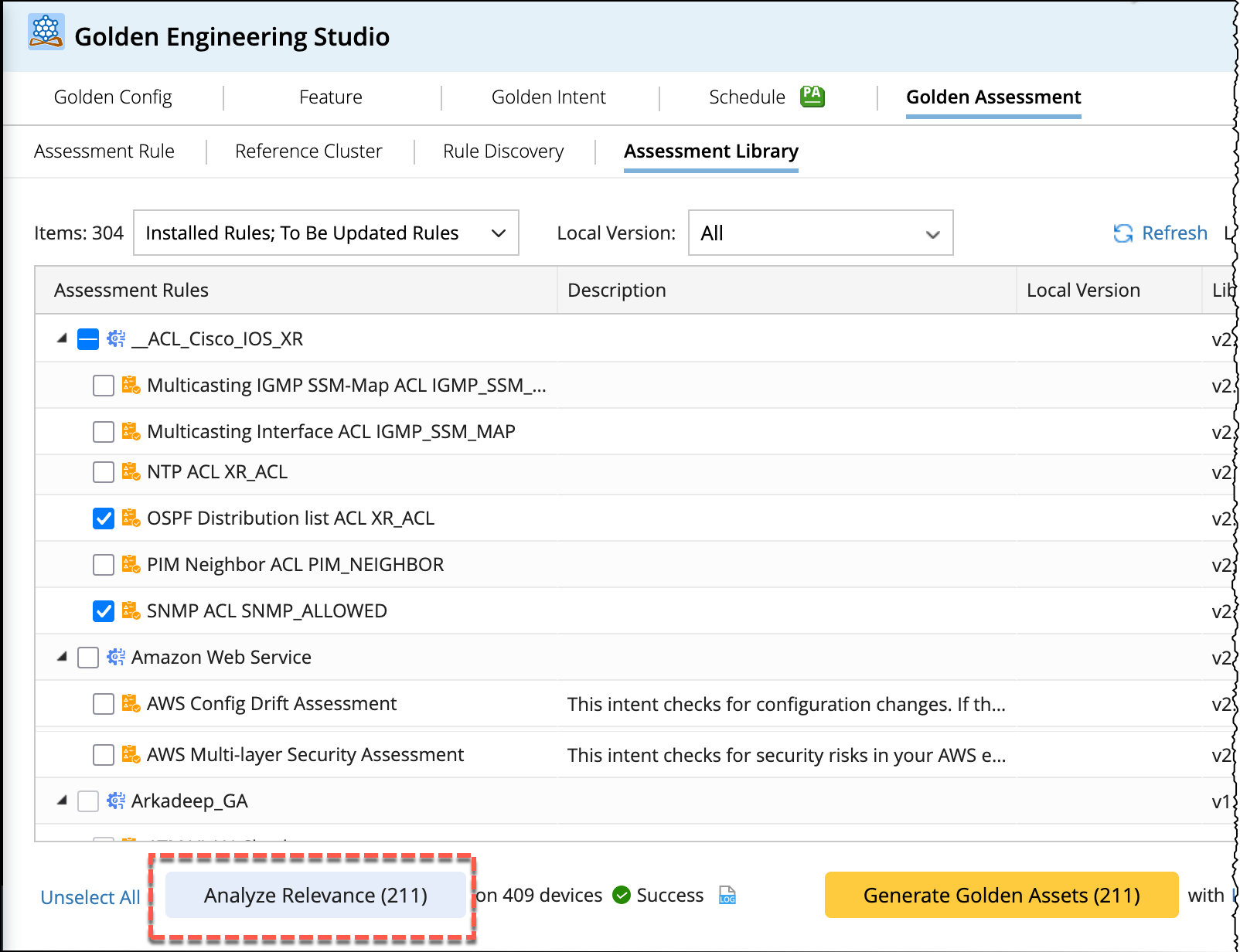
Analyze Relevance
Relevance indicates the number of devices match the criteria defined in an Assessment Feature, Assessment Rule, and Device Scope (within the reference cluster). This function analyzes device relevance for selected Assessment Rules based on the following logic:
- Assessment Feature: The number of devices matching the criteria defined in the Assessment Feature.
-
Assessment Rule: The calculation varies depending on the Assessment Rule configuration:
- Reference Cluster: If the Assessment Rule references a Reference Cluster, the calculation uses the device scope defined in that Reference Cluster.
- No Reference Cluster: If the Rule do not have a Reference Cluster, the calculation defaults to the device scope defined in Assessment Feature.
- Feature Referenced: Uses the device scope of that referenced Feature.
Generate Golden Assets
Selection of Items for Generating Golden assets
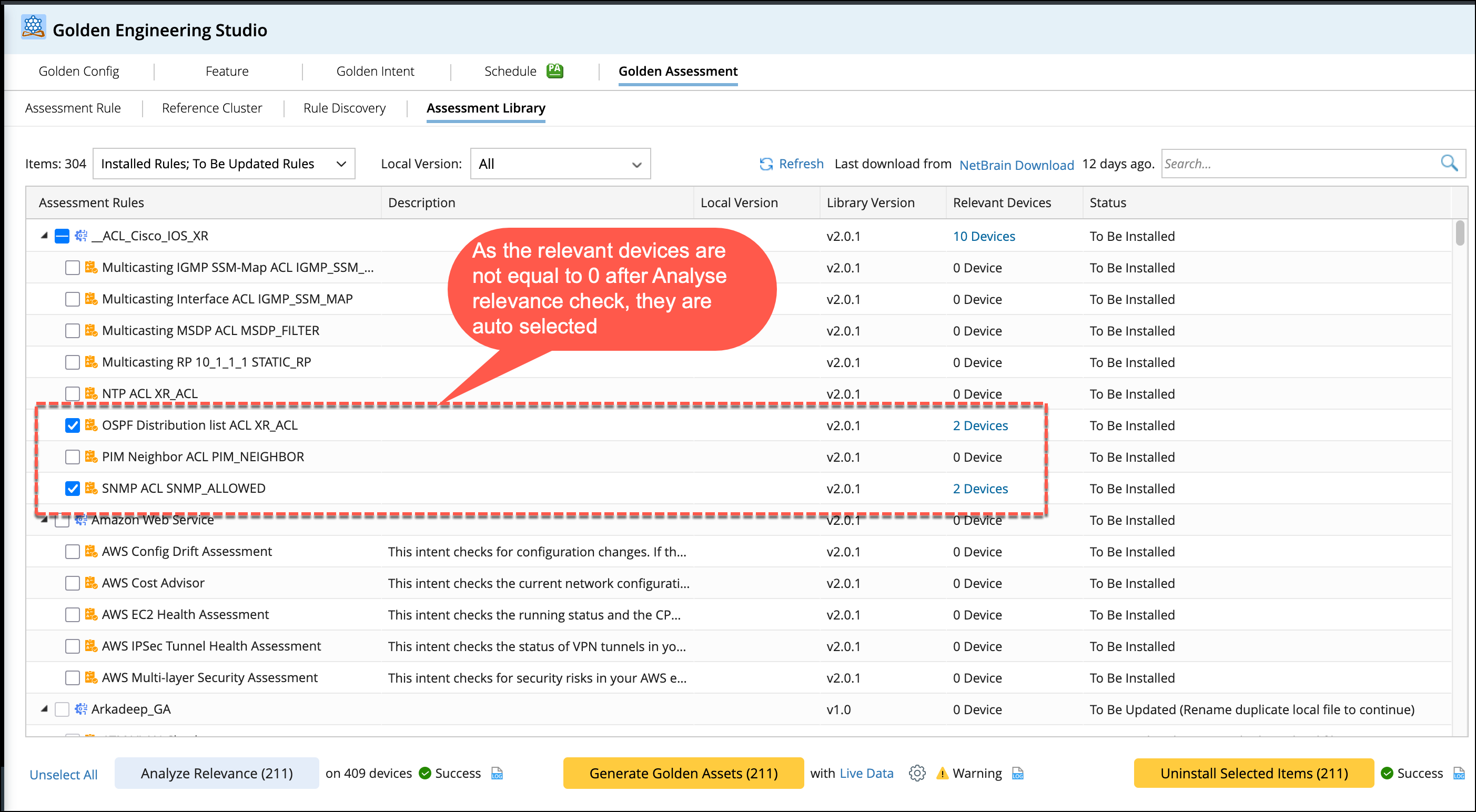
After running the Analyze Relevance check on a batch of items:
- Items with Device Count not equal to 0 will be automatically selected.
- Items with Device Count = 0 will not be selected automatically.
This refinement allows you to more efficiently generate Assessment Features/Rules using devices by clicking Generate Golden Assets.
Generate Golden Assets
Click Generate Golden Assets to start the asset generation process. The generated assets include the Assessment Feature, Assessment Rule, and any associated Reference Clusters, following this structure:
- Assessment Feature: Include the selected Assessment Features in the generation process.
-
Assessment Rule: Generate Assessment Rules under Assessment Feature, and:
- Execute Golden Config to generate in Golden Config Manager.
- Execute Golden Intent to generate in Golden Intent Manager.
- To verify Golden Config after generation, to execute,
- To execute Run after Golden Intent is generated.
|
|
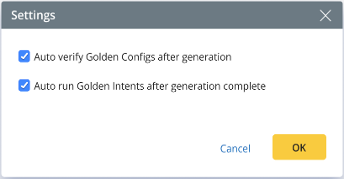
Note: The following Settings are provided to users:
By default, both options are selected to execute the golden config and golden intent when Generation is completed. And the results will be available in the Results tab of the Assessment Rule. |
Progress & Completion
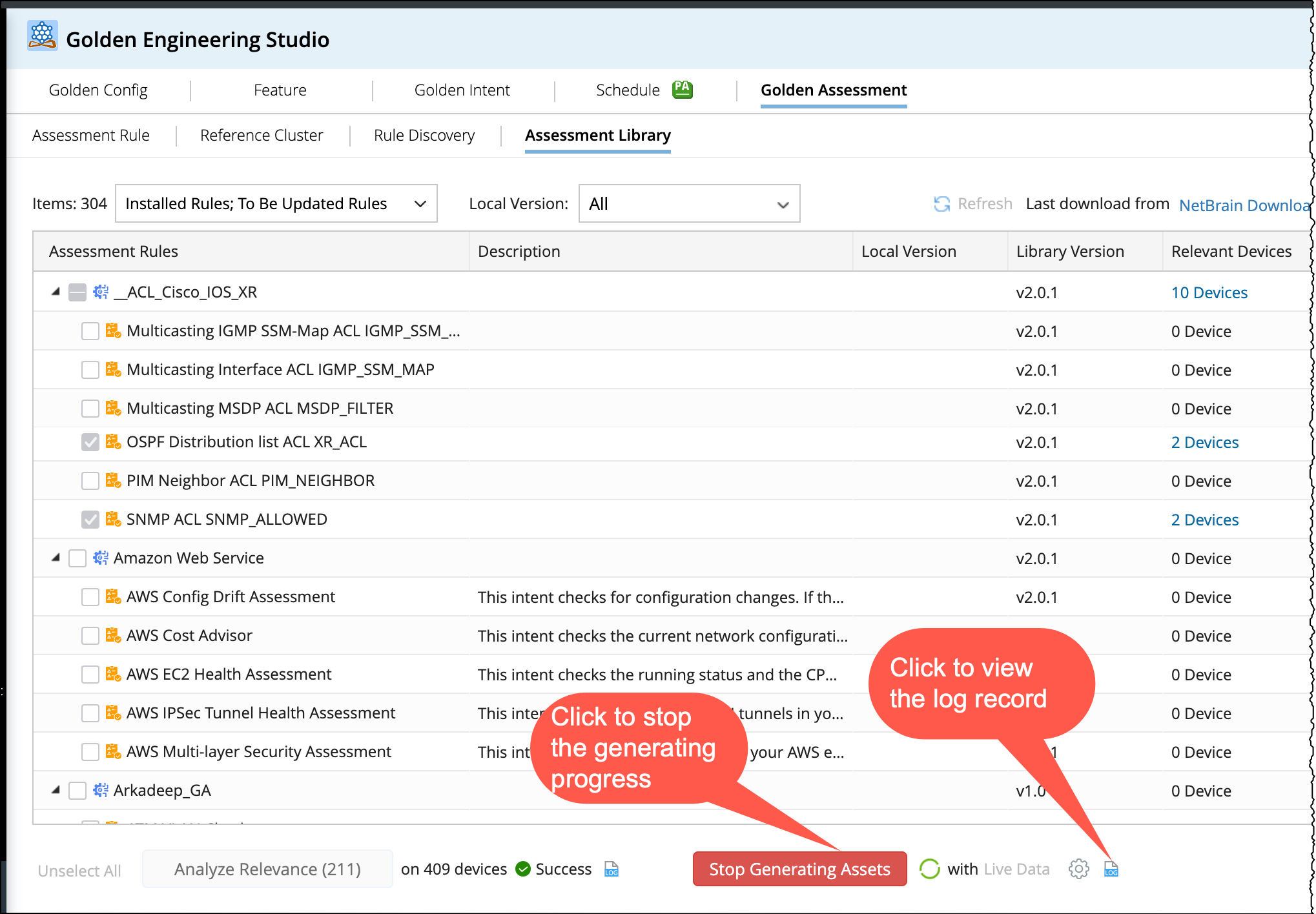
- Execution Time: The asset generation process may take a long time. You can stop the process at any point. Progress can be monitored in real-time via the logs displayed in the Log tab.
-
Log Details: Click
 to view the start and end times for each asset generation.
-
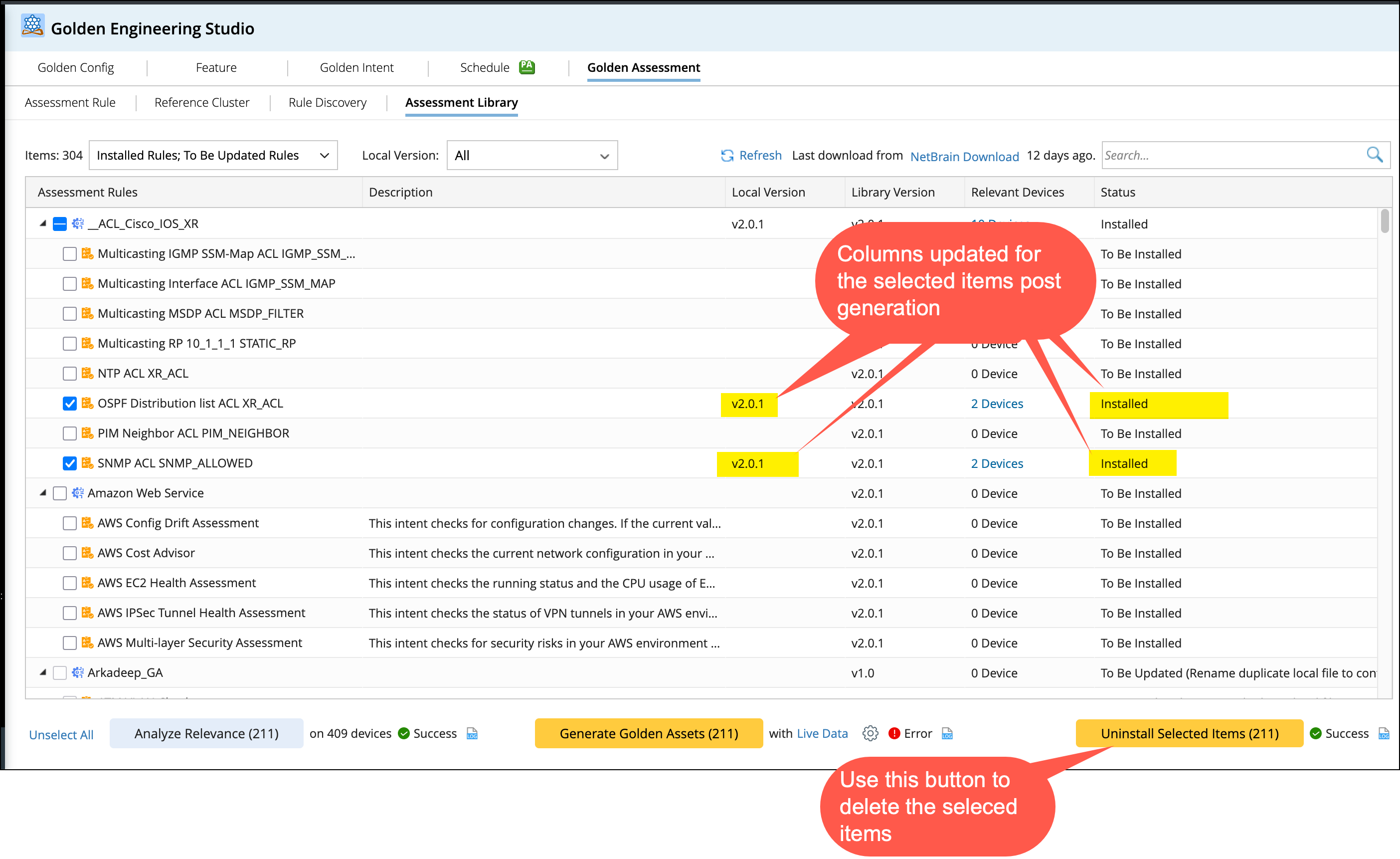
Post Generation Status: The Local Version and Status columns will be updated accordingly.
- Local Version: It is updated to match the Library Version.
-
Status: It is updated to installed.
Uninstall Selected Items
After selecting the items, you can uninstall them. The effect will be as follows:
- The selected Assessment Features/Rules will be deleted from the corresponding Assessment Rule Tab, Golden Config/Intent/Golden Feature generated. There is no need to delete Reference Cluster as it remain constant.
- Only the current Local Version is cleared for the selected item, and the items are still retained. If you want to delete them completely, you need to delete them from NetBrain Download.