R11.0a-March2023
Define Child Network Intent
An Intent Family entry is in the NI Edit pane. You can define Child NI here in two ways.
- Enter the NI Edit Mode.
- Click the
 icon and then select Intent Family.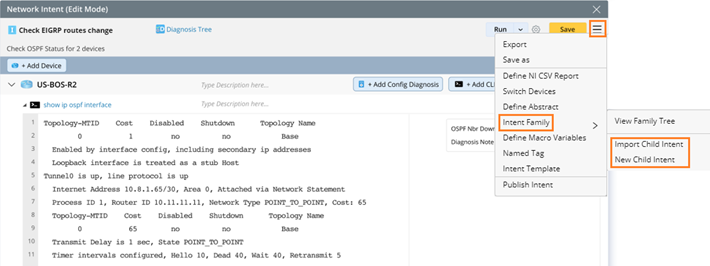
- You can define Child Intent in the following two ways:
- Import Child Intent: Select one or more normal NIs from the NI manager to copy into the current NI as child NIs.
- New Child Intent: Open the normal NI editor interface to define Child Intent directly, and this Child NI is self-contained in parent NI without specifying a path when saving.

Note: Child NI will not be saved and displayed in the NI manager.
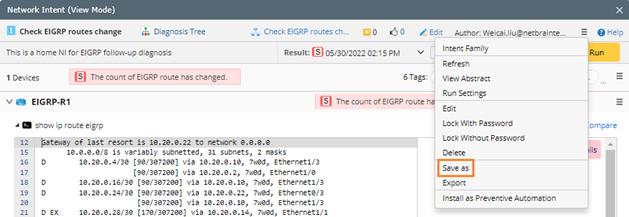
Note: When a Home NI is performed the “Save As” operation, its Child NI will also be saved to the new NI along with this NI.
- Click the icon and then select Intent Family > View Family Tree to view this tree.

Note: Child NIs can be used as Follow-up NIs like Normal NIs, but when the home NI is used as the seed NI of specified NIC, only child NIs can be replicated together, and normal NIs cannot be replicated. 