R12 Publication-2025July16
Operations on the Table Structure of View
This section introduces some main operations on the table structure in a view.
The system supports the following main operations on the columns of a View:
- From the dropdown menu of an intent column in ADT View, the following operations can be performed as shown in the screenshot below:

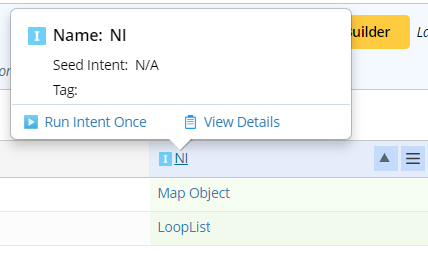
- Click on the intent column header, the intent column name and the Seed Intent for replicating intents in this column, and tags (if any) are shown. Plus, users can run intent once or view intent details from here.
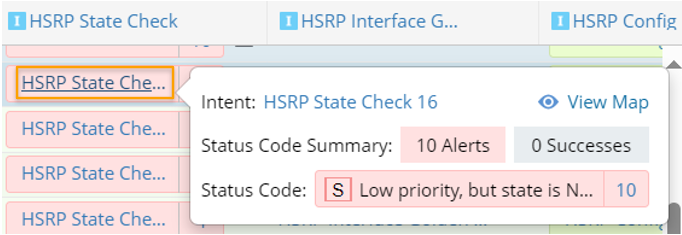
- You can view the cell data and tip message of the cells in intent column by clicking on one entry.
- From the dropdown menu of an Dataset column in ADT View, the following operations can be performed as shown in the screenshot below:
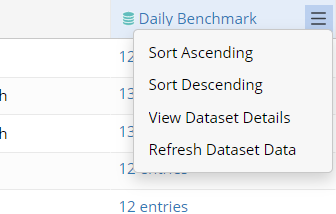
- Click on the column header of a dataset column, then the column Name, dataset source type and dataset tag (if any) will be displayed. You
can also refresh dataset data (Refresh Dataset Data) to get the latest data as in the original ADT or check the dataset details (View Dataset Details).
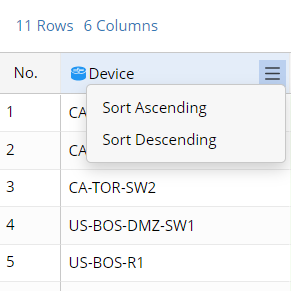
- Sort the entry order in a column: Arrange the order of the entries in a column.
- For the non-intent columns in the ADT, the entries in the column are sorted in alphabetic order (ascending or descending).
- For the intent columns in ADT, the entries in the intent column are sorted by the count of Alerts, in ascending order or descending order.
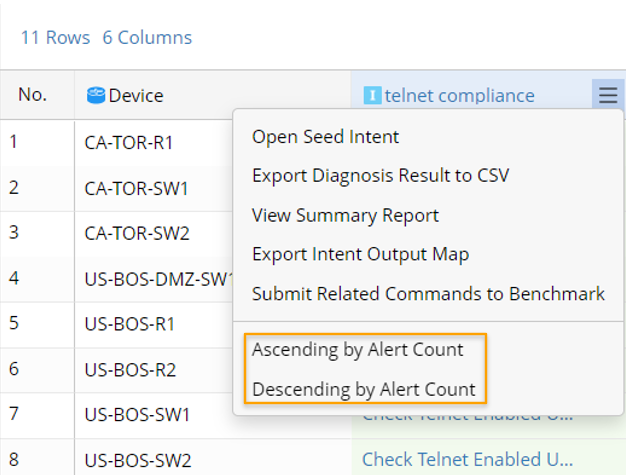
- For the non-intent columns in the ADT, the entries in the column are sorted in alphabetic order (ascending or descending).

|
Note: Alternatively, you can change the sorting order of columns by the icon  and the icon and the icon  from the column header. from the column header.
|