Global Search IntelliSense
Global Search is a main entrance for you to operate maps. It provides rich information in the intelligent prompt after entering the keyword. The information mainly include: input history, displaying intellisense when you enter a keyword with more than 2 characters, and the support for map and IPv6.
IntelliSense Detail
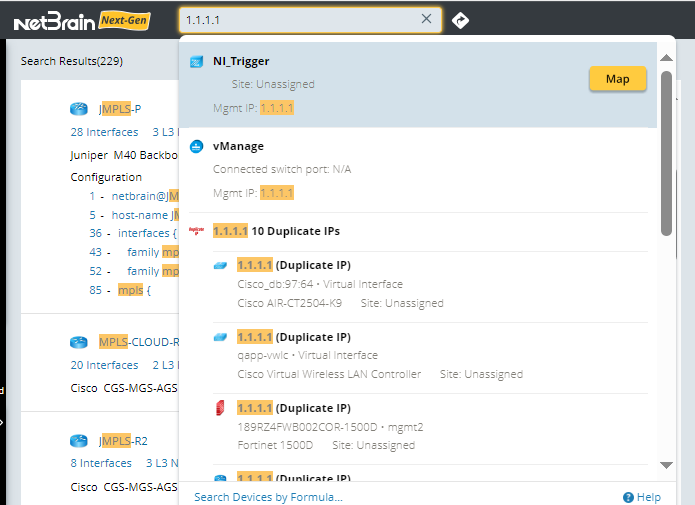
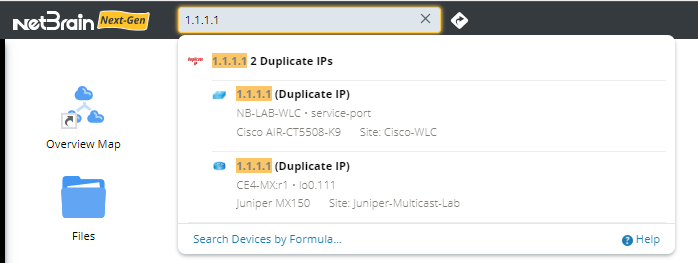
When you enter a keyword, the IntelliSense will provides the corresponding device, interface, device type, interface status and so on. The displayed information varies depending on the type of the entered content. Herr is an example when when a duplicate IP is matched.
The search scope is as follows:
- IP
- Management IP
- Interface IP
- Virtual IP
- One IP Table
- Hostname
- Hostname
- DNS Name
- Path Name/Application Name
Some examples of IntelliSense are as follows:

|
Note: When you click the search box, if there is a historical search record, it will be displayed, otherwise, the IntelliSense will only be displayed when the input content exceeds 2 characters. |
- Enter hostname:
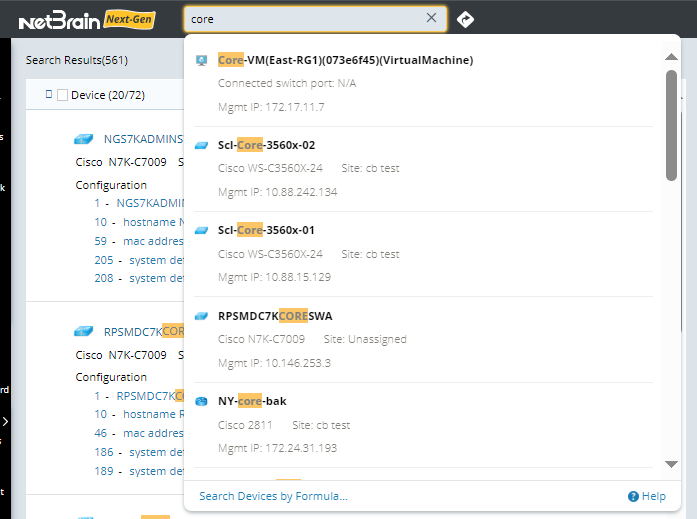
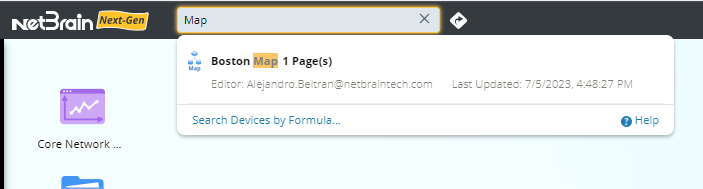
Note: Hove over a matched device entry, and you can click Map to draw the device on a map. - Enter Map Name. The map name, page summary, editor, and last updated time are displayed.
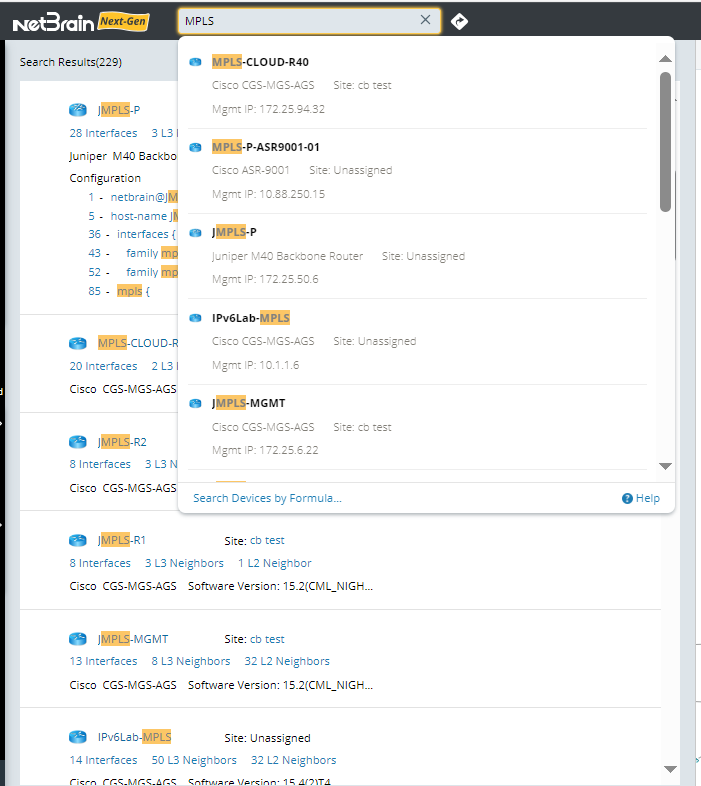
- If the input item matches Internet Cloud or MPLS cloud, you can distinguish them by icon. Here is an example when Internet Cloud is matched.
- If the entered IP is duplicate IP:
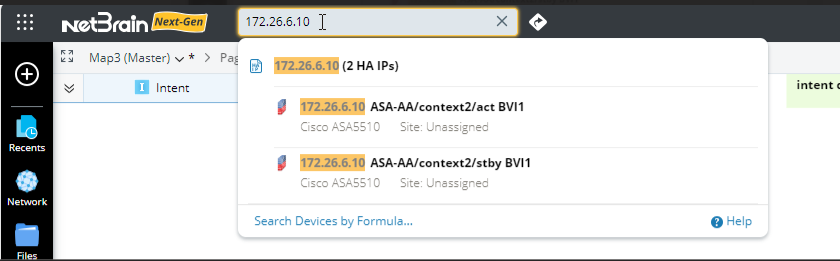
- If the entered IP matches a device, and this device belongs to an HA group:
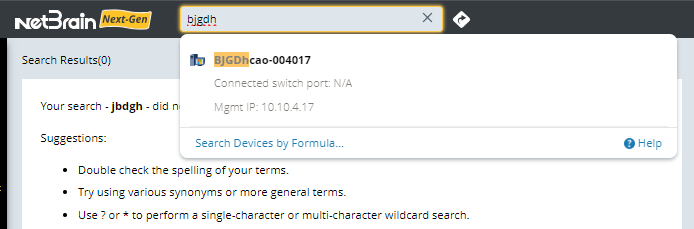
- If the entered DNS matches multiple items, the device corresponding to the DNS will be listed separately:
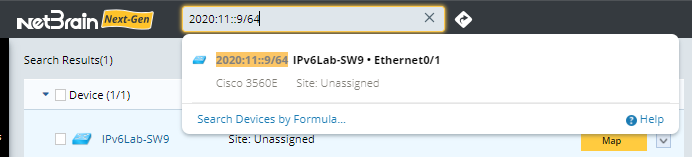
- If the input content is in IPv6 format, the corresponding device interface information will also be listed:
The matched items can be categorized as follows:
| Input Item | Matched Item | Displayed Information | Supported Operation | ||
| IP | Device Interface IP | Interface IP Device Name Interface Name Vendor module Site |
| ||
| HSRP/VRRP/GLBP Virtual IP | Virtual IP Virtual IP Tag Tech Protocol Real IP summary Real IP Real IP Device Name Real IP Device interface Name Real IP Device Vendor module Real IP Device Site |
| |||
| Internet Cloud | IP Address Cloud Type Connected Switch Port |
| |||
| MPLS Cloud | IP Address Cloud Type Connected Switch Port |
| |||
| Endsystem | IP Address Device Name Connected Switch Port |
| |||
| Unknown Endsystem | IP Address DNS Name Connected Switch Port |
| |||
| Unknown IP | IP Address |
| |||
| HA Group | HA tag HA interface IP Device Name Interface Name Vendor Module Site |
| |||
| Duplicate IP | IP Address Duplicate IP summary
|
| |||
| Keyword | Device Name | D evice Name Type Vendor module Site Interface IP |
| ||
| DNS Name | DNS Name IP address Connected Switch Port |
| |||
| Internet Cloud | Cloud Name Cloud Type Connected Switch Port |
| |||
| MPLS Cloud | Cloud Name Cloud Type Connected Switch Port |
| |||
| Endsystem | Device Name Connected Switch Port |
| |||
| MAC Device Name | Device Name DNS Name Connected Switch Port |
| |||
Application Name Path Name | Path Source Destination Protocol Path Name Application name Latest result time | ||||
| Map Name | Map Name Page Name Editor Last Updated |
|
Map/Select Action Detail
In the IntelliSense, each item has a Map button. Some examples of displaying Map button are as follows:
- Search by virtual IP:

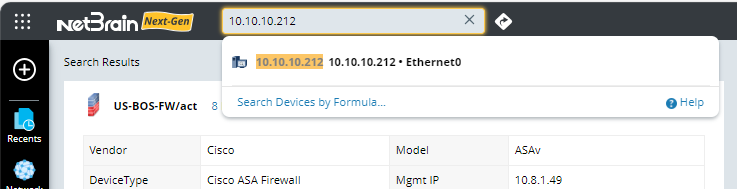
- Search by host:
- Search by duplicate IP:
Depending on the device type, the content displayed after clicking Map is also different:
| Device Type | Map Action | Select Action | ||
| Device Interface IP | Map the L3 neighbor of the first hop of the device. | Enter the corresponding IP. | ||
| Host Name | Map the L3 neighbor of the first hop of the device. | Enter the corresponding name. | ||
| HSRP/VRRP/GLBP Virtual IP | Map auto L3 links of all devices in the group corresponding to the virtual IP. | Enter the corresponding IP or name. | ||
| Internet Cloud | Map Internet Cloud. | Enter the corresponding IP or name. | ||
| MPLS Cloud | Map MPLS Cloud. | Enter the corresponding IP or name. | ||
| Endsystem | Map the first L2 neighbor of the device. | Enter the corresponding IP or name. | ||
| Unknown Endsystem | Map the first L2 neighbor of the device. | Enter the corresponding IP or name. | ||
| Unknown IP | Map unknown IP. | Enter the corresponding IP or name. | ||
| HA Group | Map all devices in the HA group, and auto link L3 links. | Enter the corresponding IP or name. | ||
| Duplicate IP | Map all devices with duplicate links.
| Enter the corresponding IP. | ||
| Path | Map the path. | |||
| Map | Open the map. | |||
| IPv6 Device Interface IP | Map the IPv6 neighbor of the first hop of the device. | Enter the corresponding IP. |