R12 Publication-2025July16
Build Dataset for ADT
This tab is used to add the imported data to a dataset in an existing ADT or a new ADT. With created datasets, you can run all intent-based automations without live network access. You can make basic settings in Area 1 and preview the updated ADT dataset information in Area 2.
- Build Dataset in ADT: Select an ADT to be built.
Select an existing ADT: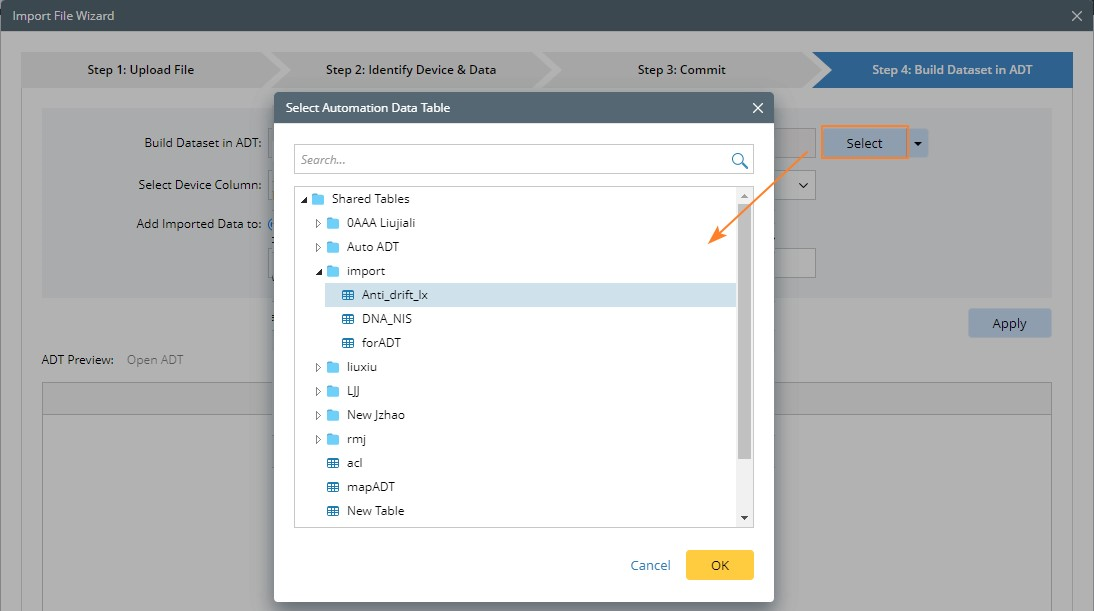
Create an ADT:
- Select Device Column: Select a device column in the ADT. And if there are imported devices that are not in this column, they will be discarded.
- Add Imported Data to: Select to add the data to a new or an existing dataset column in the ADT.
- New Dataset Column: A new column will be added to the ADT.
- Existing Dataset Column: The existing dataset in ADT will be overwritten. Add the newly imported data to the existing dataset column, and the previous data in this dataset column will be cleaned.

With the above settings completed, you can view the dataset details after clicking Apply.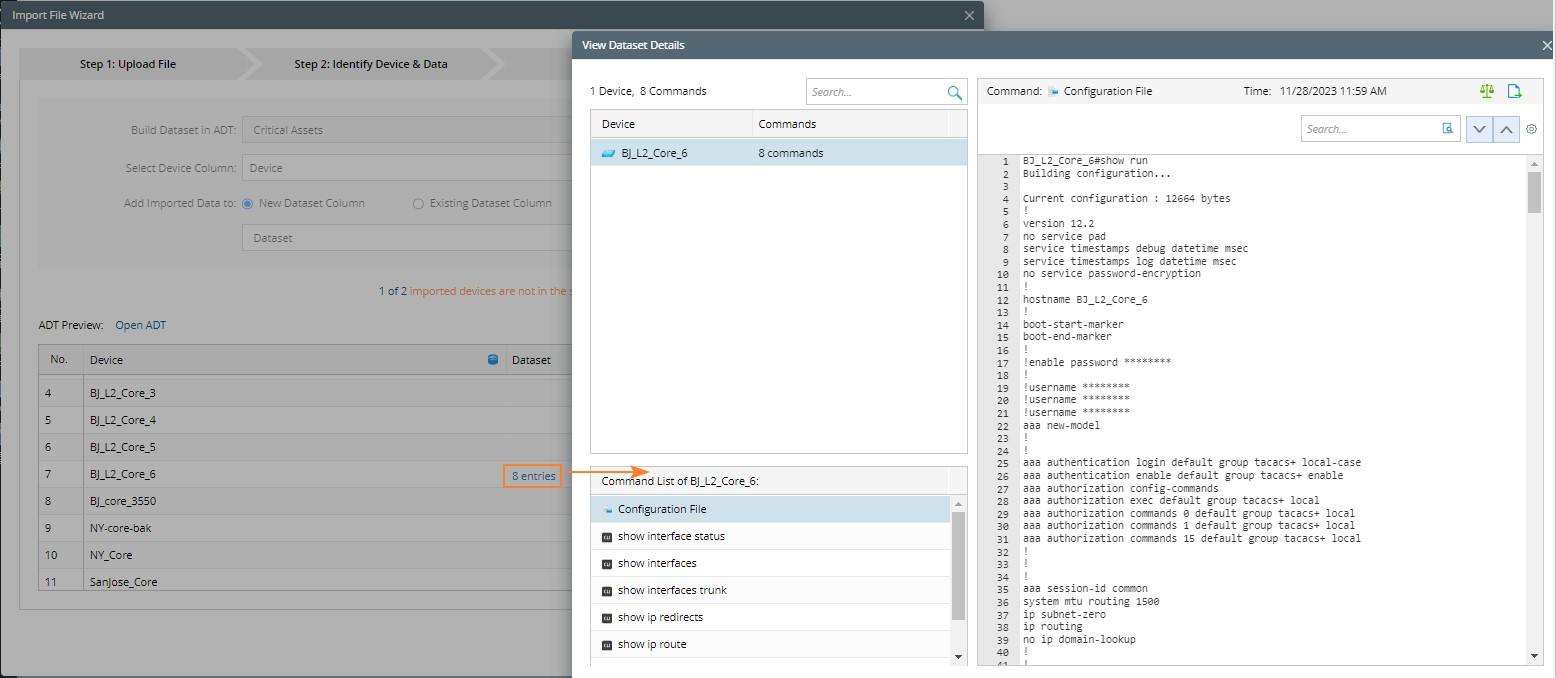
Moreover, the data managed by ADT dataset will never be automatically cleaned.
Import File Wizard Used in ADT
If you import files via Import File Wizard in ADT, only three steps are available:
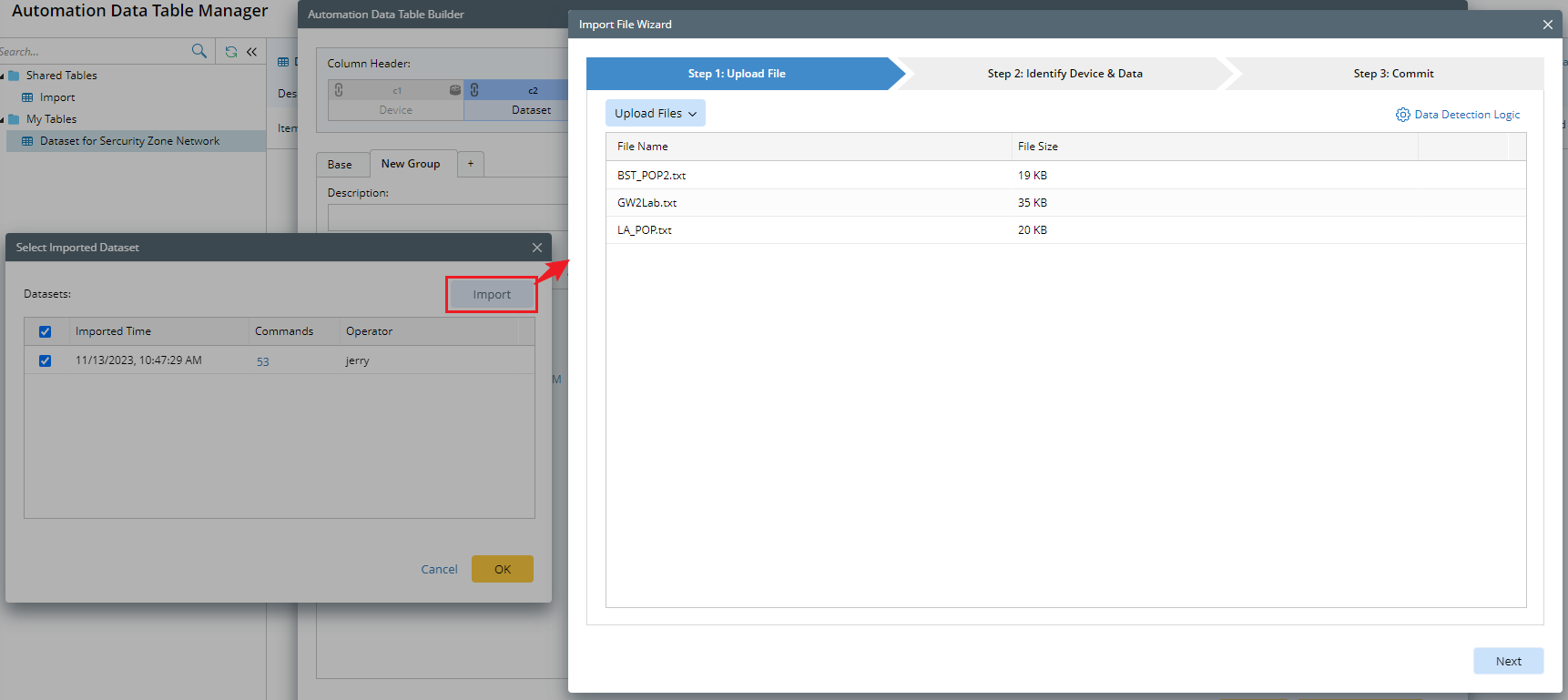
The default logic in wizard is as follows when it is used for ADT:
- Use the Import Commands Only mode on the Upload File tab.
- There is no “Detect Device Driver” in the Detection Logic.
- Use the Import Commands Only mode on the Commit tab.