R12.1 Project Publication-2025Dec23
Published Runbook Template Manager
Accessing and Using the Published Runbook Template Manager
All the published RBT (Runbook Templates) can be viewed and managed in this manager.
-
Navigation to Published Runbook Template Manager:
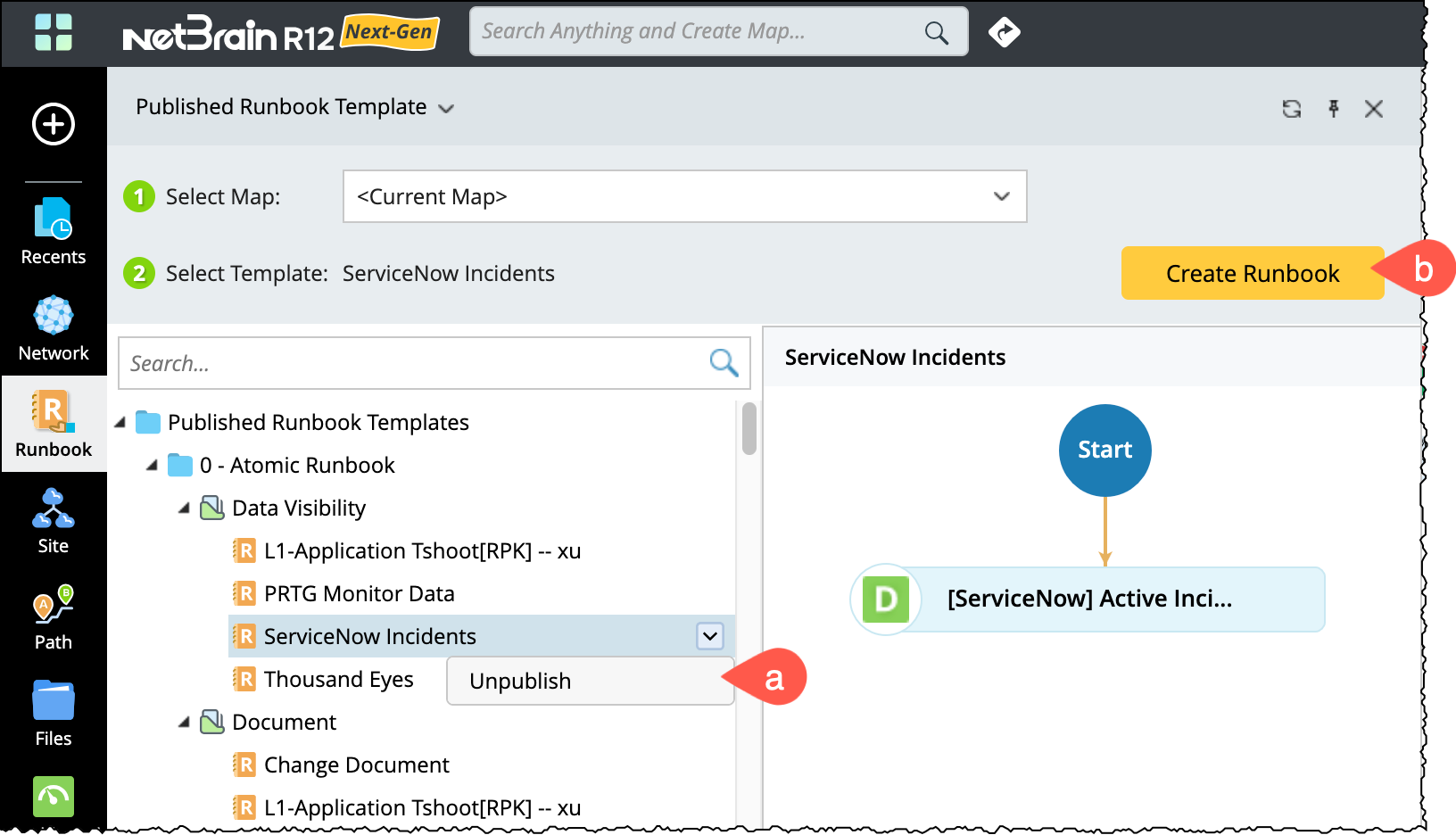
Click Runbook in the left navigation bar to directly access the Published Runbook Template Manager, and you can browse all published runbook templates.
-
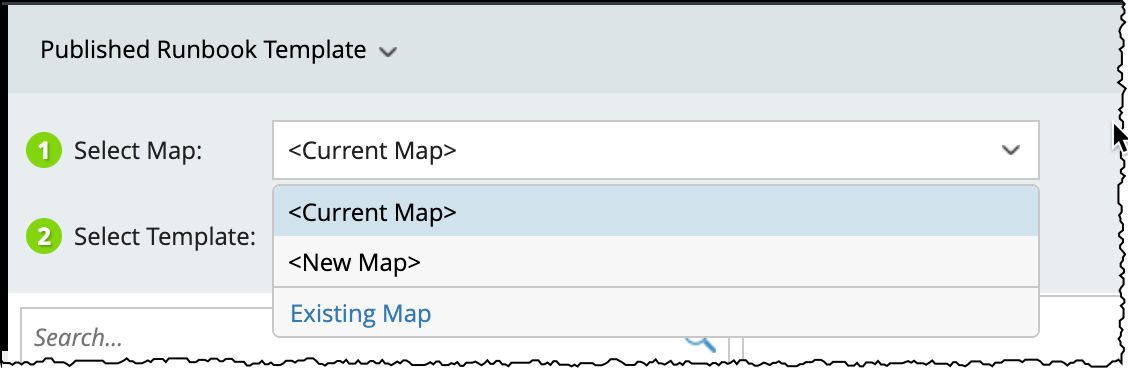
You must select a map when creating a runbook. The following options are available under Select Map:
- Current Map: Uses the map currently open on the desktop. This option is available only if a map is already open.
- New Map: Automatically creates an empty map to associate with the new runbook.
-
Existing Map: Allows you to choose from existing maps and then create a runbook based on the selected RBT.
- Filter Templates: Use the search box to enter keywords and filter runbook templates by name.
- Additional Actions: Following operations will be available upon selecting a published template:
- Unpublish: Removes the selected RBT from the published list.
-
Create Runbook: Instantiates a new runbook using the selected RBT and map.