Unknown End System
This section describes the functions of the One-IP table related to the unknown end systems:
- Show Unknown End System Only
- Resolve DNS Name for Unknown End System
- Add Unknown End System to End System
Show Unknown End System Only
Unknown End System refers to an IP/MAC address that does not belong to any device in the domain. Unknown End System comes from the Device Interface IP/MAC address of the ARP entries in the NetBrain domain. You can enable the Show Unknown End System Only checkbox to show only unknown end systems in the One-IP table.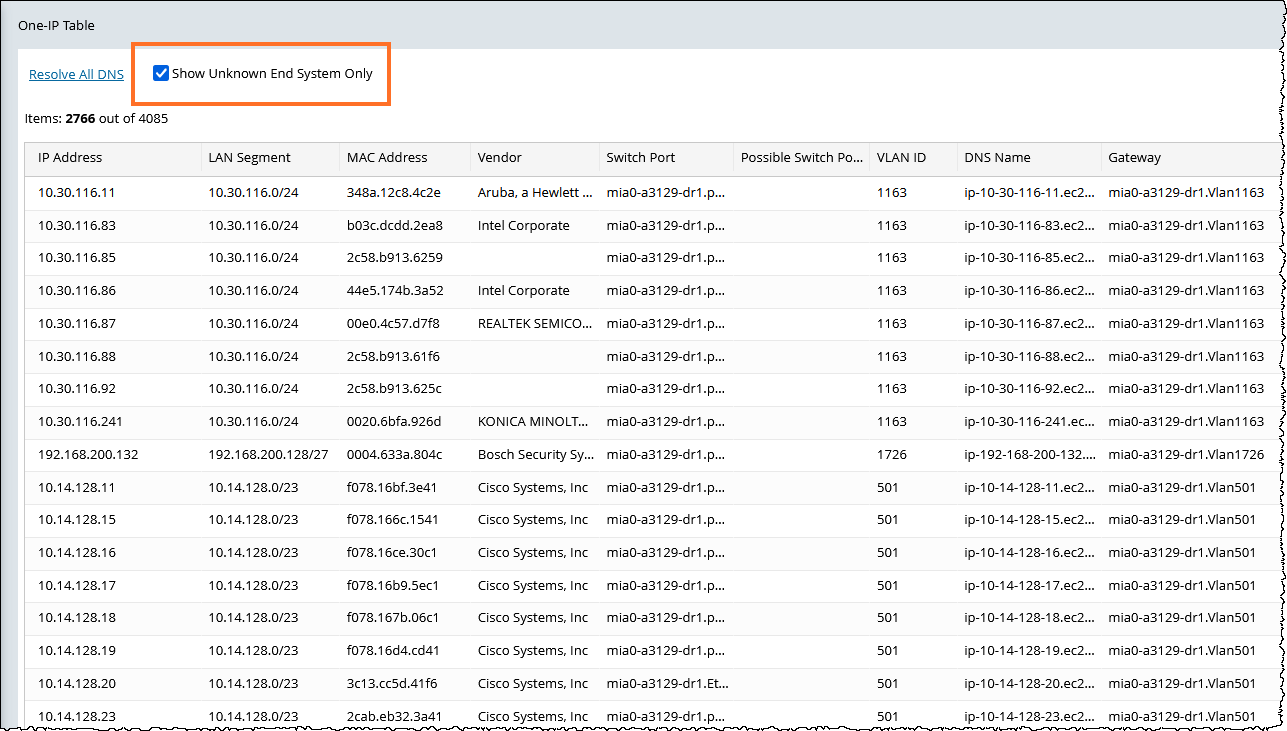
At the upper-left corner of the One-IP table, the number of entries of unknown end systems and the number of total entries in the table are displayed; for example, Items 1452 out of 2870 means that there are 1452 unknown end systems from the total 2870 IP addresses.
Resolve DNS Name for Unknown End System
An unknown end system refers to the end system whose DNS names are absent during the process of Layer 2 topology building. You can resolve their DNS names by performing DNS queries through a specified DNS server.
To find out DNS names for unknown end systems, perform the following steps:
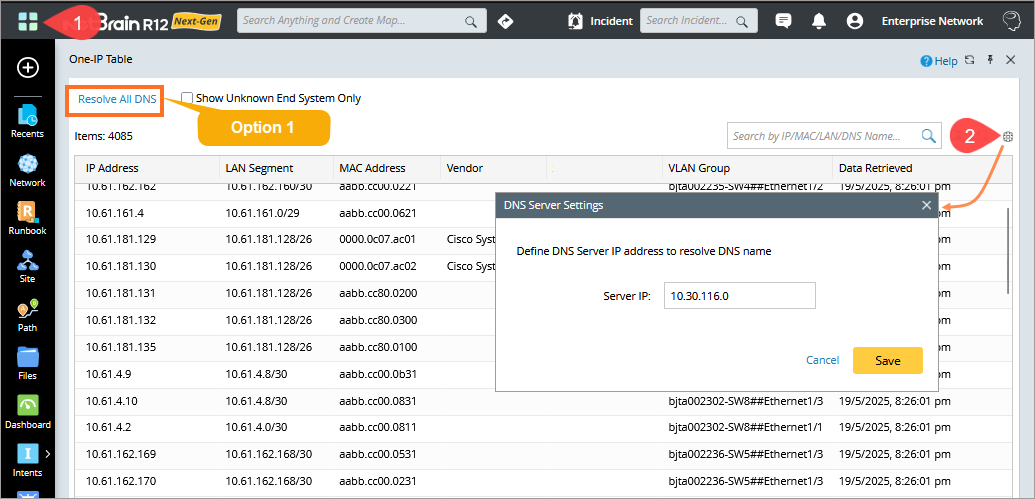
- Open the One-IP Table from the start menu
 .
. - Click the
 icon to open the DNS Server Settings dialog, and then specify the IP address of the DNS server.
 - Select the scope of DNS names to be resolved.
- (Option 1) Click Resolve All DNS on the One-IP Table page. Resolve the DNS names for all unknown end systems. Depending on the number of unknown end systems, this operation can take a long time.
- (Option 2) Click
 on a selected entry and select Resolve DNS. Resolve the DNS name for a specified unknown end system from the One-IP table.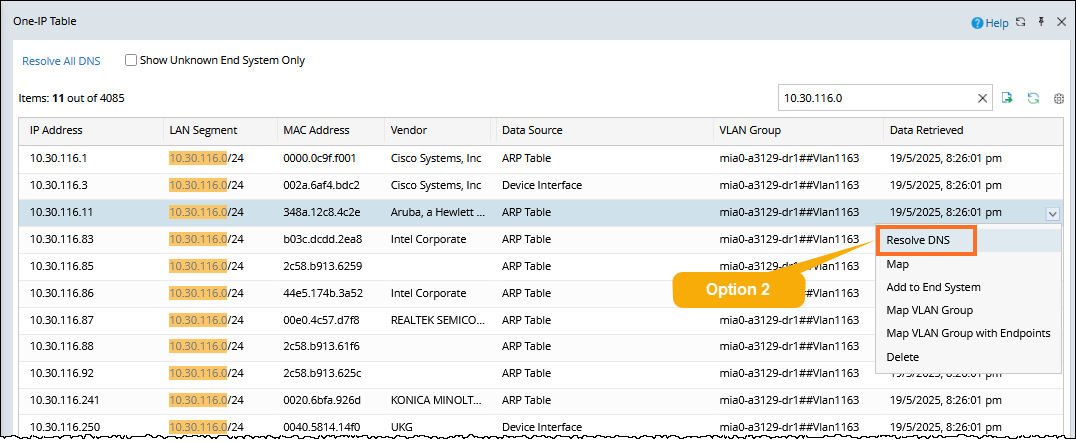

Note: You can resolve the DNS name for an unknown end system from the map if the end system is mapped: Right-click the unknown end system on the map, and then select Resolve DNS Name from the menu.

- (Option 1) Click Resolve All DNS on the One-IP Table page. Resolve the DNS names for all unknown end systems. Depending on the number of unknown end systems, this operation can take a long time.
If you need to resolve the DNS name for multiple end systems, select multiple entries of the end systems in the One-IP table by pressing the Ctrl or Shift key, and then right-click to select Resolve DNS.
Add Unknown End System to End System
After the DNS name for an unknown end system is resolved, you can add the unknown system as an end system to your domain. You can use the end system for other functions, such as endpoints of the A/B path.
Follow these steps to add an unknown end system whose DNS name has been resolved as an end system to the current domain:
|
|
Note: The system supports adding an unknown end system whose DNS name is resolved to an end system from Map: Right-click the unknown end system on a map, and then select Add to End System from the menu. The End System Properties window will pop up. 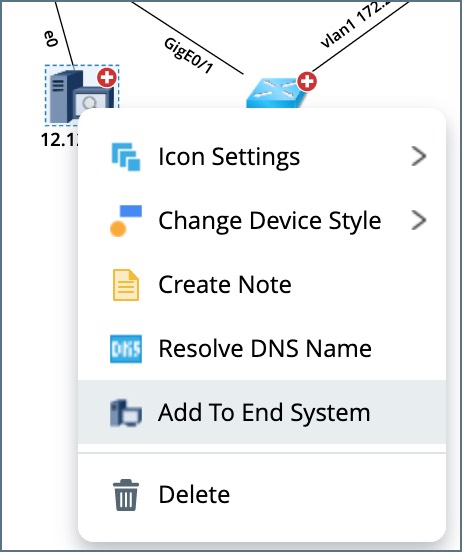 |
- On the One-IP Table page, click
 on the selected entry and select Add to End System.
 - You can select Device Type and Device Driver in the End System Properties window for the new end system.
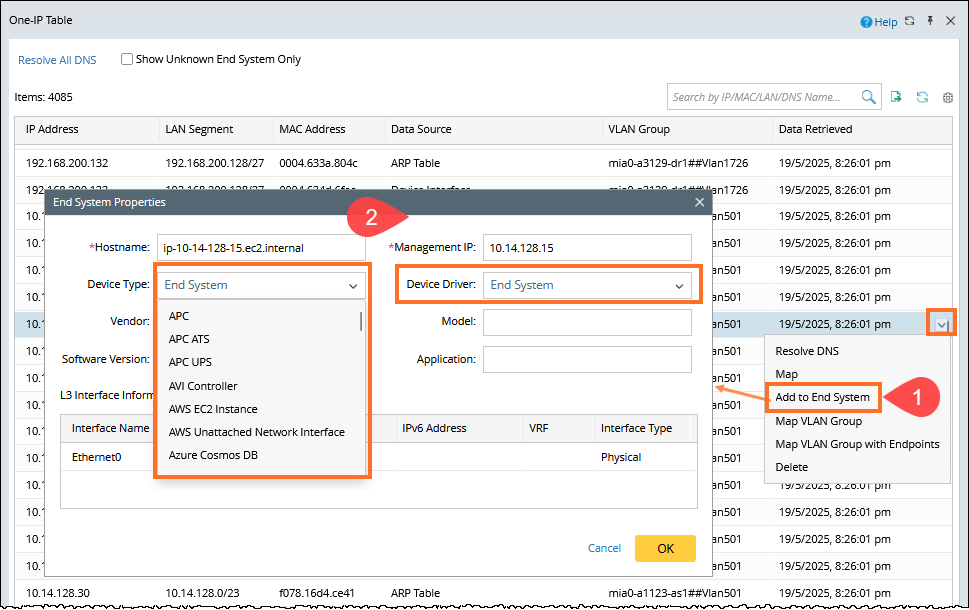
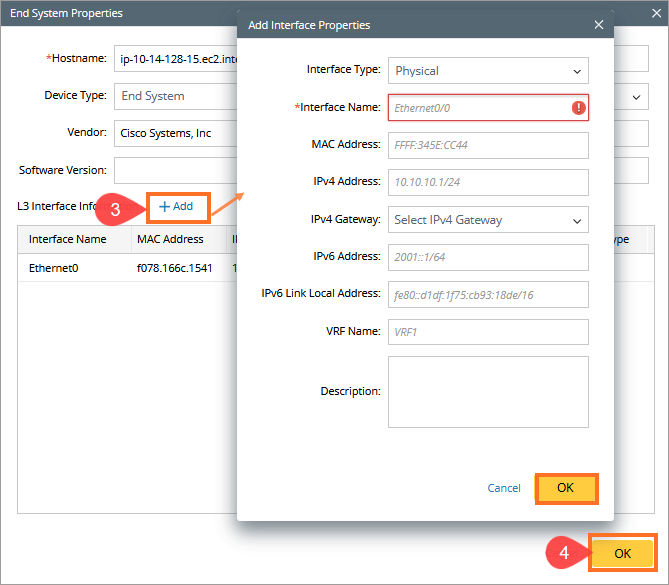
- (Optional) Click Add to add an L3 interface. Specify the information about the added L3 interface, and then click OK.
- In the End System Properties window, click OK.