Other Operations in One-IP Table
This section describes advanced operations in the One-IP Table.
- Resolve MAC Address with Multiple IP Addresses
- Only Save Entries with Switch port Values
- Global Data Clean
Resolve MAC Address with Multiple IP Addresses
Many terminal devices in the network automatically obtain IP addresses through DHCP. For example, when an engineer’s laptop is moved from Building A to Building B, the IP address may be reassigned, but the laptop’s MAC address remains the same. As a result, multiple IP addresses might be associated with a single MAC address in the One-IP Table.
To automatically use the latest IP address entry and remove the outdated ones from the One-IP Table, you can filter the DHCP entries: Go to Domain Management >  >Advanced Settings >Build L2 Topology Options, and then check the Filter DHCP Entries checkbox.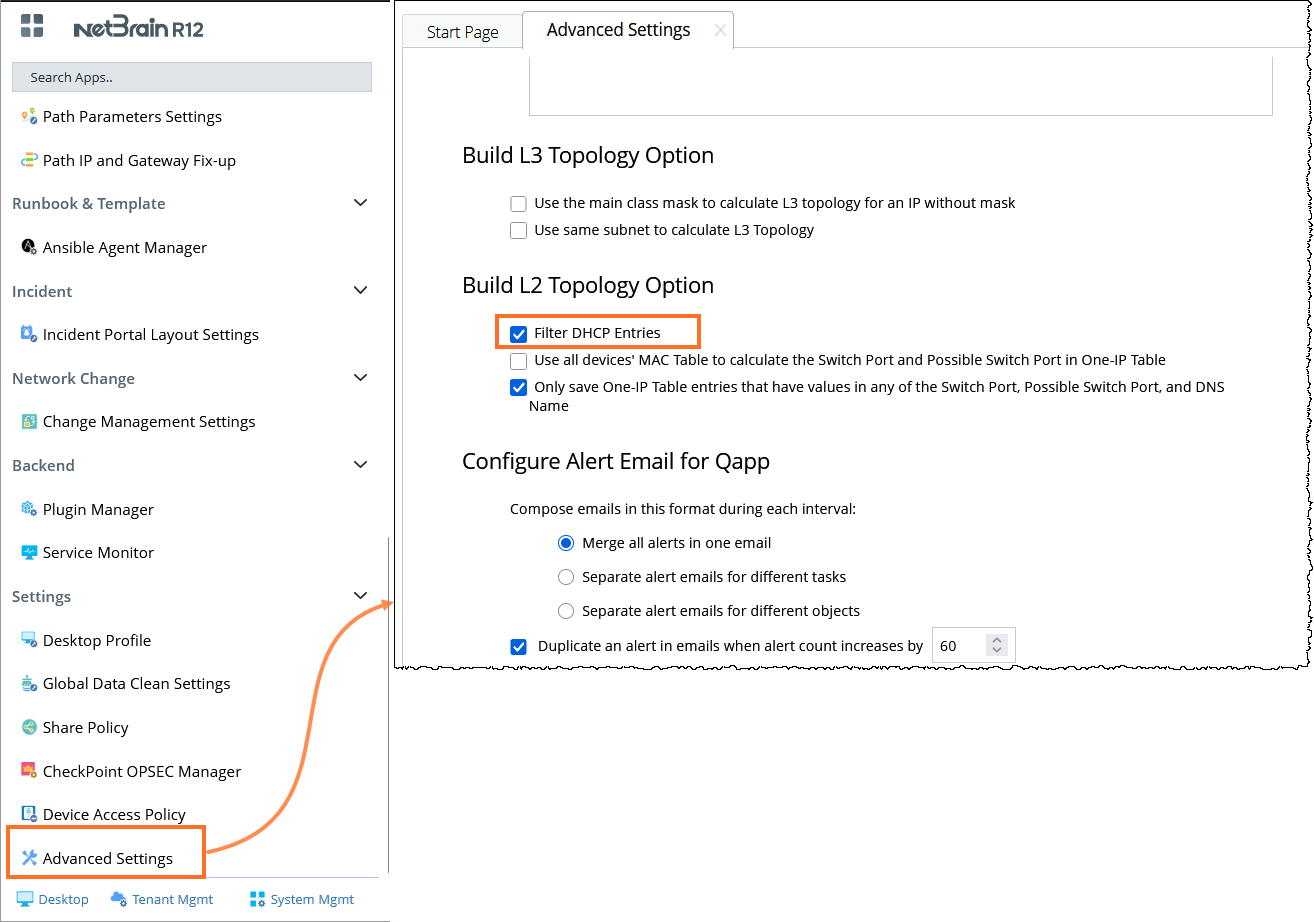
Provide Information about the Possible Switch Port and Gateway
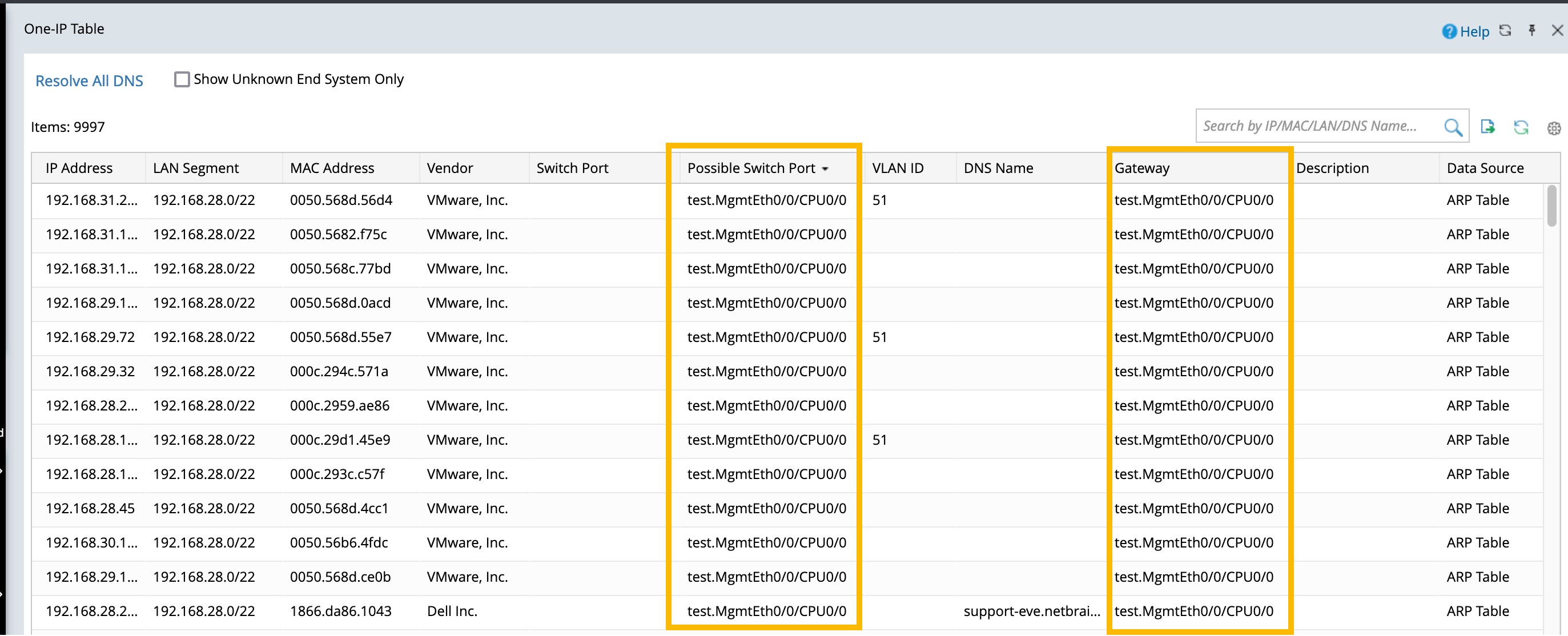
Certain IP/MAC entries in the One IP table do not have a corresponding switch port. As a result, users cannot determine the connected switch port and therefore cannot locate the IP/MAC in their network.
To address this issue, two columns, Gateway and Possible Switch Port, have been added to the One-IP Table to provide the corresponding information.
Global Data Clean
As the network system is constantly changing, some IP addresses become invalid, and the redundant entries of these IP addresses remain in the One-IP table. The NetBrain System supports removing old One-IP Table entries by setting the auto-clean rules for the One-IP table data in your domain.
As the network continuously changes, some IP addresses may become invalid, leaving obsolete entries in the One-IP Table. The NetBrain system supports removing outdated entries by allowing you to configure auto-clean rules for One-IP Table data in your domain.
To customize the auto-clean rules for the One-IP table data in your domain, do the following:
- Login to the Domain Management Page.
- On the Domain Management Page, select Domain Settings > Global Data Clean Settings from the quick access toolbar.
-
On the Global Data Clean Settings tab, customize the auto-clean rules on the One-IP Table Entries.

- Click Save.