R12.1 Project Publication-2025Dec23
Delete and Edit Commands
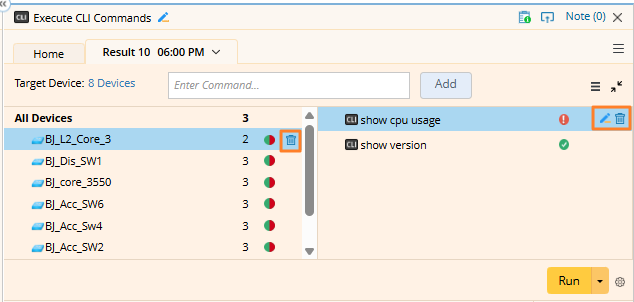
To allow users to manage added commands efficiently, the following functions are available:
-
Delete a Command: Hover over a command and click the
 (Delete) icon to remove it from the selected device.
-
Edit a Command: Click the
 (Edit) icon to modify a command. The primary use case is to replace a variable defined in the command with a specific value.
-
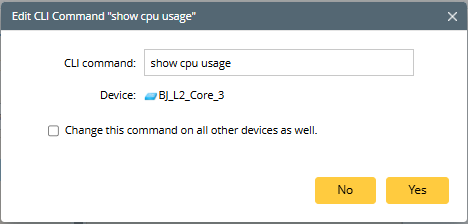
Apply to All Devices: A checkbox is provided to apply the same command change across all devices. This checkbox is not selected by default.
-
Apply to All Devices: A checkbox is provided to apply the same command change across all devices. This checkbox is not selected by default.
-
Remove a Device: Click the icon to remove a device from the list. And all associated commands for that device will also be deleted.