R12.1 Project Publication-2025Dec23
Define Merged Table
Merged Table can merge two tables in the same NI into one table, allowing you to merge table data in more ways to meet different needs. For example, there are two tables about BGP prefixes of primary and secondary wan routers, you can define merging rule to find the mismatched BGP route entries between them.
Complete the following steps to find the missing BGP prefixes between primary and secondary wan routers.
- Build an intent to parse the BGP routes using “show ip bgp” on rimary and secondary wan routers.
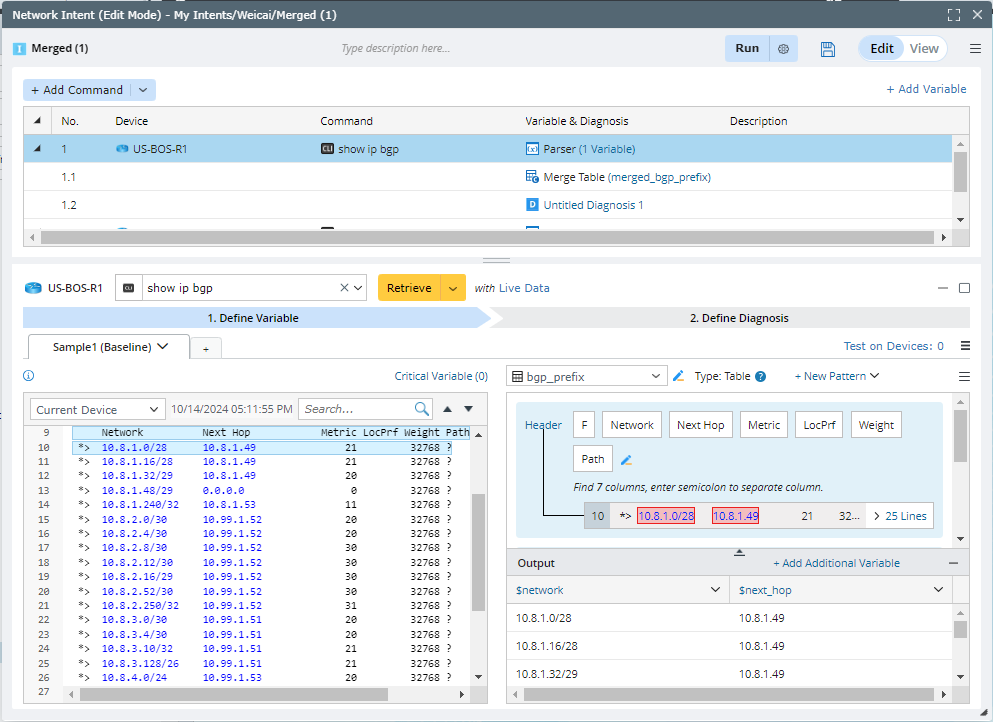
- Define a merged table using outer join to get the mismatched BGP route entries.
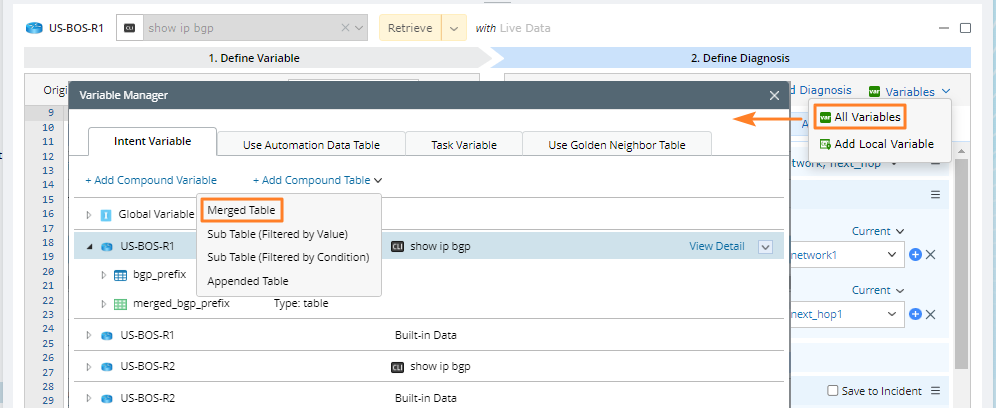
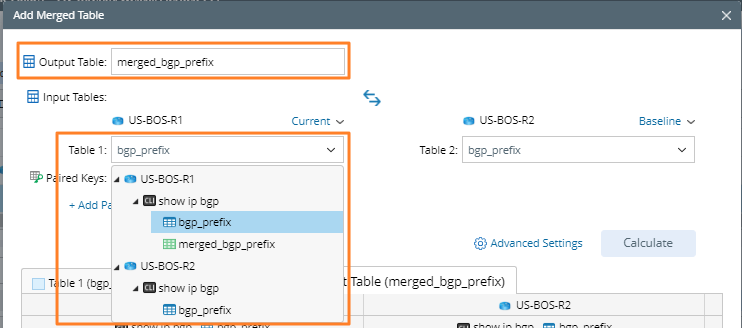
- In the Add Merged Table dialog, define the Table Name and open the drop-down menu to select the table variables for Table 1 and Table 2.
- Click Add Paired Keys to define the Paired Keys for Tables 1 and 2. The paired keys define the column pairs to be merged, and you can have multiple paired keys.

- Specify the outer join merging rule in Advanced Settings. You can also click the
 icon to view the merging rule.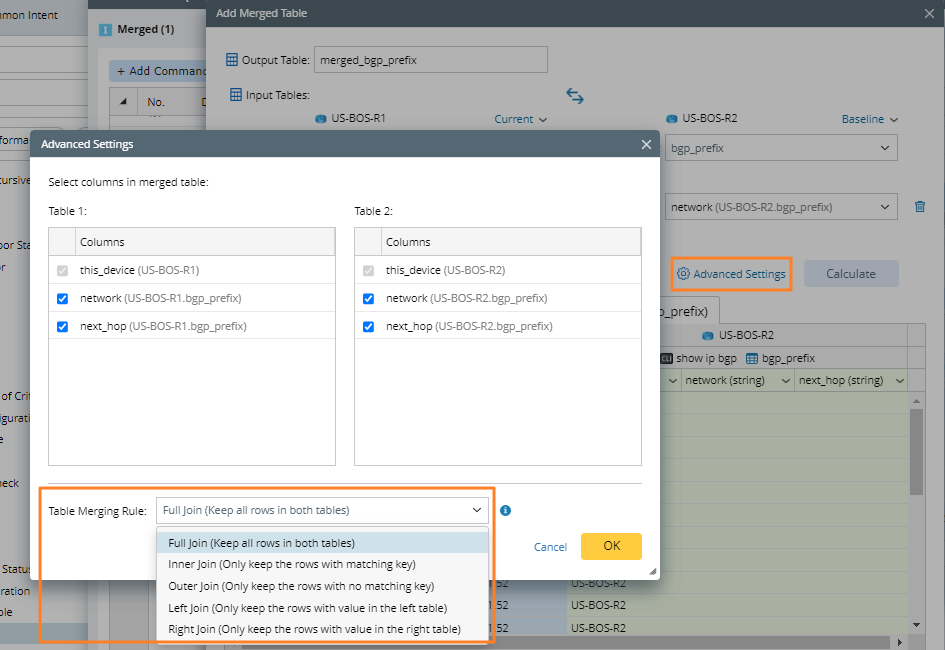
- Click Calculate. The columns in the output table are marked with different colors to distinguish the columns from Table 1 and Table 2.

Note: The data in output table in NI Editor is only the sample data and not complete. You can execute the intent to view the complete data.
- In the Add Merged Table dialog, define the Table Name and open the drop-down menu to select the table variables for Table 1 and Table 2.
- Define diagnosis to loop the mismatched BGP routes and output alert status code.

Merging Rule
| Merging Rule | Details |
| Full Join |  |
| Inner Join |  |
| Outer Join |  |
| Left Join |  |
| Right Join |  |
Key Logic of Merged Table
The key logic of merged table is as follows:
- The output table name must follow variable naming rules.
- Select the table variables for Table 1 and Table 2 and specify the data source (Current, Baseline, or Last) for the table variable in parsed table. The table variable includes the parser table and compound table.
- Add Paired Keys to define the Paired Keys for Tables 1 and 2. The Paired Keys define the column pairs to be merged, and you can have multiple Paired Keys.
- Select the columns and select the table merge rule in Settings.