R12.1 Project Publication-2025Dec23
Use Built-In Data Table as Variable in Intent
In some use cases, you may need to analyze the data at the topology interface level based on intent. For example, to find all the L3 neighbor devices of firewalls and then check the UDP flood for firewalls, check the bandwidth for their neighbor devices, and finally, save the data and relationship between them in a report. Netbrain provides the support for topology table in intent. And the built-in data tables can be used in the intent diagnosis.

|
Note: VLAN Group and Subnet tables can also be added as intent varibles for intent diagnosis. |
Adding Topology Table
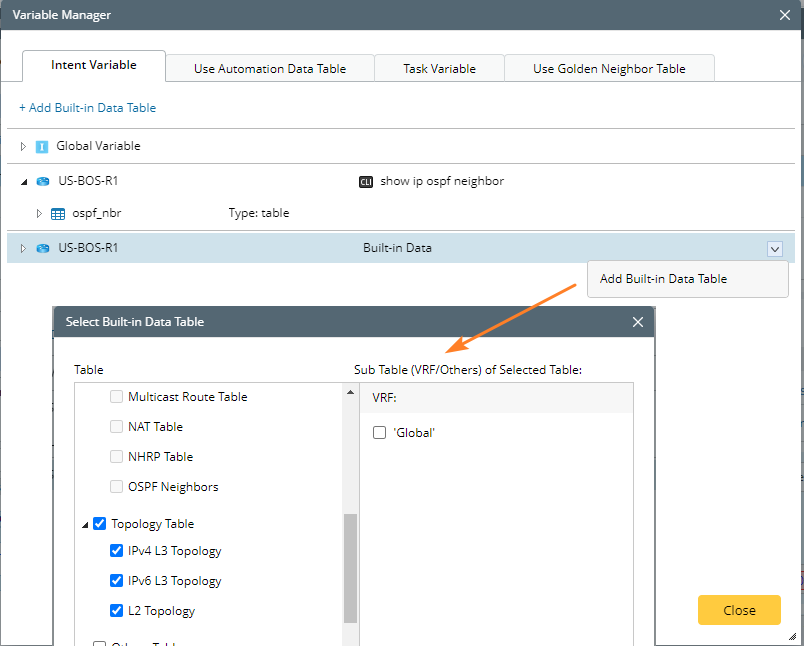
To add an topology table to the intent, do as follows:
- On the Intent Variable tab, select Add Built-in Data Table.
- Check in all the required topology tables.
-
Click OK to save and close the window.
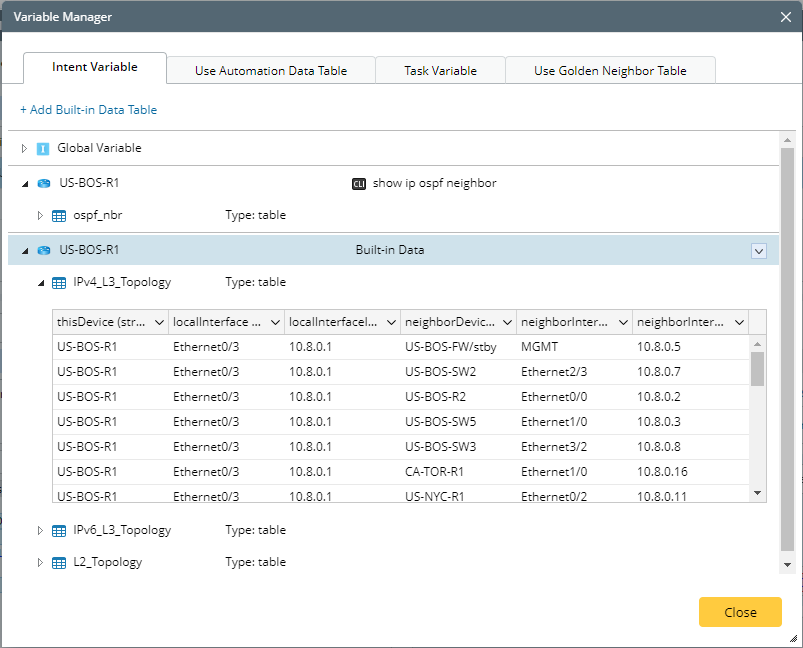
All the selected topology tables will appear under the device with the following columns.
- This Device: The current device name.
- Local Interface: Different interfaces of the current device.
- Local Interface IP (for IPv4 L3 Topology and IPv6 L3 Topology): The interface IP of the current device.
- Neighbor Device: The neighbor device corresponding to the local interface.
- Neighbor Interface: The interface of the neighbor device corresponding to the local interface.
-
Neighbor Interface IP (for IPv4 L3 Topology and IPv6 L3 Topology): The interface IP of the neighbor device corresponding to the local interface.
Adding VLAN Group and Subnet Tables
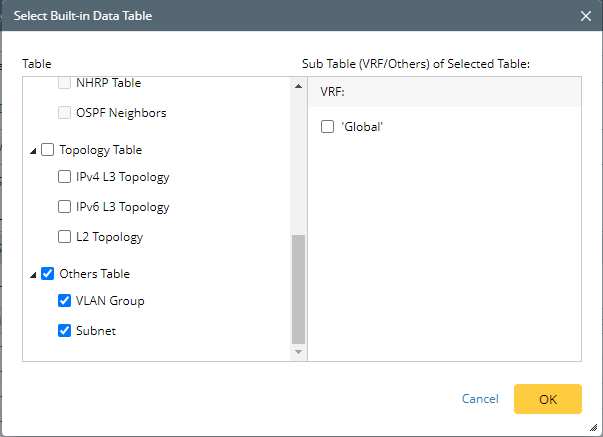
Netbrain system also supports adding VLAN Group and Subnet tables to use in Intent diagnosis:
- On the Intent Variable tab, select Add Built-in Data Table.
- Check-in the VLAN Group and Subnet as needed.
- Click OK to save and close the window.