R12.1 Project Publication-2025Dec23
Formula Column in Network Intent
NI supports adding Formula Column to table variables, which converts the original variables into different formats or values. For example, converting the short name of interface Ether1/1 into the full name Ethernet1/1, or converting the IP address to the corresponding device hostname.
- Define variables in NI edit mode.
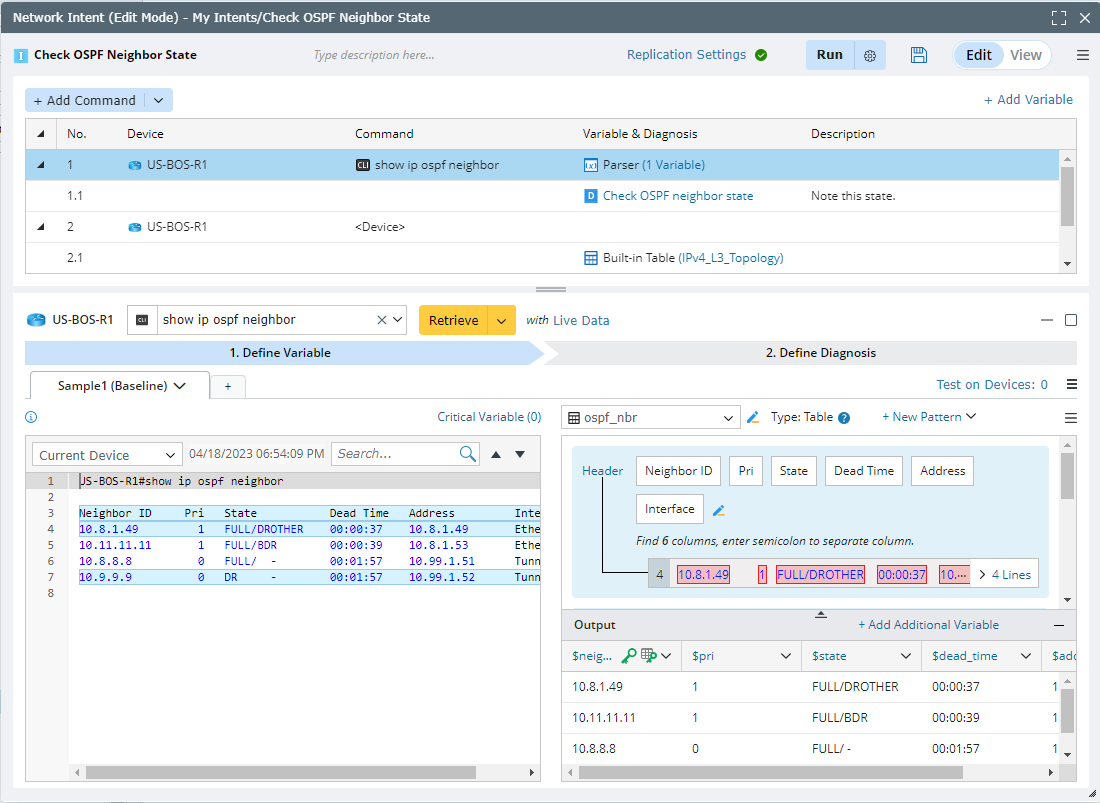
- On the Intent Variable tab of the Variable Manger, click the parsed table and then the Add Formula Column option is displayed. Click it.

Note: You can also add formula column from the following entrance. 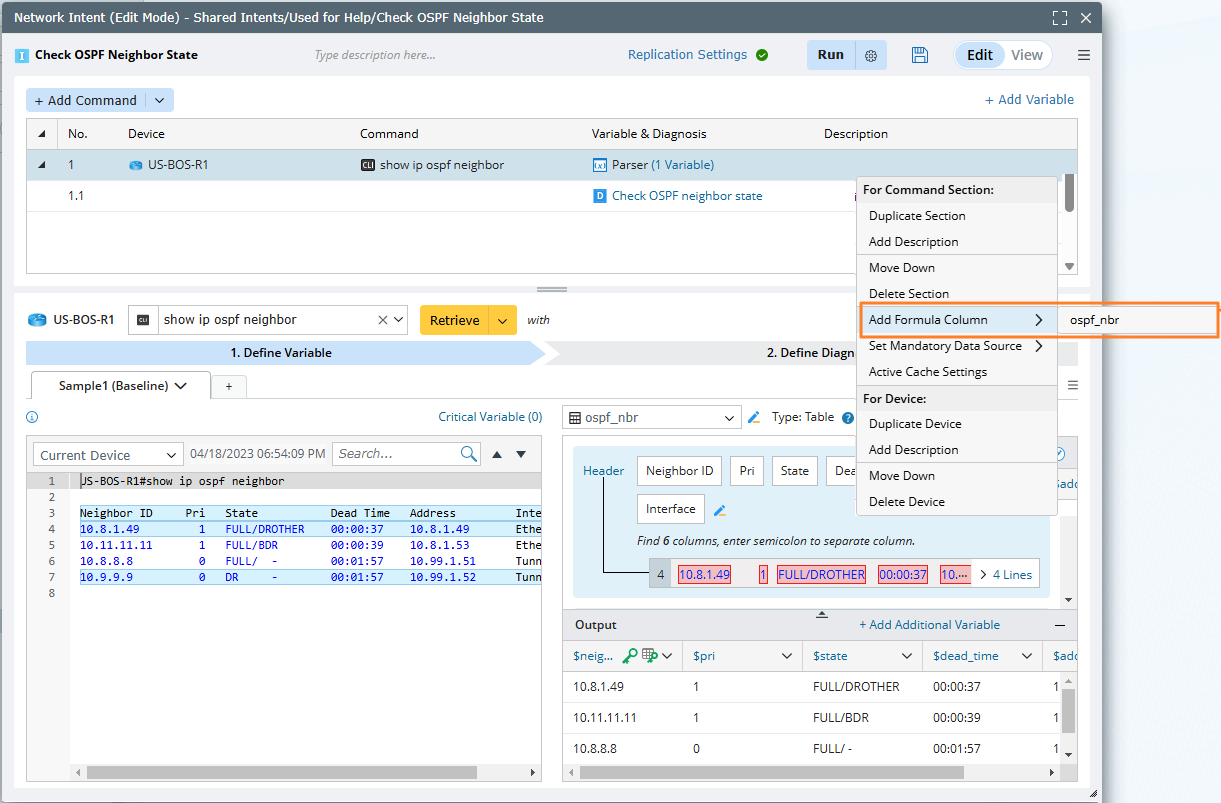
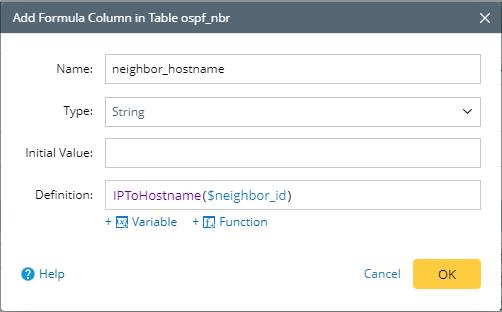
- Define the Name, Type, and Definition for the Formula Column. It is optional to set an initial value for Formula Column.
- Name — A name can only contain letters, numbers, and underlines, and can only start with a letter or underline.
- Type — The selection of the Type should be set according to the data type returned by the compound variable or formula.
- Initial Value — Assign an initial value. If there is no expression defined in the Definition or the expression execution fails, the variable will be assigned with the initial value. Or the value will be null.
- Definition — The Definition input supports two ways: a mathematical operation, such as $var1 + $var2; call the built-in functions. See Supported Built-in Functions in Network Intent for the list of supported functions in NI.
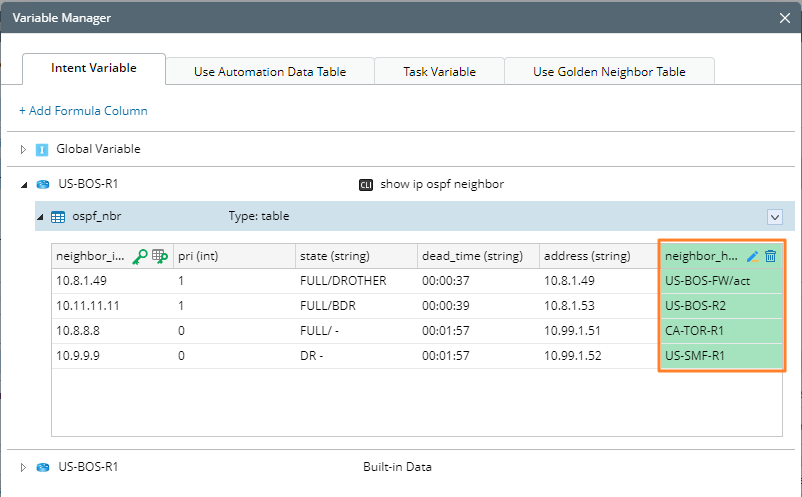
- Click OK, and the formula column is added as a new column to the table, which is marked with green color.