R12.1 JA-2025July15
Use Qapp for Further Diagnosis
A Block called Call Qapp can be added to the NI diagnosis. You can select a Qapp and execute it by defining the matching relationship of input variables. The Qapp output link can be saved in NI if this Qapp is executed. Calling Qapp can be used to execute python scripts for advanced functions, e.g., making an API call to 3rd party system to send the notification.
Intent Variables can be passed to follow-up Qapp. You can execute the Qapp with a Qapp output link saved in NI.
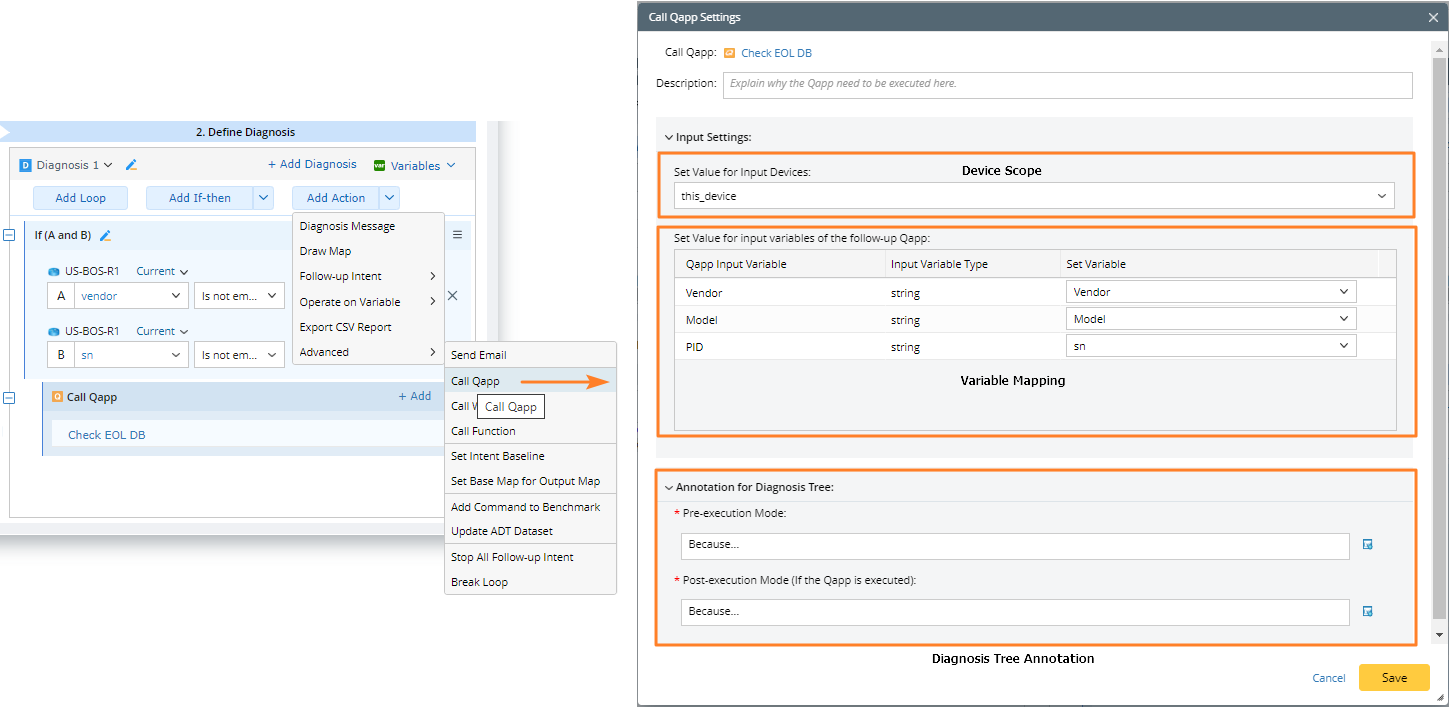
Use intents to get the device vendor and serial number. Then pass these parameters to a Qapp to call Cisco Diagnosis API to get End of Life (EOL).
- Create a home intent to get the device vendor and the serial number of the board processor using the command show version.

- Define a diagnosis.

- Add Qapp Check EOL DB and pass variables to Qapp input.
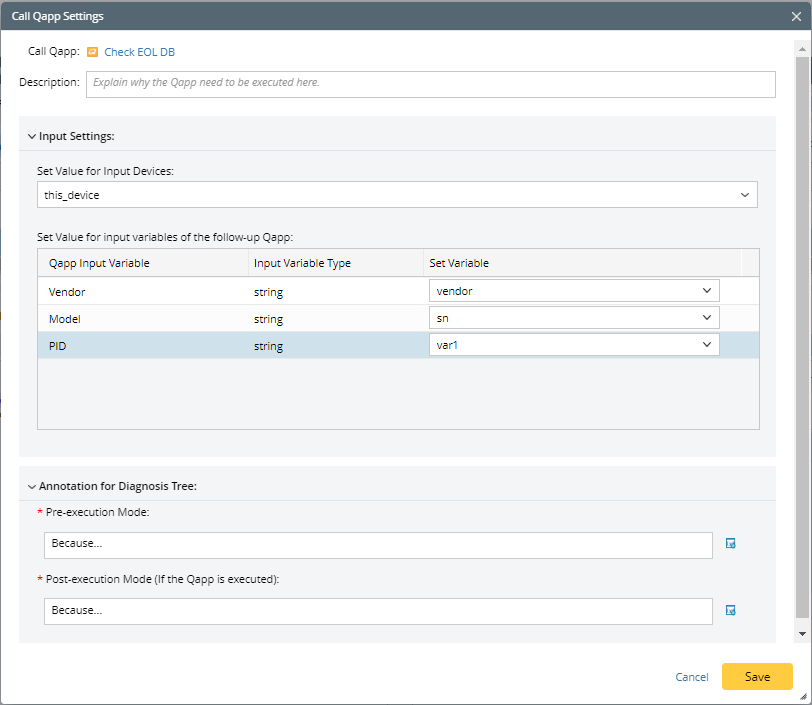
- Use Qapp to call Cisco Diagnosis API to get EOL.

View Results in Diagnosis Tree
The result details in the diagnosis tree are as follows:
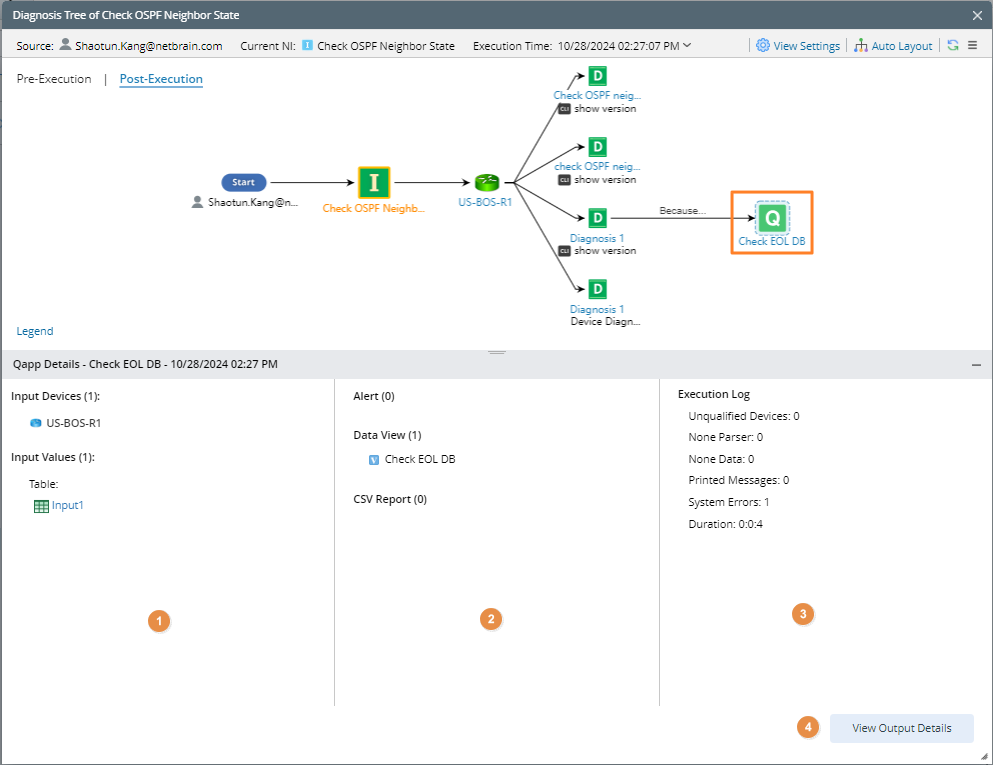
- Area 1: Show the input device and input variable values when executing Qapp.
- Area 2: Show the result summary after Qapp execution.
- Area 3: Show the execution log summary of Qapp execution.
- Area 4: Clicking the View Output Details button can open the detailed results dialog, which includes alerts, data views, CSV reports, logs, etc,.