R12 Publication-2025July16
Modify Target Device
When the Guidebook is opened, it displays the recommended Automation for target devices.

|
Note: All devices in the current map will be set as target devices. |
You can customize the target devices: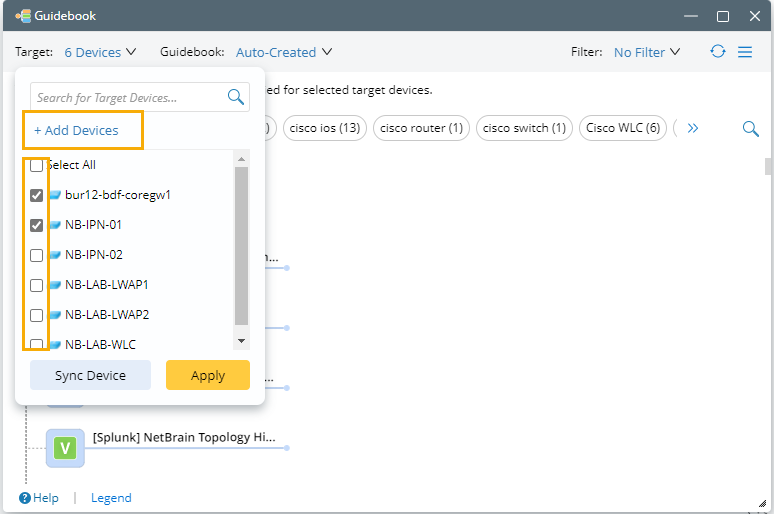
- Select/deselect the checkbox of current devices, and click Apply.
- To delete device(s) from Target Devices of the Guidebook:
- Hover over the interesting device, and click
 .
.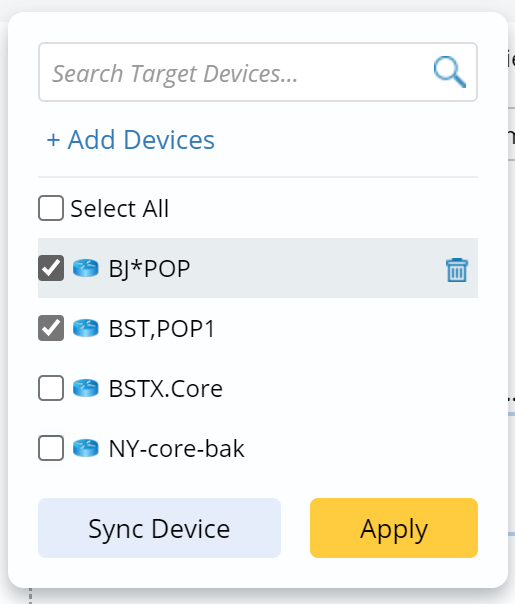
- Click Apply.
Note: Deleting device(s) will NOT delete devices from the current map.
- To add device(s) outside of the map to Target Devices:
- Click +Add Devices.
- In the Select Devices window, select devices by the device type, device group, or site. Click
 or
or  to add/delete the device(s) to/from the Devices Selected list. Click
  or
or  to add/remove all devices to/from the Devices Selected list.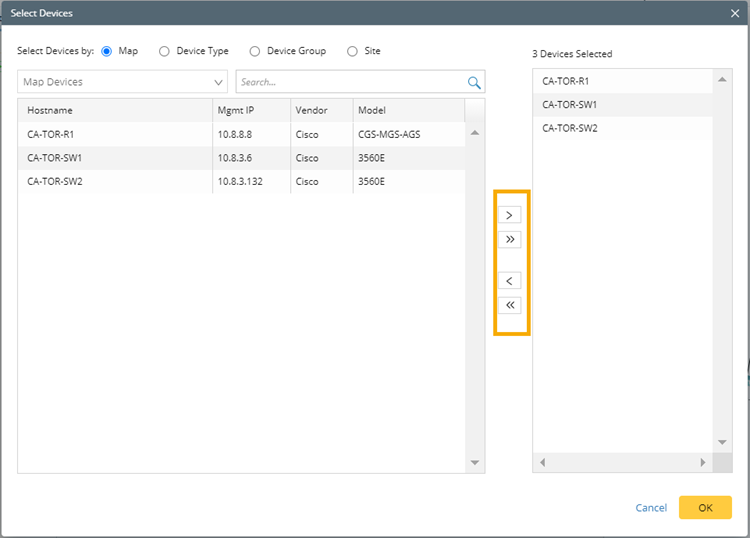
Tip: If you want to quickly switch the Target Devices back to the devices in the current map, simply click Sync Device. 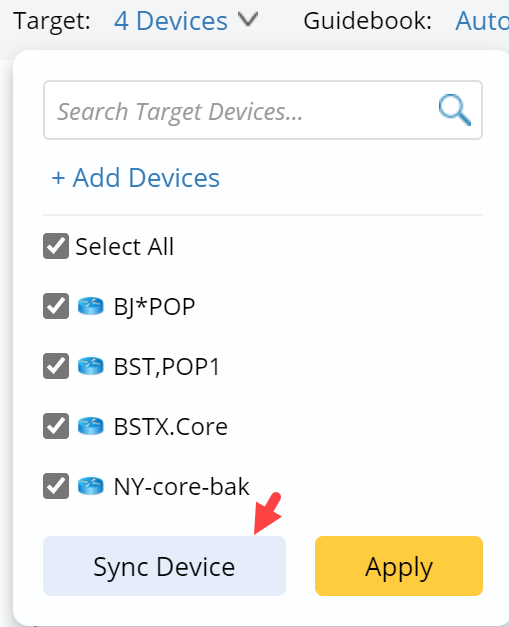
- Click OK and Apply.