R12 Publication-2025July16
Merge Table
Merge Table pattern is used to merge the table variables from two parser output tables by paired keys, enabling the combination of config-lets from different paragraphs as well.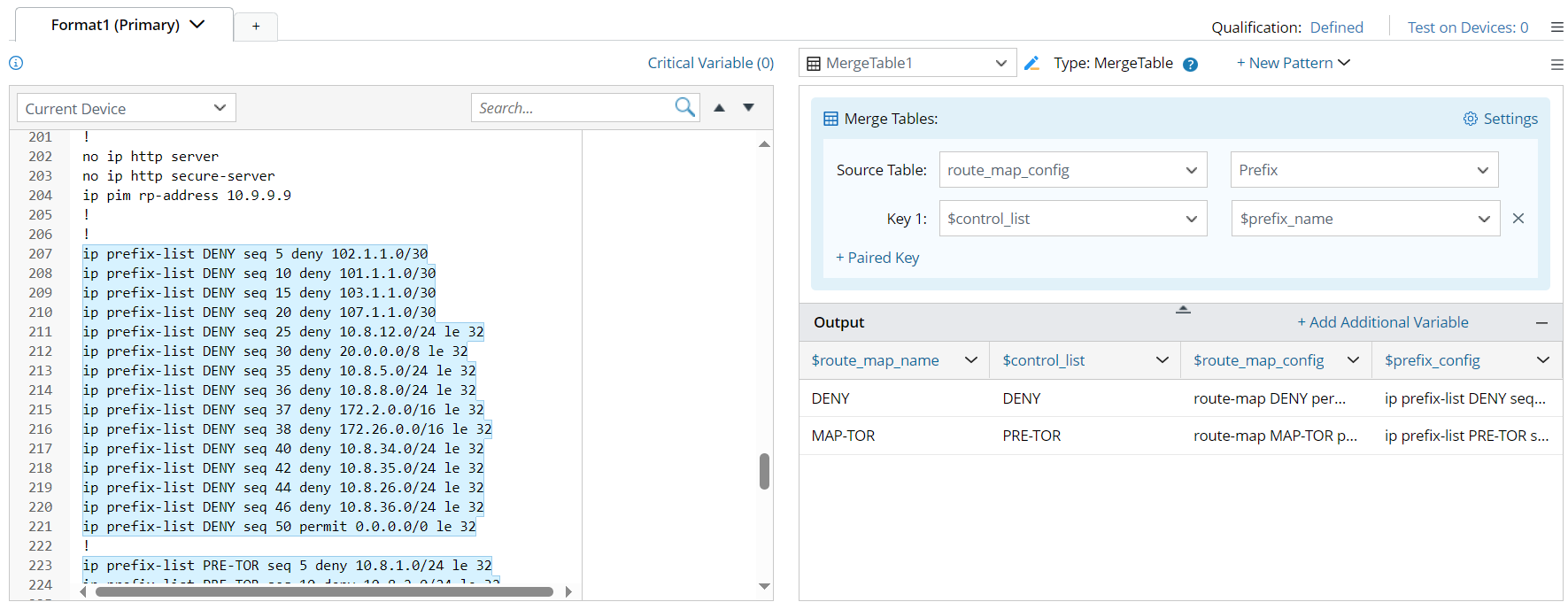
The Merge Table process follows three table merging rules: Full Join, Inner Join and Left Join.
- Full Join: Keep all the rows in each table no matter the paired keys are matched or not.

- Inner Join: only keep the rows with paired keys matched.

- Left Join: Take the left source table as criteria, and only keep the rows having left source table data.

Example of Merge Table
To define a Merge Table pattern, complete the following:
Prerequisites: Create several patterns in advance to get the corresponding parser output tables which will be used to define Merge Table pattern.
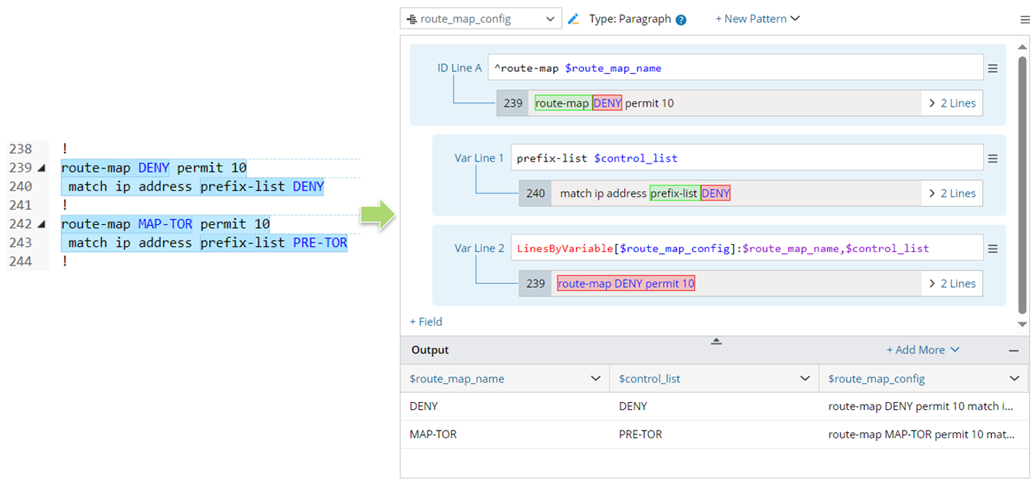
- For Source Table 1: Create a paragraph pattern to parse variables $route_map_name, $control_list and $route_map_config.
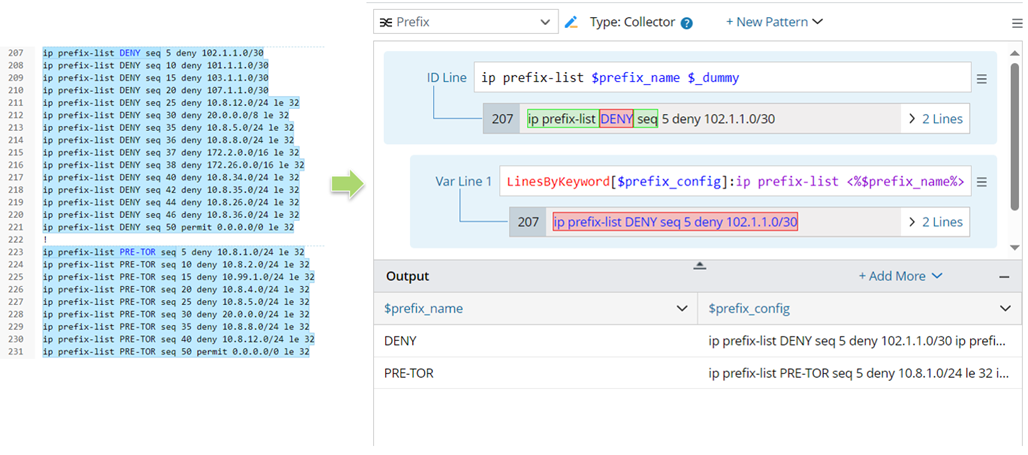
- For Source Table 2: Create a collector pattern to parse the variables $prefix_name, $prefix_config.
Steps for defining Merge Table pattern:
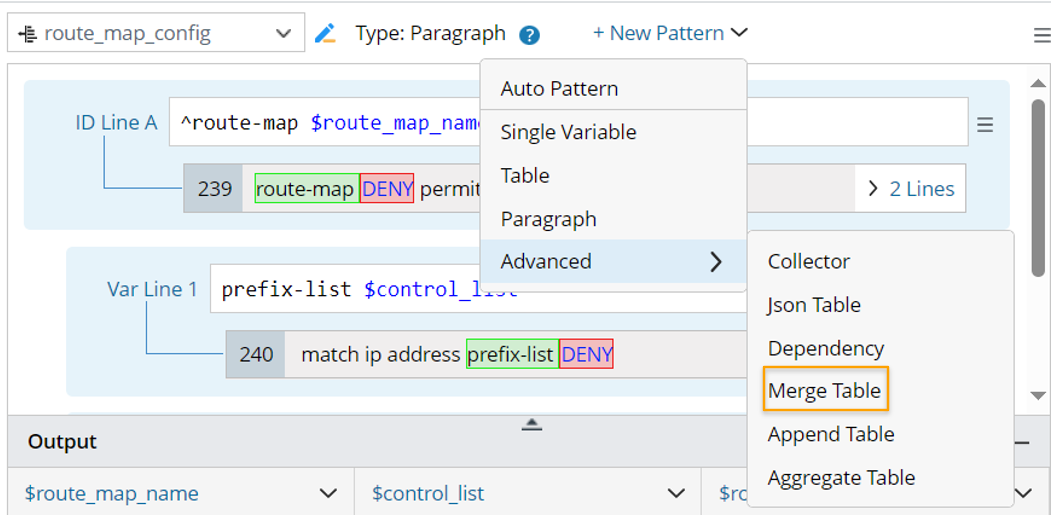
- Click +New Pattern > Advanced > Merge Table, then, a merge table pattern is created.
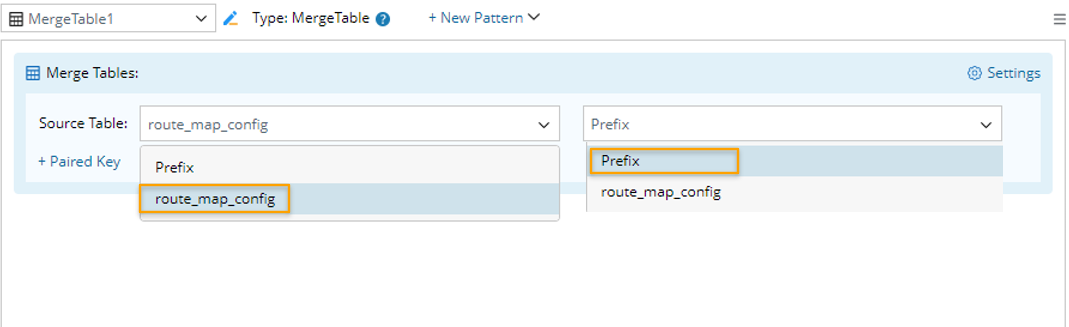
- In the Source Table field of the right pane of this merge table pattern, select two source tables (in this example, output tables route_map_config, Prefix from the current parser are selected) to be merged.
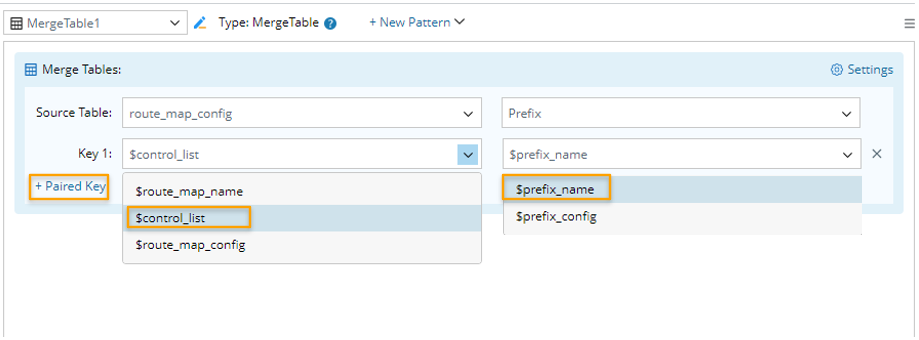
- Click + Paired Key, then select table columns as as the key for merging tables: Multiple paired keys can be added to define the column pairs to be merged. In this example, After adding a paired key, you can preview the outputs in the output area below.
- Click Settings, then configure more advanced settings from the Settings window:

- Select columns in merge table: In this block, select the columns from the two tables to merge. All columns are selected by default. You can remove the unnecessary columns by unchecking the corresponding checkbox.
- Table Merging Rule: Three table merging rules are supported: Full Join, Inner Join and Left Join. In this example, Left Join is selected.
Full Join: Keep all the rows in each table no matter the paired keys are matched or not.
Inner Join: only keep the rows with paired keys matched.
Left Join: Take the left source table as criteria, and only keep the rows having left source table data.
Note: Right Join and Outer Join methods are not supported in Merge Table pattern. - Click OK to complete the merge table definitions. The final table output will be like below:
