Layout Types
The topic introduces the following types of map layout in detail.
Layout by Tag
In a layout by tag, devices marked with tags are diagrammed on a map based on their roles in a network infrastructure. Thus you can manage devices on a map according to their roles in your network infrastructure.
Example: A layout of a three-layer hierarchical network.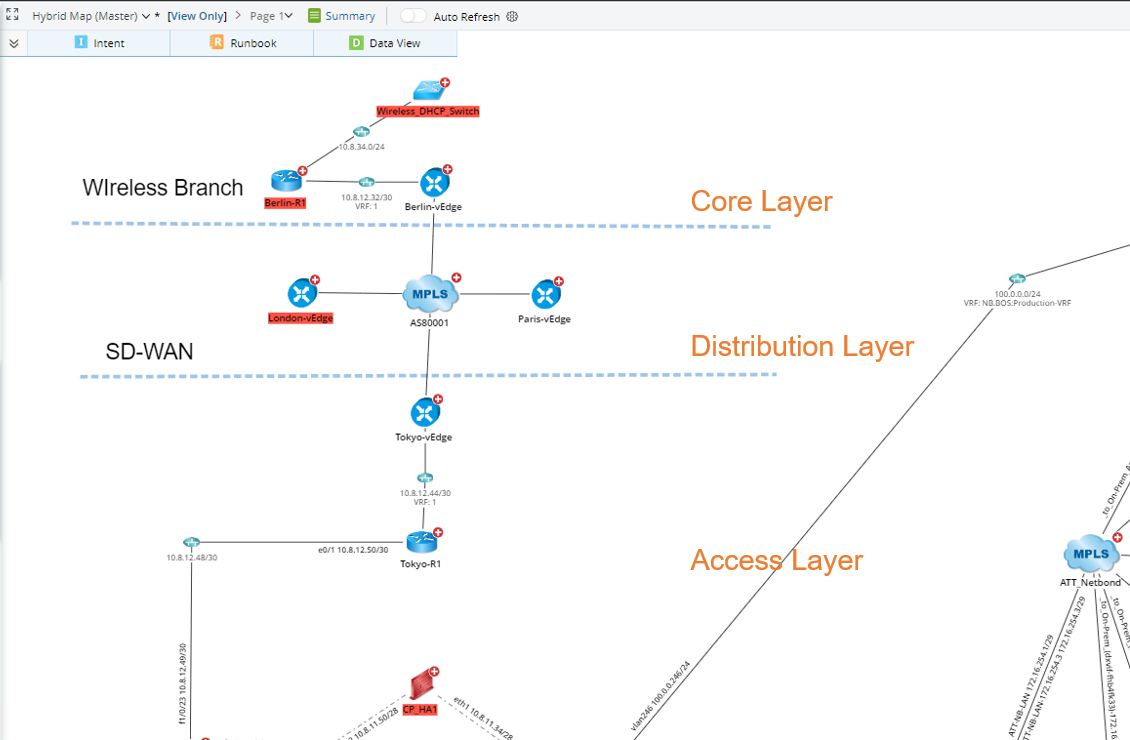
A layout by tag is generated by applying a layout style to a map. A layout style defines the method to organize devices on a map. It consists of layout type, layers, and tags. 
- Layout Style — defines the overall outline of the map layout.
- Layout Layer — divides a layout into different layers to reflect network hierarchical layers, such as the core layer.
- Layout Tag — used to mark devices and layout layers to identify which layout layer a device belongs to.

Tip: The layout tag is also a device property that can be displayed in the Device Details pane and configured in the Global Data Repository.
Layout by Sample
A sample layout is generated by saving a map as a sample. The system provides the following methods to save a sample layout.
- Recording the positions of device hostnames on the sample map.
- Recording the positions of layout tags assigned to the devices on the sample map. If a device is assigned with multiple tags, only the position of one tag can be recorded.
According to the saving method, the layout methods vary when you apply a sample layout to a map.
- If a sample layout is saved by recording device hostname positions, the system will replicate the sample layout for the same devices on the current Map. This type of sample map applies to any map.
- If a sample layout is saved by recording tag positions, the system will replica the layout for the devices with these tags assigned on the current Map. This type of sample layout is only applicable to site maps.
Example: If a device in a sample layout is assigned with the "core" tag, the system will record the position of this device as the tag location. When you apply this sample layout to a map, the system will organize the device with the "core" tag assigned to the same position.
Layout by Geometry
In a geometry layout, the map objects are organized based on geometry shapes. The following table shows six built-in geometry layout styles.
| Layout Style | Legend |
| Symmetric Layout |  |
| Circular Layout | 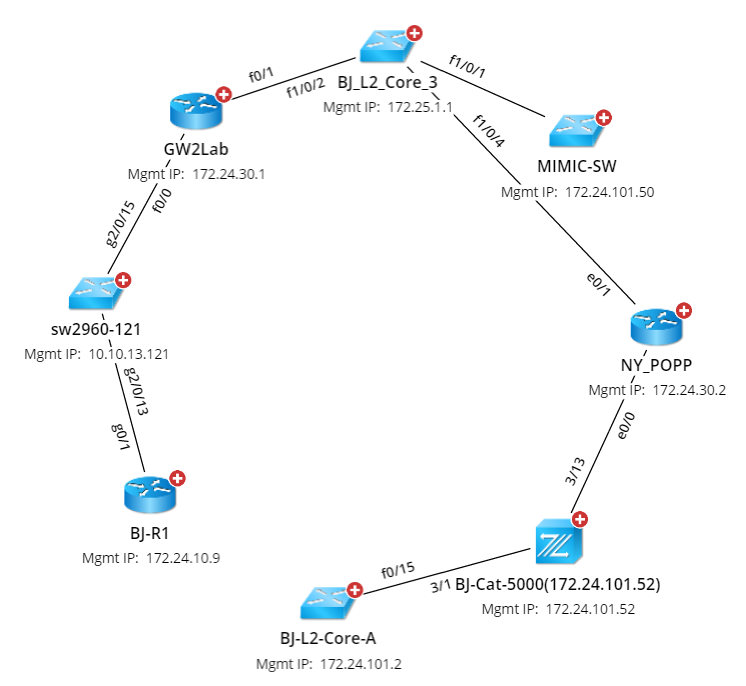 |
| Hierarchical Layout | 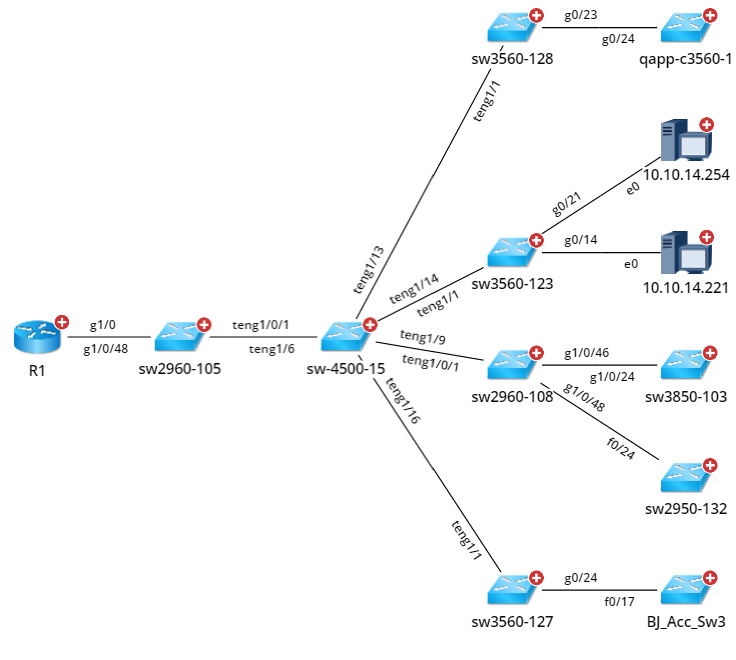 |
| Orthogonal Layout | 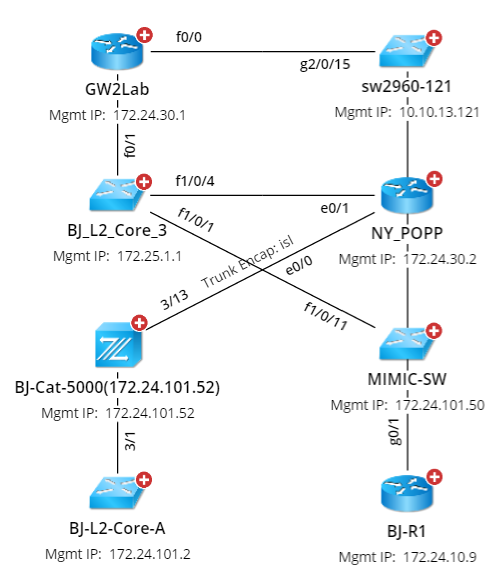 |
| Upward Tree Layout |  |
| Downward Tree Layout | 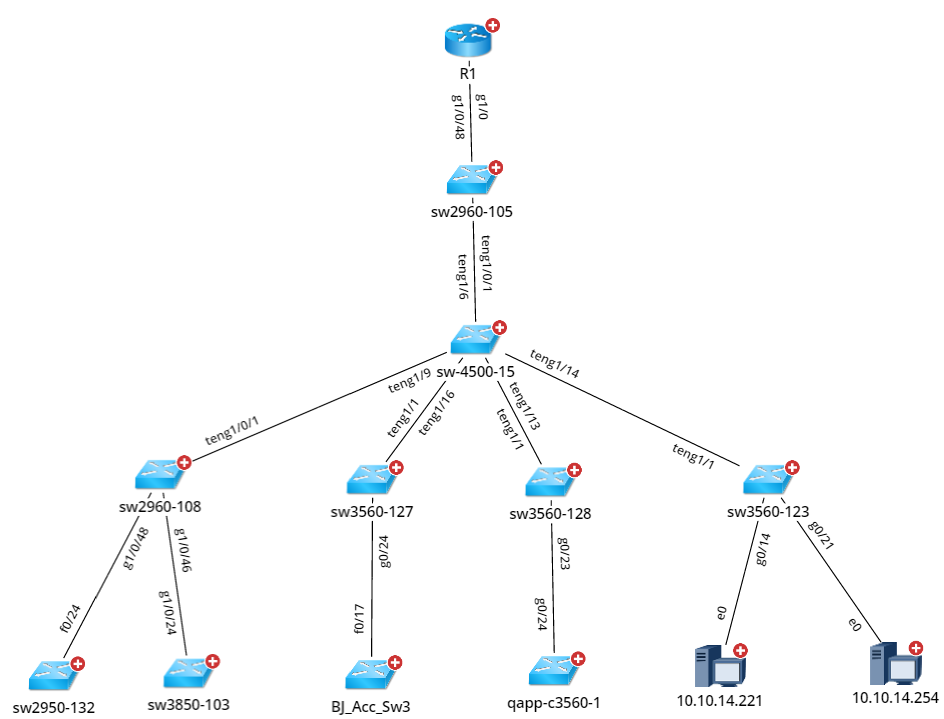 |
Layout by Logic
The Layout by Logic method introduces a new way to organize and visualize map elements in a more structured manner. This layout automatically arranges devices and connections based on logical relationships, improving the clarity and readability of network maps. It helps users quickly identify key network components and their interdependencies, making network troubleshooting and management more efficient. Not all graphic elements support the application of this logic.
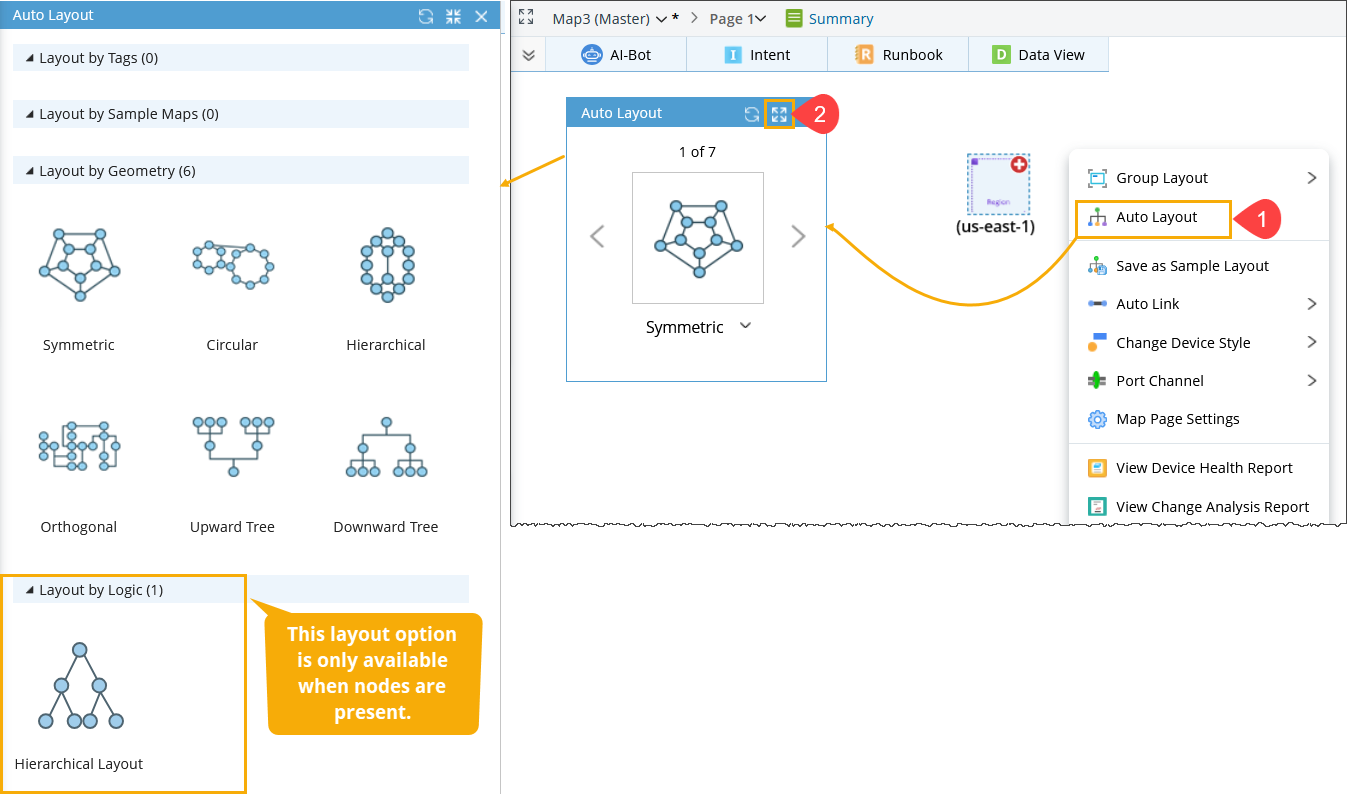
Follow these steps to access the available layout options for the map:
- Right-click on the map and select Auto Layout from the context menu.
- Click the Full Screen button to view the map layouts.