R12.1 Project Publication-2025Dec23
Set Up API Server for NSX-V Manager
NetBrain retrieves NSX-V data through the NSX Manager using APIs.
Follow the steps below to add an NSX Manager and specify the address and user credentials to access the manager in the system.
Prerequisites: An NSX Manager is registered with a vCenter system and runs on it. The corresponding API server for the vCenter Controller must be configured before setting up the API server for NSX-V Manager. For more information, see Set Up API Server for vCenter.
- Click
 in your NetBrain desktop and select API Server Manager.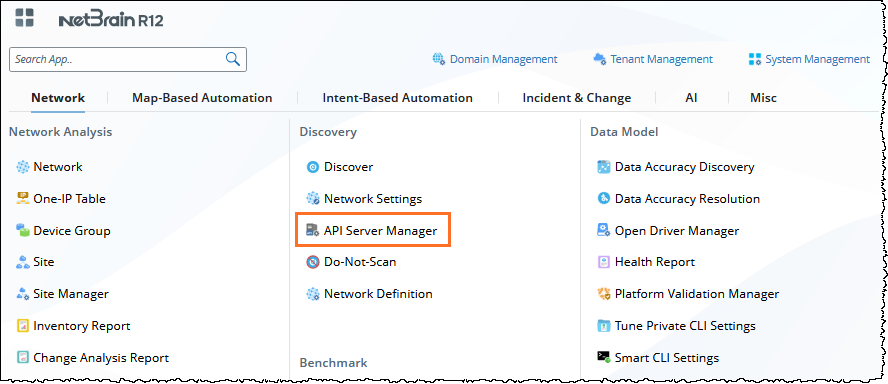
- In the API Server Manager tab, click Add API Server.

- In the Server Name field, enter a unique name.
- From the API Source Type dropdown menu, select VMware NSX-V.
- In the Endpoints field, enter the URL of the NSX Manager.
- Enter the Username and Password to access the NSX Manager.

Note: A user account with the Auditor role is required to discover an NSX-V virtual network. - If you want to discover all the data, click the Advanced option to define associated IP addresses for the vCenter API server where the NSX-V runs.
- Select a Front Server or Front Server Group.
Note: Make sure that port 7068 of the server where your NetBrain Front Server is installed is not occupied by other applications because this port is used by service components of a Front Server to communicate with each other.
- Click OK.