R12.1 Project Publication-2025Dec23
Save as Runbook Template
To share knowledge with junior network engineers, you can save a golden runbook as a runbook template.
-
Click the
 icon and select Save as Template from the menu.

-
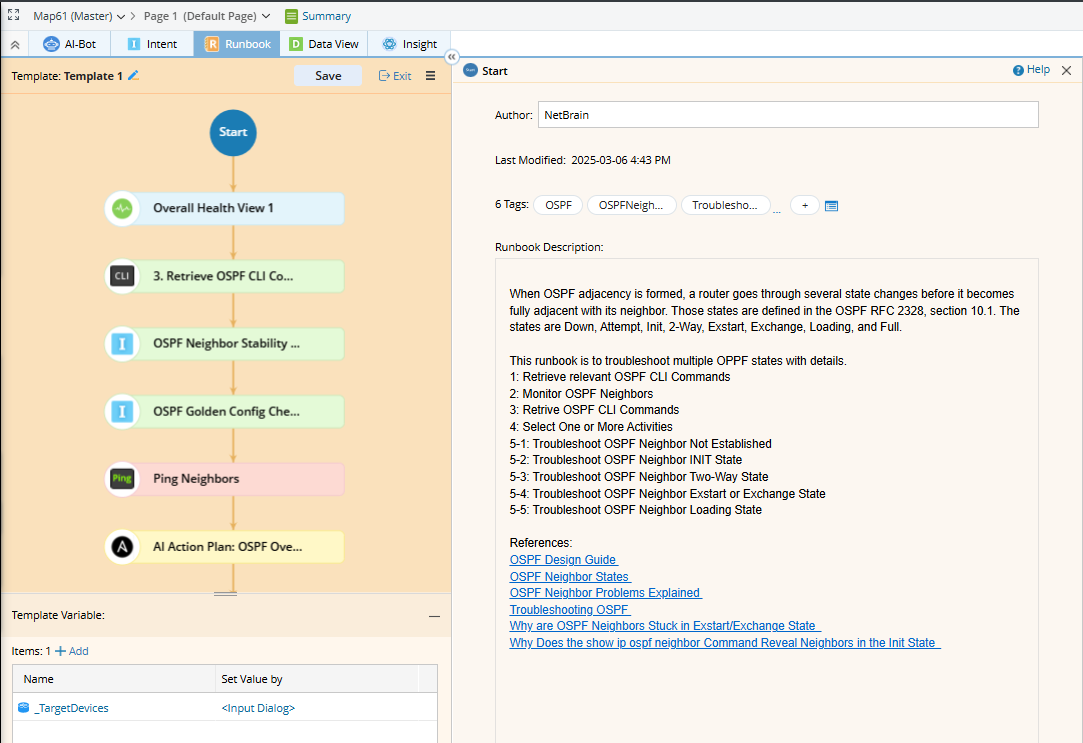
Click the Start node in the runbook. The corresponding configuration pane will appear on the left side.
- Define your runbook template name in the left pane and detailed description in the right pane.
- You can Add automation tags, if needed, to categorize or trigger specific automation use cases.
-
Configure Template Variables appearing at the bottom as detailed in runbook template editor. Template Variables may differ across nodes and should be defined accordingly.
-
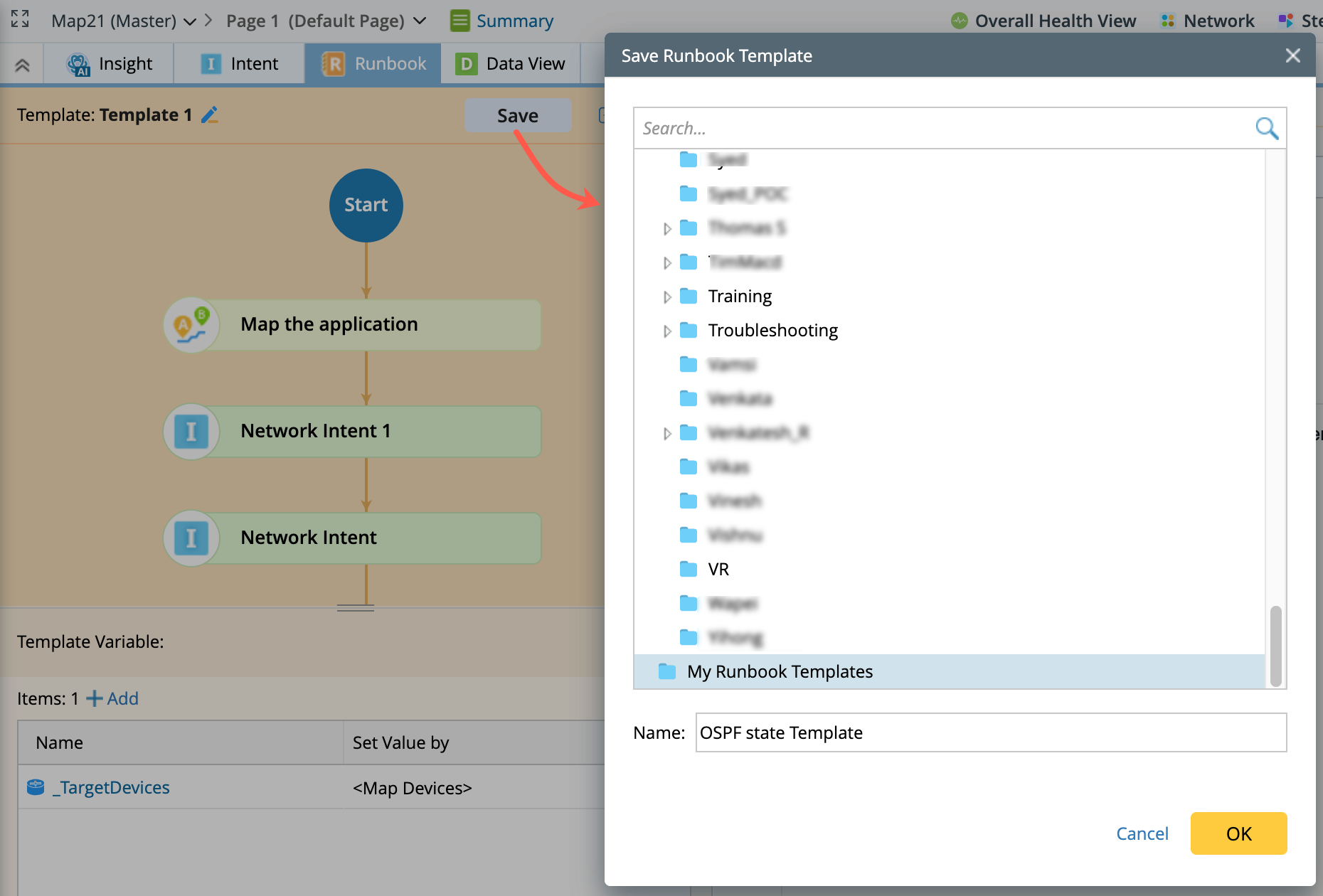
Click Save and choose the location where the template should be stored.
-
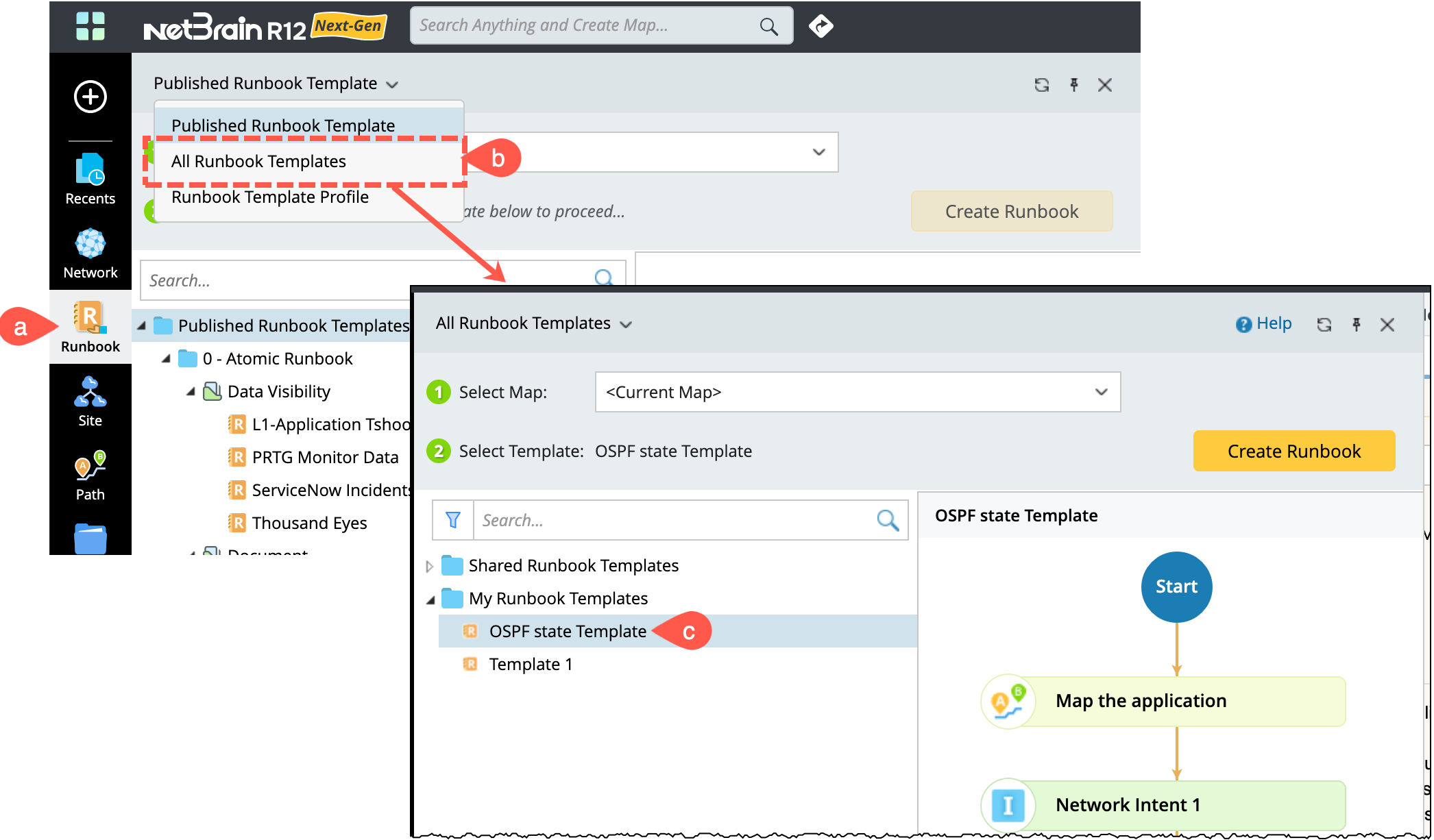
To view the saved template:
- Click Runbook on the taskbar.
- Navigate to All Runbook Templates.
-
View and the saved RBT.