Runbook Template Editor
The runbook template's operations and definitions for each runbook node are fully consistent with the reference runbook. When creating a Runbook Template (RBT), it's essential to define both template variables and node-level variables in the Runbook Template Editor to ensure the template functions correctly.
To edit an existing runbook template:
- Navigate to the All Runbook Templates manager and Select the desired RBT.
-
Click the
 icon next to the selected template and select Edit to open the template in the Runbook Template Editor.

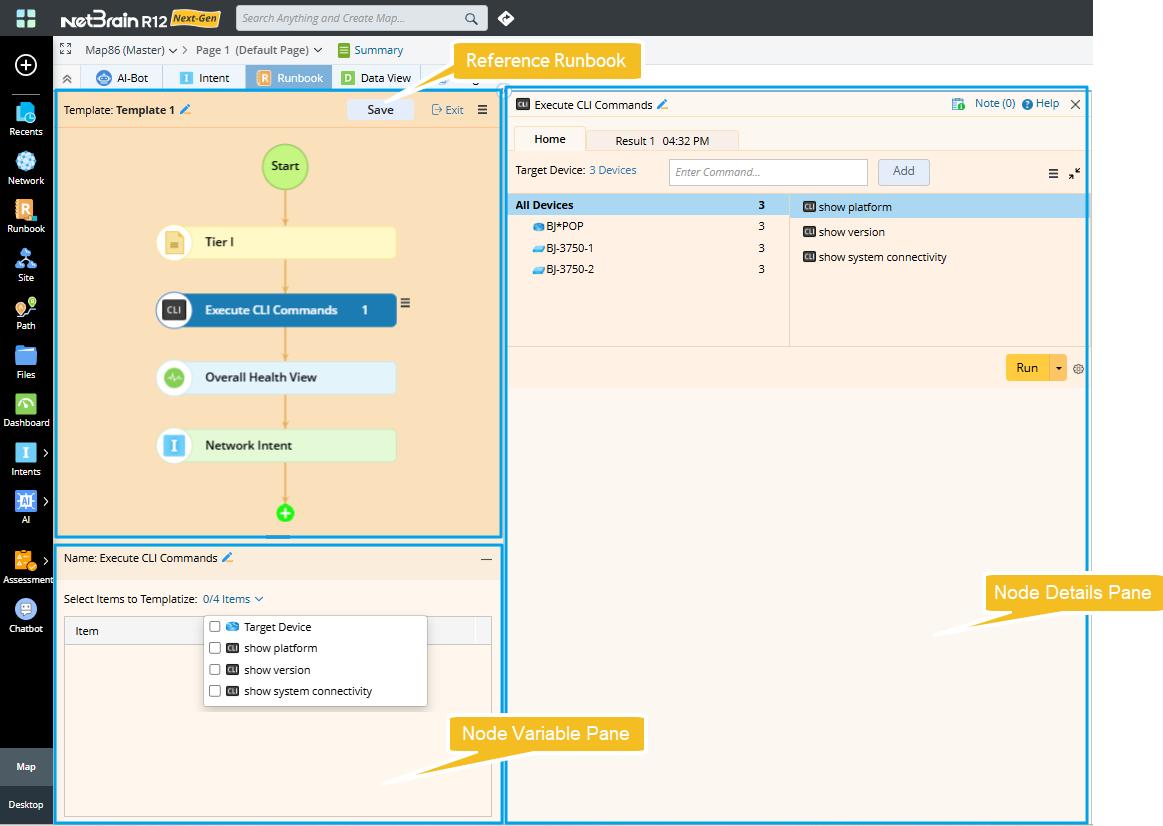
The editor UI of an RBT mainly consists of the following areas:
-
Reference Runbook:
The runbook associated with the RBT, is used to save certain parameters and node types. The operations of this reference runbook are the same as those of a common runbook.
-
Node Variable Pane:
Selecting different nodes will display their node variable pane.
-
Node Details Pane:
Selecting each node will display its details, consistent with a common runbook.
-
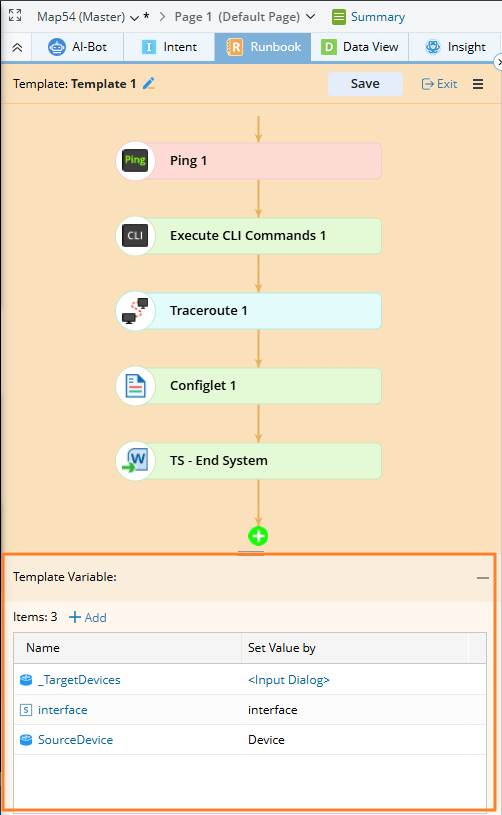
Template Variable Pane:
Convert items in the reference runbook that cannot be stored as template data into variables, enabling the runbook node to be templated.