R12.1 Project Publication-2025Dec23
Parse the Lines By Keyword
Parse the lines containing the specified keywords or variable template (Pattern Sample: LineByKeyword[$confg]: access-list, LineByKeyword[$confg]: standby <%$standby_id%>).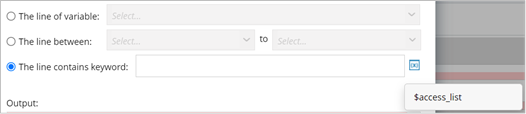
- The method can be applied to single pattern, paragraph pattern and collector pattern.
- The scope of selectable variables is all the variables defined in the current pattern. Variable is inserted as a variable template to reference a pre-defined variable.
Example 1: Parse the lines containing one keyword, e.g., parse all access-list to one variable.
- Create a new parser, then select CLI Command and retrieve the command show run data on device NY_POPP.

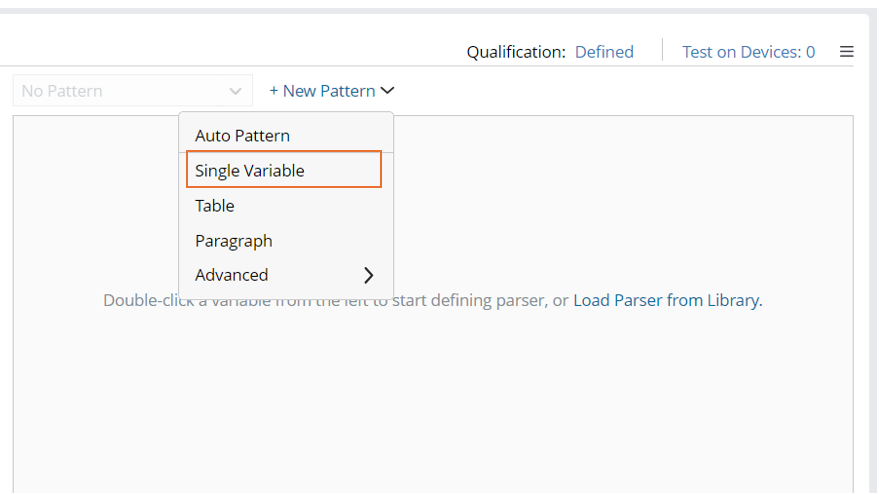
- Click the down arrow beside + New Pattern, then select Single Variable to create a new single-variable pattern.
- Click + Add More > Parse Lines, then define Parse Line Settings.
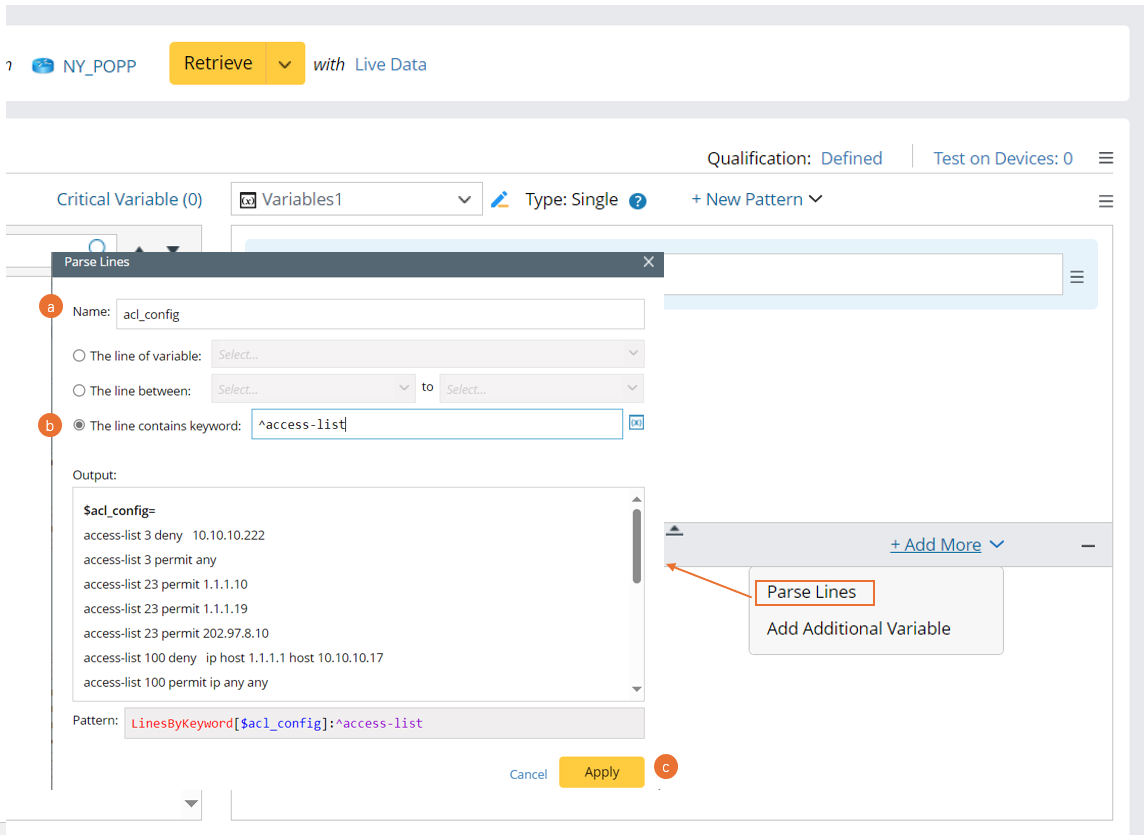
- Name: Set the name to acl_config.
- Select the The line contains keyword option, then input “^access-list”.
- Click Apply.
- Check the output and click the
 icon to save the parser.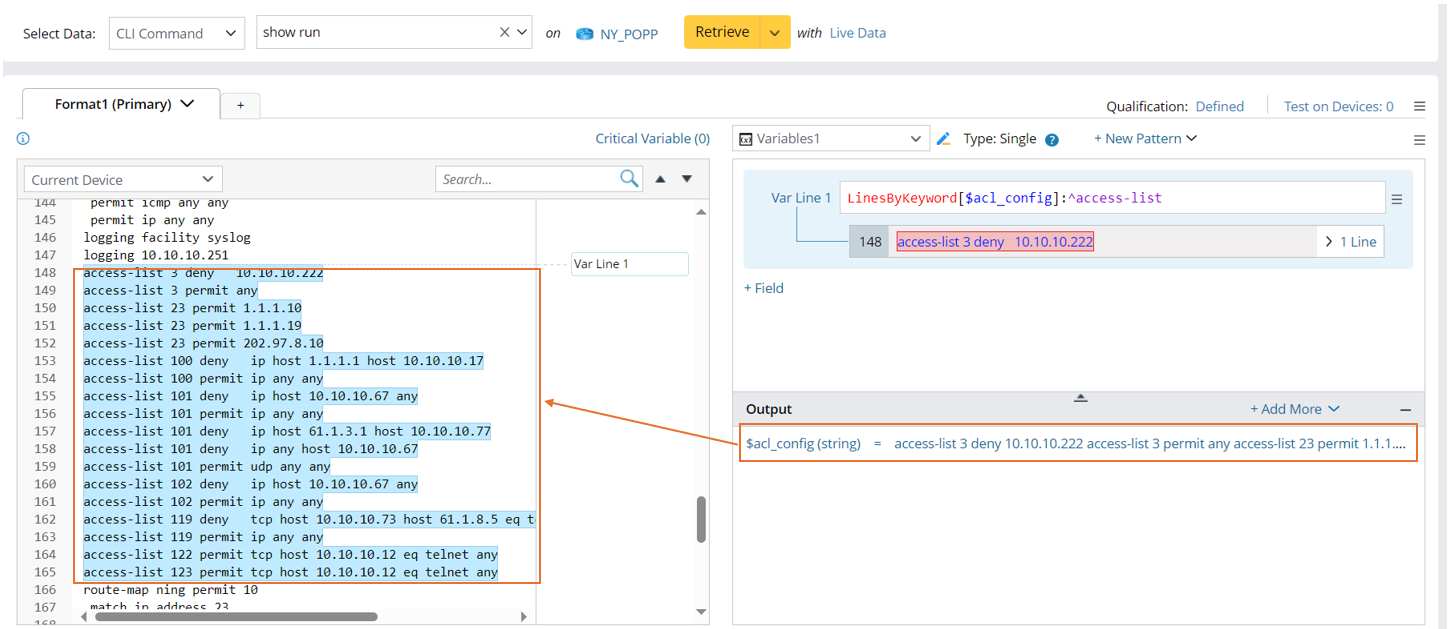
Example 2: Parse the lines containing keywords (insert a variable template). In this example, we will parse acl_config for each access-list id.
- Create a new parser, then select CLI Command and retrieve the command show run data on device NY_POPP.

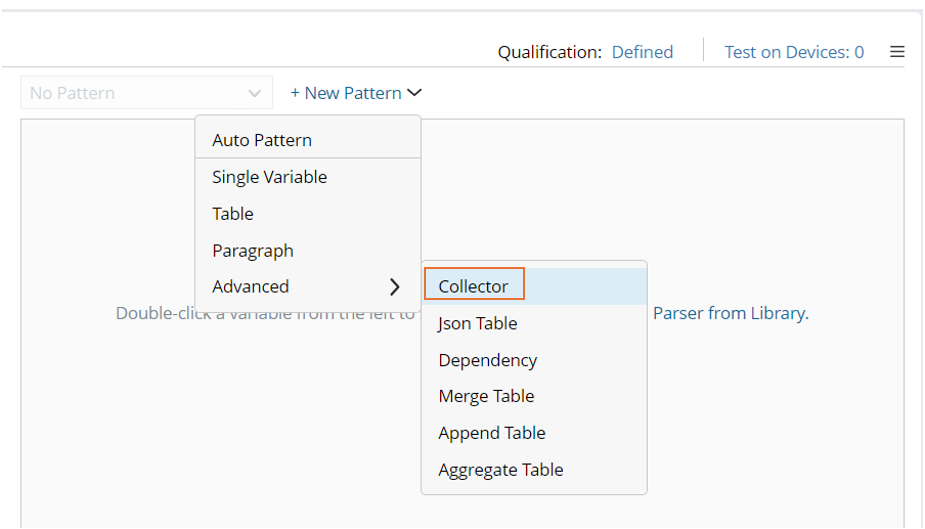
- Click + New Pattern > Advanced > Collector to create a new collector pattern.
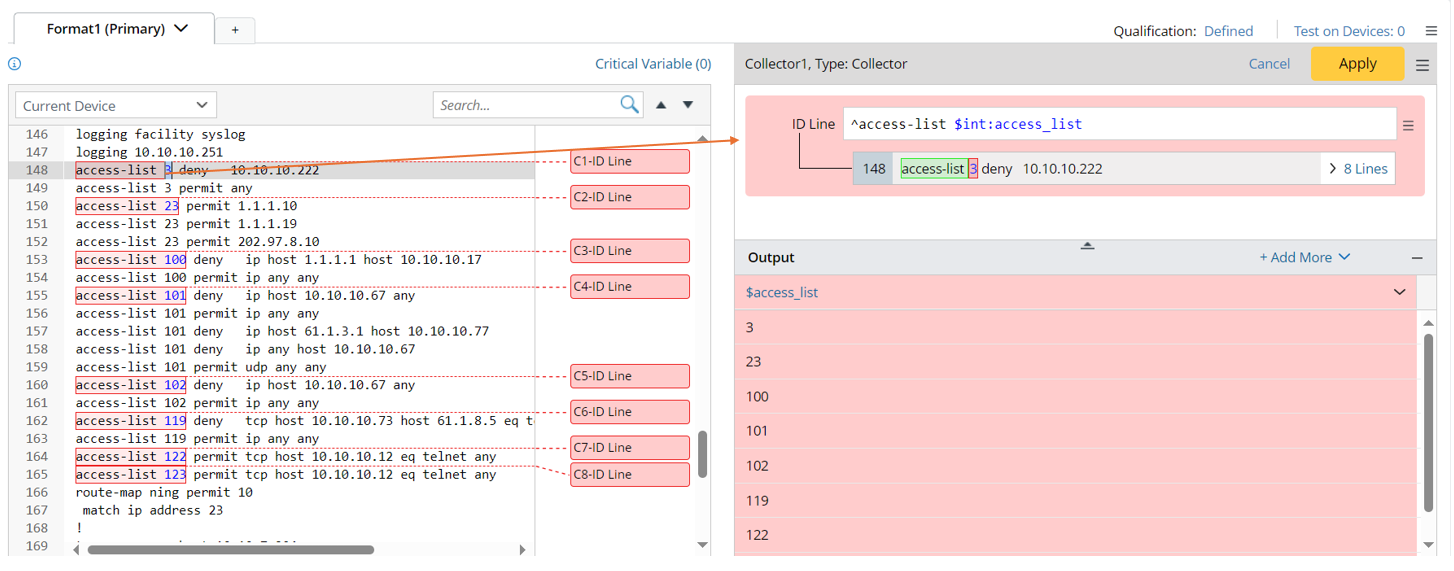
- Double-click 3 in line 148 to parse the variable access_list in a collector pattern, then manually change the ID Line to ^access-list $int:access_list.
- Click +Add More > Parse Lines to define Parse Line Settings.
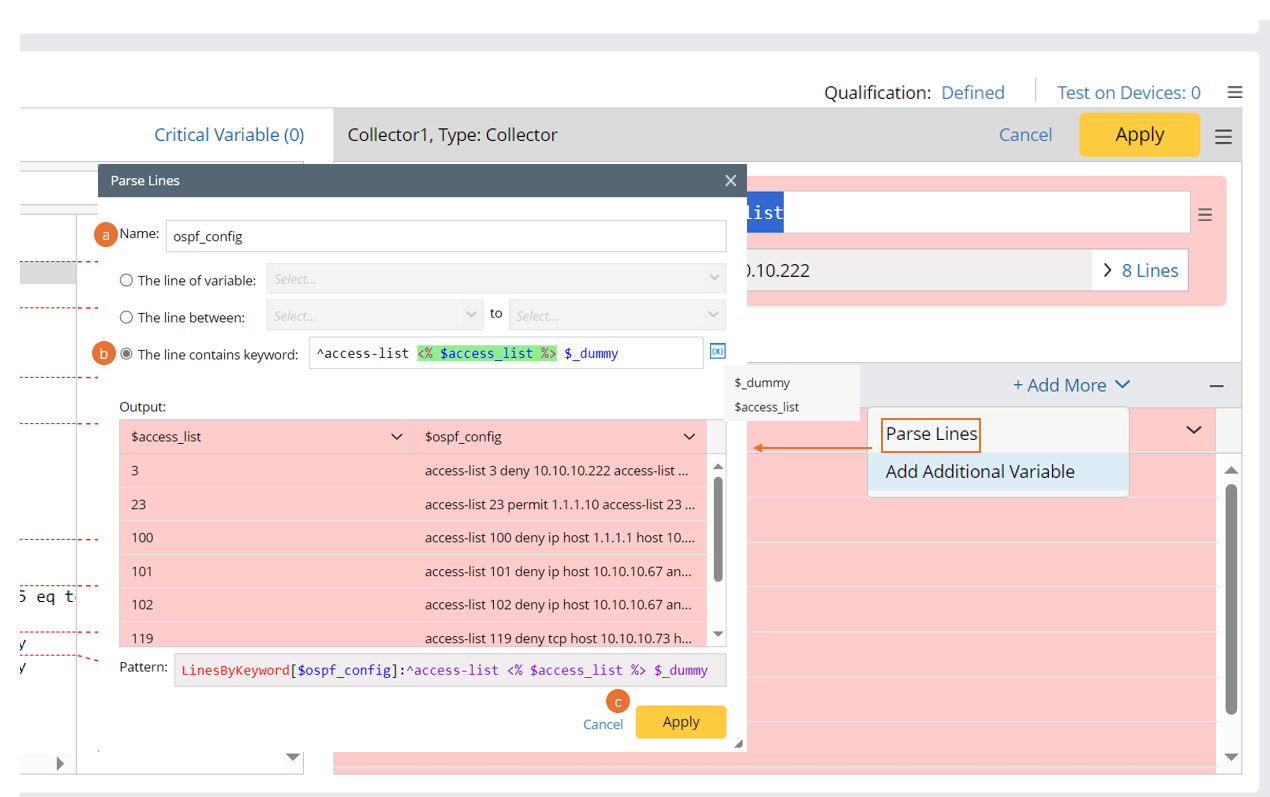
- Set the new variable name to acl_config,
- Select The line contains keyword option, then input ^access-list. Click to select $access-list, then continue to input $_dummy. after these settings, a var line LinesByKeyword[$ospf_config]:^access-list <% $access_list %> $_dummy is added.
- Click Apply.
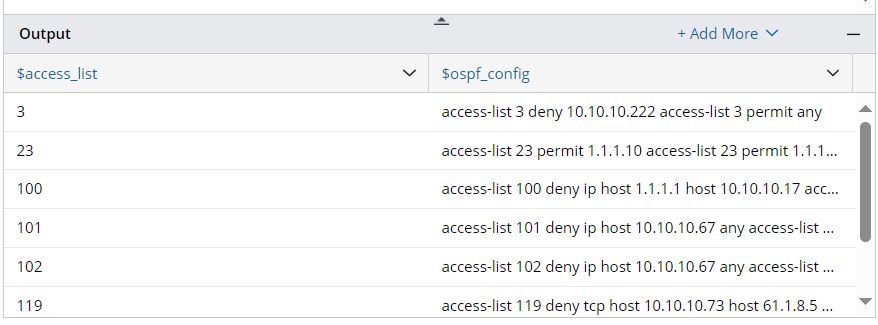
- Check the output table.
- Click the
 icon at the upper-right corner to save the parser.