R12.1 Project Publication-2025Dec23
Merge Table
The Merge Table pattern is used to merge the table variables from two parser output tables by paired keys, enabling the combination of configlets from different paragraphs as well.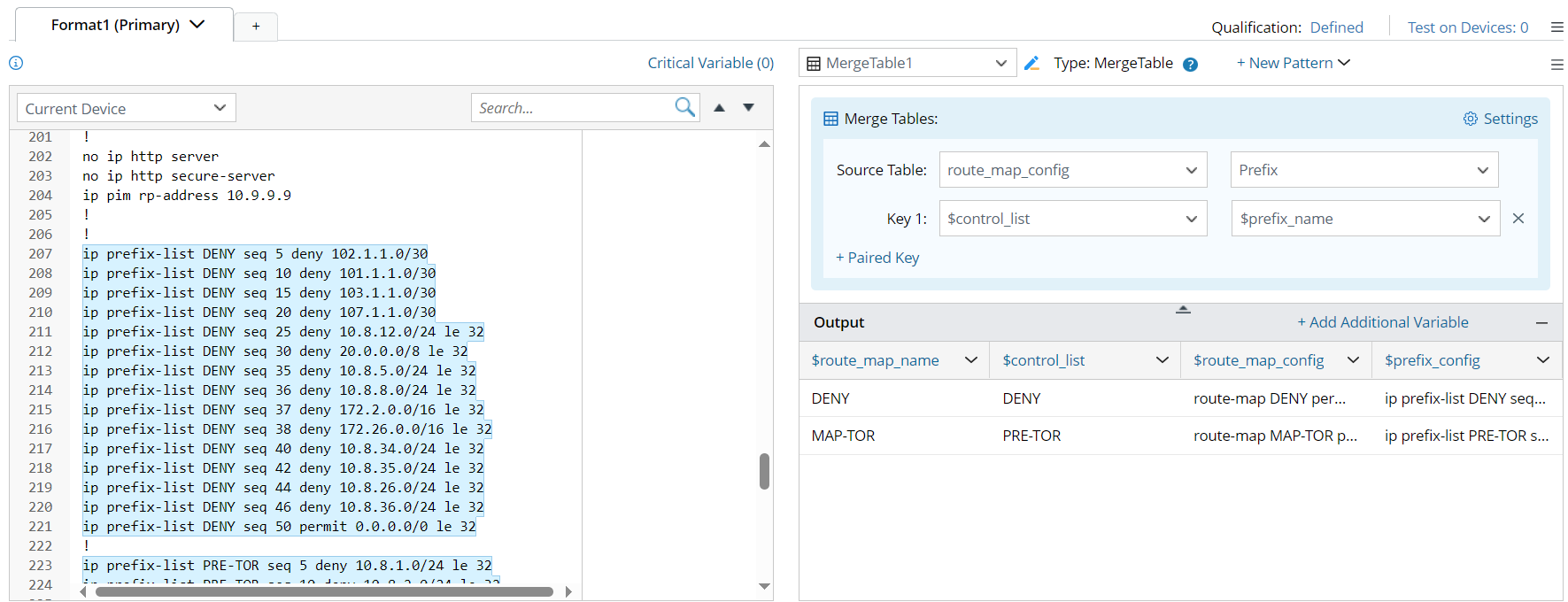
The Merge Table process follows three table merging rules: Full Join, Inner Join and Left Join.
- Full Join: Keeps all rows in each table, regardless of whether the paired keys are matched or not.

- Inner Join: only keep the rows with paired keys matched.

- Left Join: Use the left source table as the criteria, and retain only the rows that contain data from the left source table.

Example of Merge Table
To define a Merge Table pattern, complete the following:
Prerequisites: Create several patterns in advance to get the corresponding parser output tables, which will be used to define the Merge Table pattern.
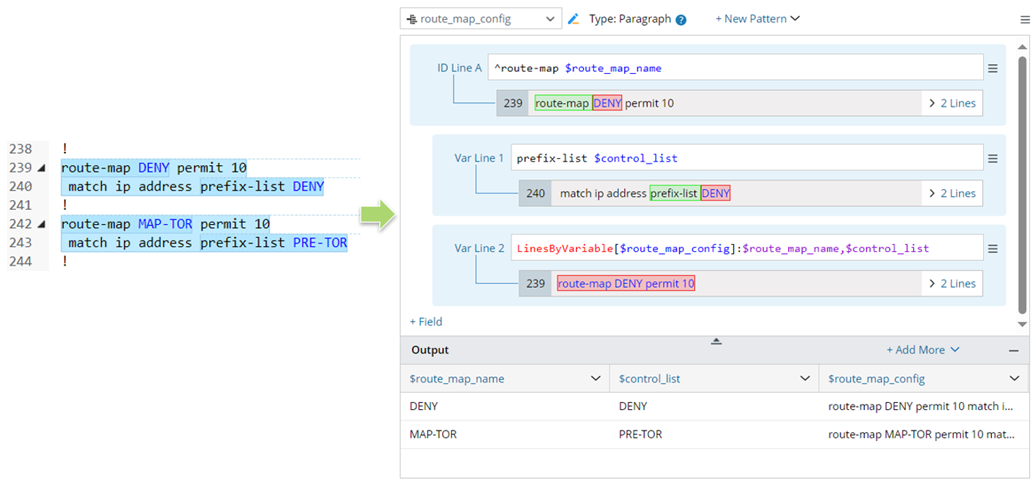
- For Source Table 1: Create a paragraph pattern to parse variables $route_map_name, $control_list and $route_map_config.
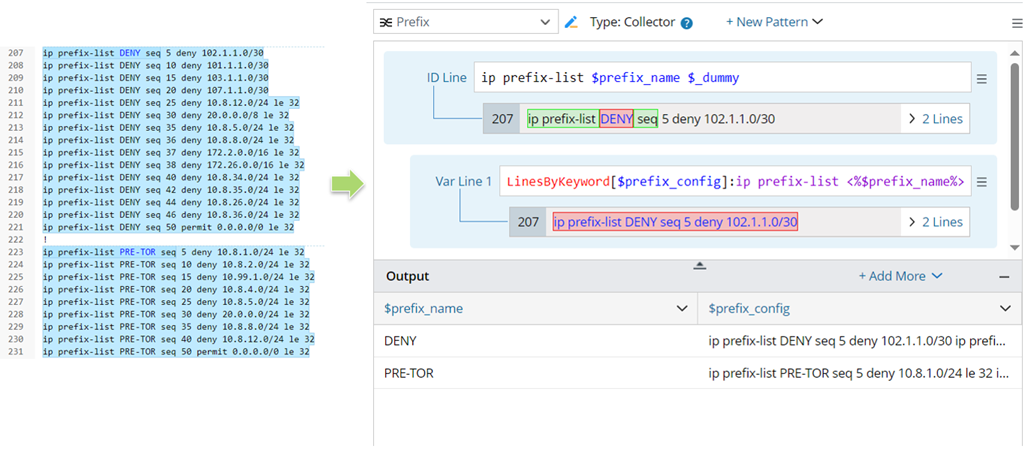
- For Source Table 2: Create a collector pattern to parse the variables $prefix_name, $prefix_config.
Follow the steps to define the Merge Table pattern:
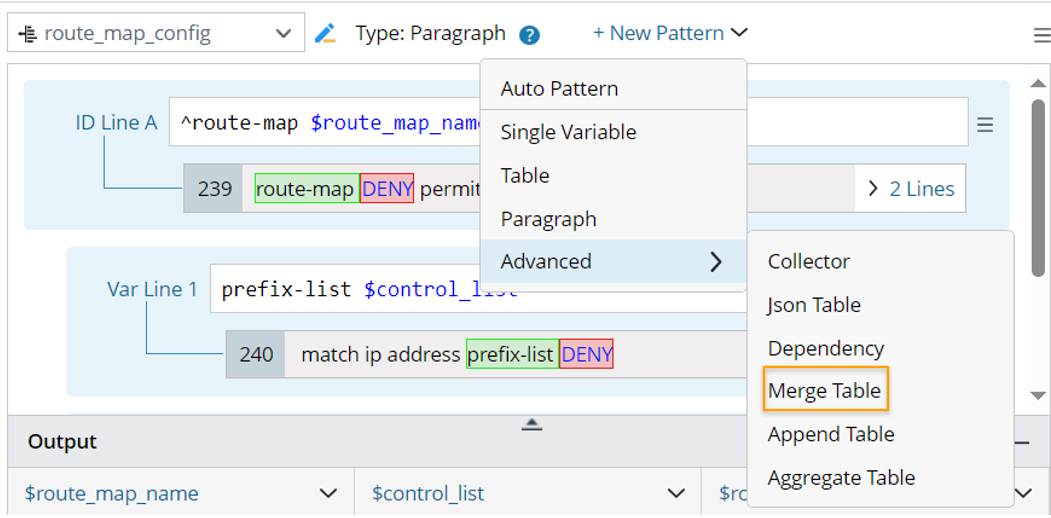
- Click +New Pattern > Advanced > Merge Table, then a merge table pattern is created.
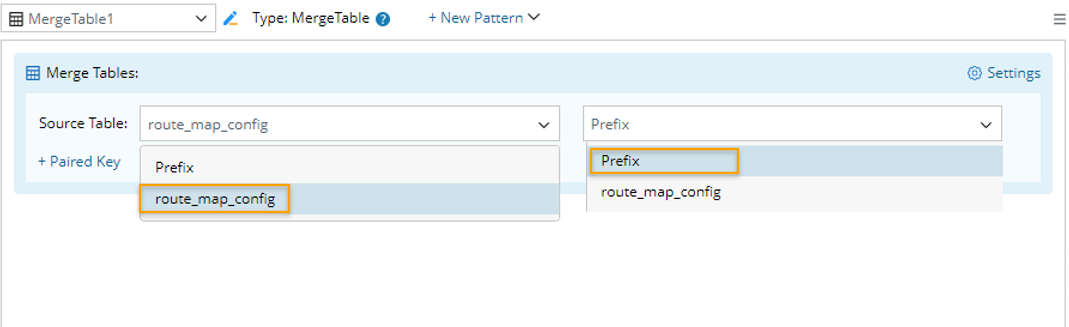
- In the Source Table field of the right pane of this merge table pattern, select two source tables (in this example, output tables route_map_config, Prefix from the current parser are selected) to be merged.
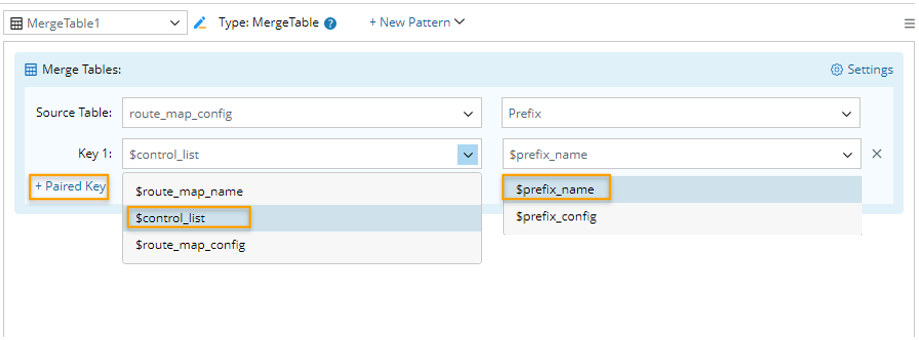
- Click + Paired Key, then select table columns as the key for merging tables. Multiple paired keys can be added to define the column pairs to be merged. In this example, after adding a paired key, you can preview the outputs in the output area below.
- Click Settings, then configure more advanced settings from the Settings window:
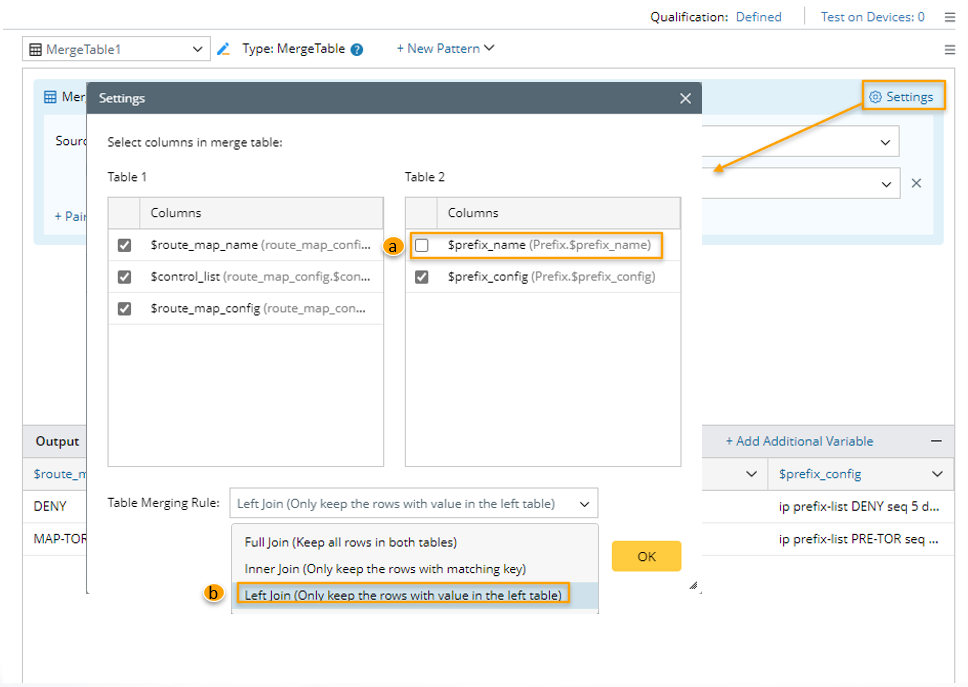
- Select columns in the merge table: In this block, select the columns from the two tables to be merged. All columns are selected by default. You can remove the unnecessary columns by unchecking the corresponding checkbox.
- Table Merging Rule: Three table merging rules are supported: Full Join, Inner Join and Left Join. In this example, the Left Join is selected.
Full Join: Keeps all rows in each table, regardless of whether the paired keys are matched or not.
Inner Join: only keep the rows with paired keys matched.
Left Join: Use the left source table as the criteria, and retain only the rows that contain data from the left source table.
Note: Right Join and Outer Join methods are not supported in the Merge Table pattern. - Click OK to complete the merge table definitions. The final table output will be like below:
