R12.1 Project Publication-2025Dec23
Define a SPOG URL
- Add variables in the API parser, which will be used to compose the real URL.
- Define URL, and put the variable in the right position.
- Refer to the SPOG URL as the drill-down action in the dynamic data view definition.


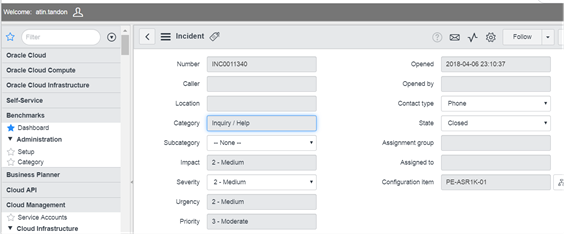
Example: The target webpage is in ServiceNow, which shows details about network incident
- Define the URL page in SPOG URL definition: https://ven01749.service-now.com/nav_to.do?uri=incident.do?sys_id={$Sys_ID}
- {$Sys_ID} is an API parser variable referring to the incident ID in the ServiceNow system.
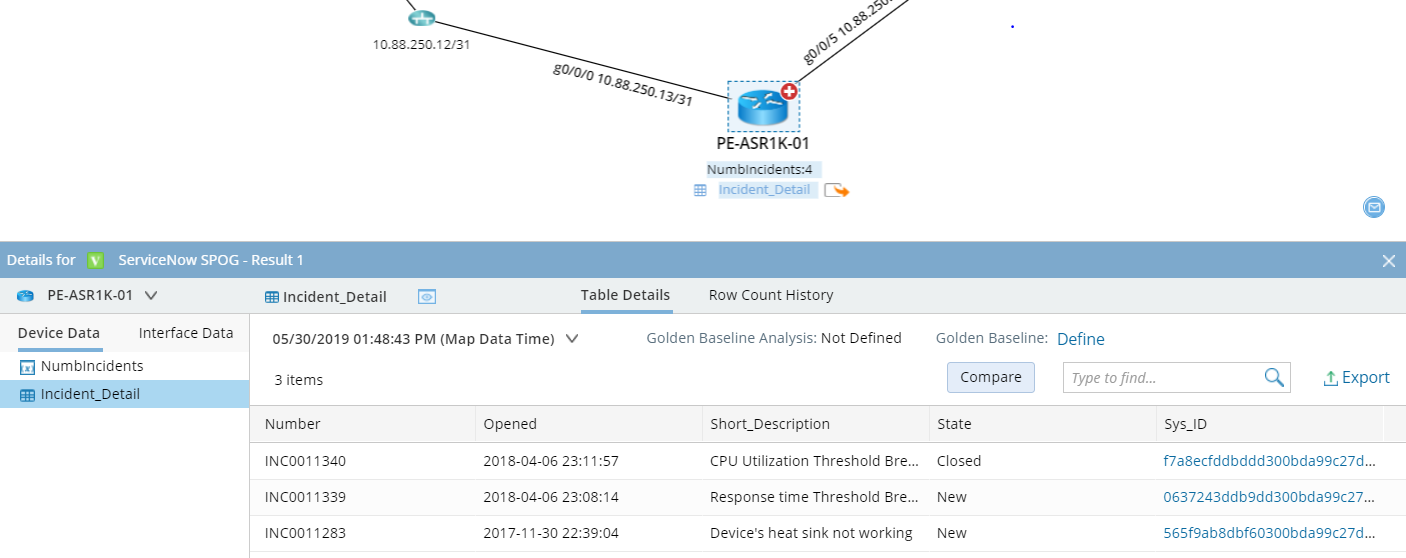
- After being applied on a map, {$Sys_ID} is replaced by the number. The real URL is as: https://ven01749.service-now.com/nav_to.do?uri=incident.do?sys_id=f7a8ecfddbddd300bda99c27db9619f8