R12.1 Project Publication-2025Dec23
Build Golden Intent
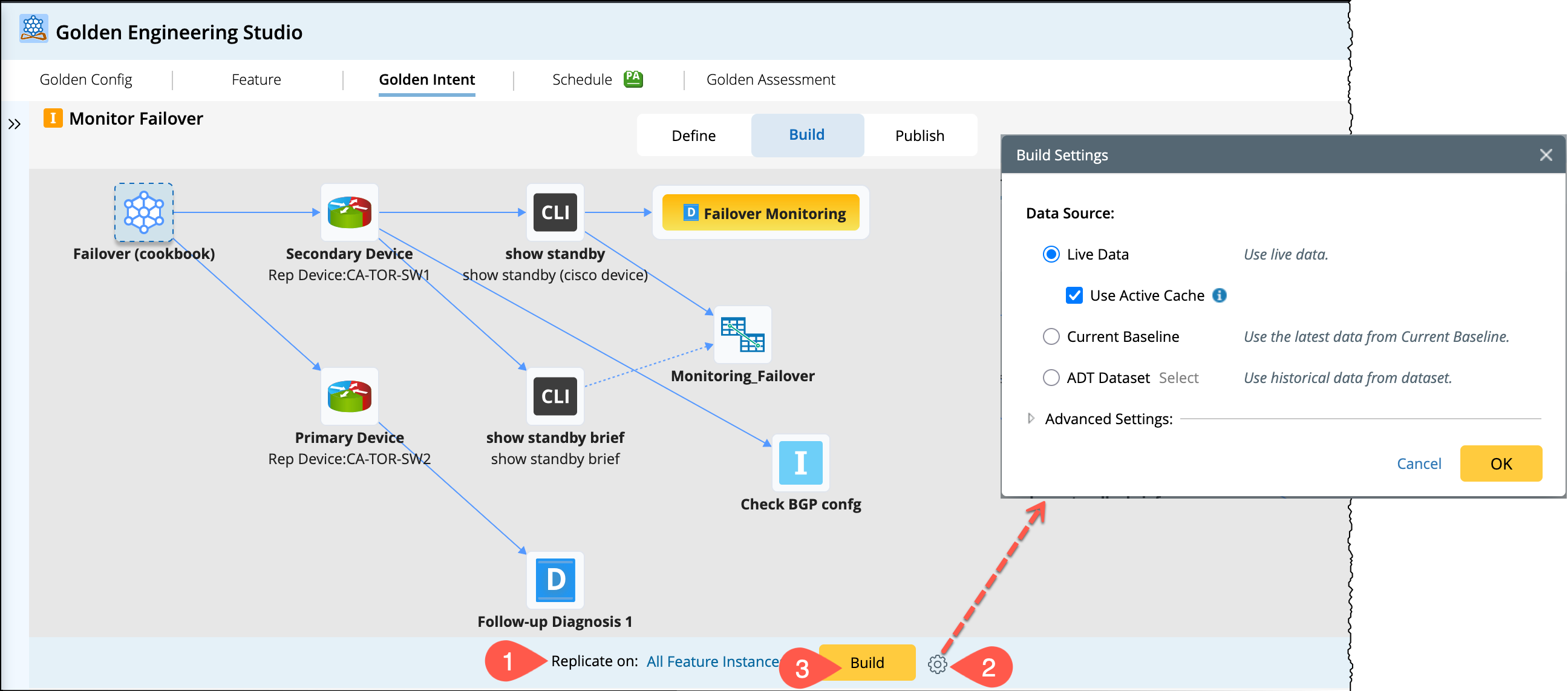
The member intents will be saved in the staging environment at first. After defining the Golden Intent, switch to Build. In the Build tab, you will choose the target feature instances and the data source to build the golden intent as follows:
- In the Replicate on, choose the predefined logic All Feature Instances to clone member intents for each feature instance.
-
Click the
 icon and select the data source.
- Click Build to start execution.
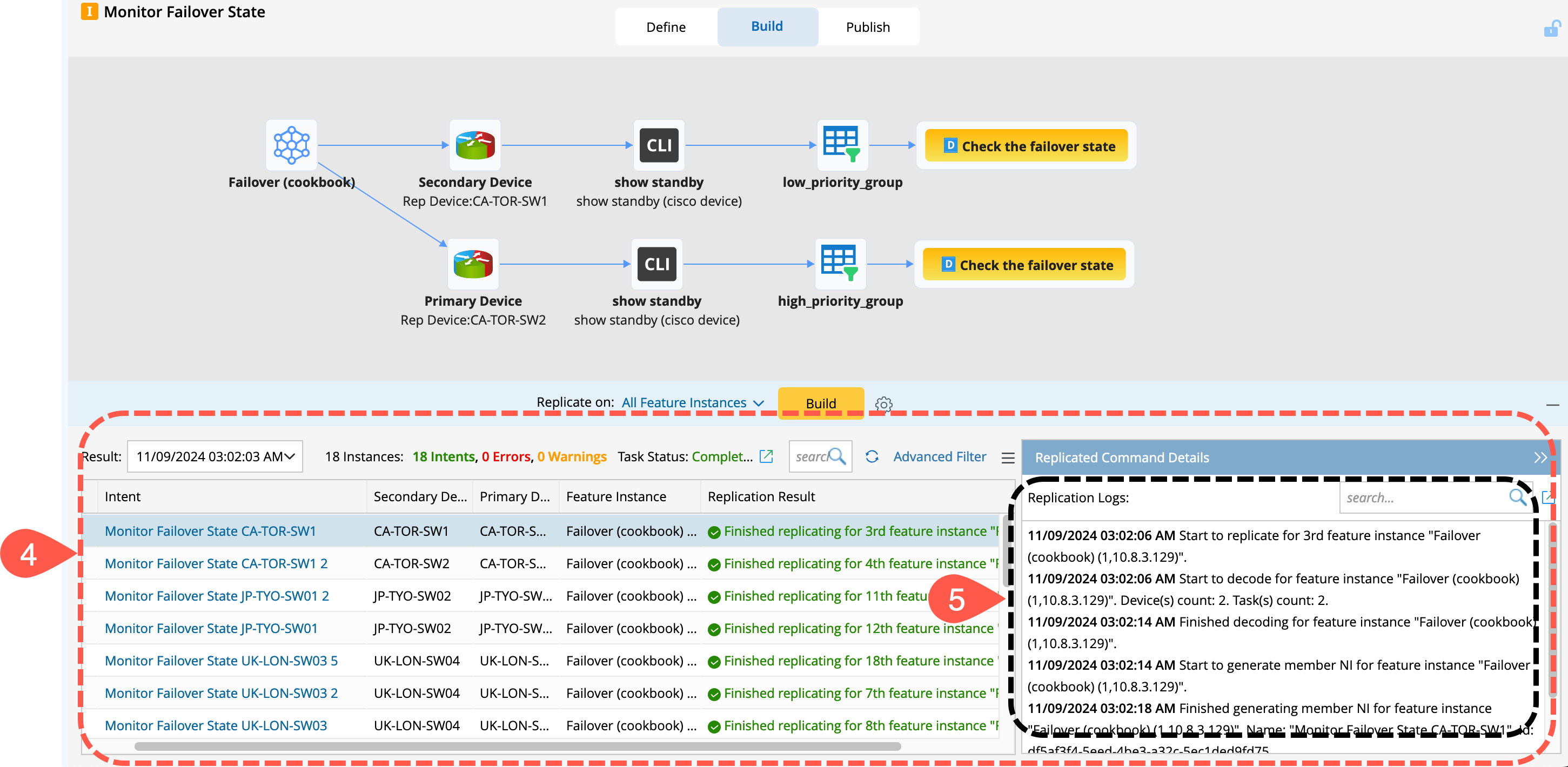
- The replication result will be listed in the bottom pane.
- To view the replication log, select an member intent and the information will appear in the Replication Logic section.
-
To view the feature instance details for debugging, go to
 menu.
menu.

Now, switch to Publish to publish the built golden intents to the production environment.