R12.1 JA-2025July15
Set Up VM Identity
NetworkBrain supports both Azure-system-assigned and user-assigned Identity for VM, which acts as an application server to access APIs. You only need to choose either one of the following methods below.
Set Up Azure-system-assigned Identity
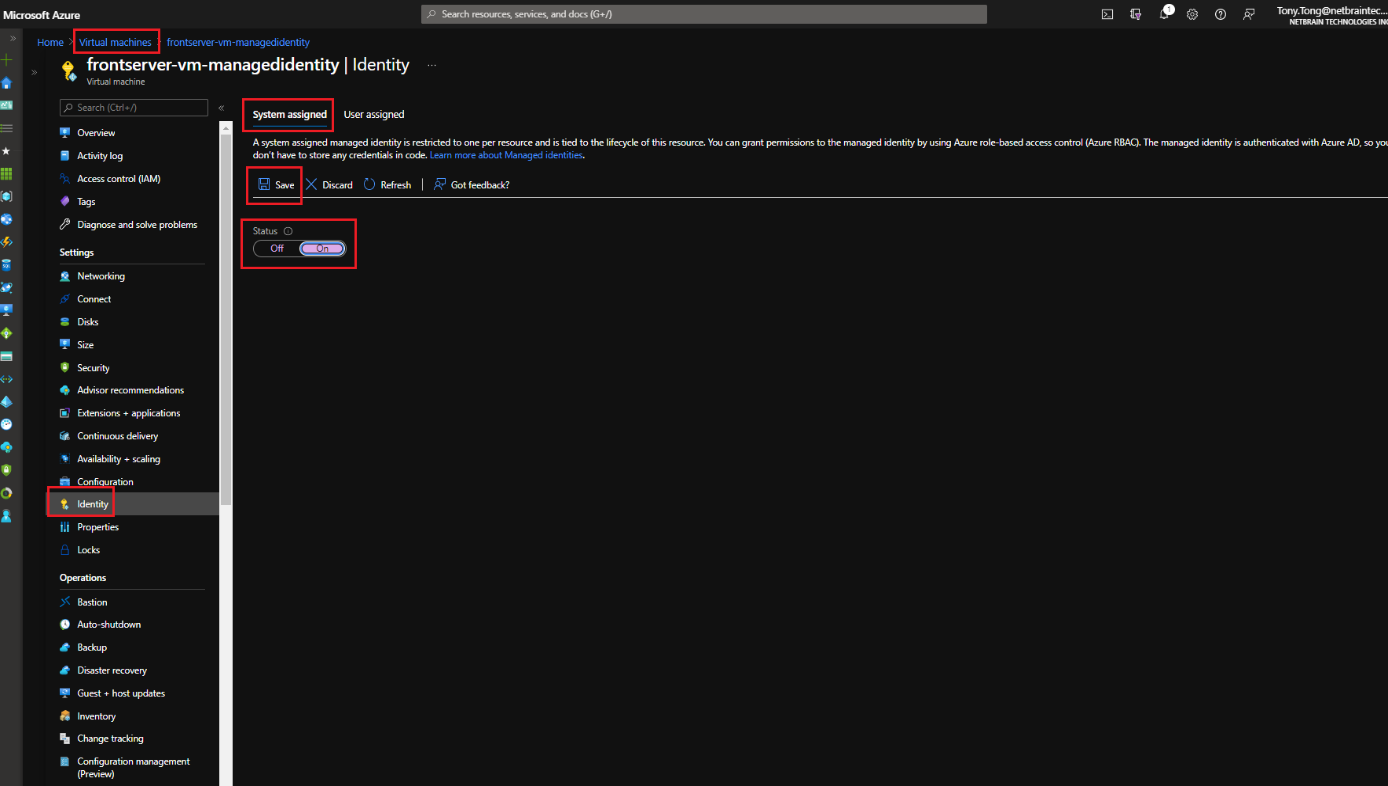
- Go to the Identity page of Virtual Machine, which will be used as a NetworkBrain server from Azure Portal.
- Select System assigned menu, switch to On for Status and click the Save button.
Set Up User-assigned Identity
- Go to the Identity page of Virtual Machine, which will be used as a NetworkBrain server from Azure Portal.
- Select the User assigned menu and click + Add button. Refer to Azure's official guide to create a managed identity and select it.
