10.1.15.12-06212024
Set Up API Server

|
Note: Before setting up your API server, read NetBrain Requirements for API Server Setup first. |
Follow these steps to set up a NetBrain API server:
- Open the Domain Management page of the NetBrain System, select Operations > Discover Settings > API Server Manager from the quick access tab, and click Add API server.
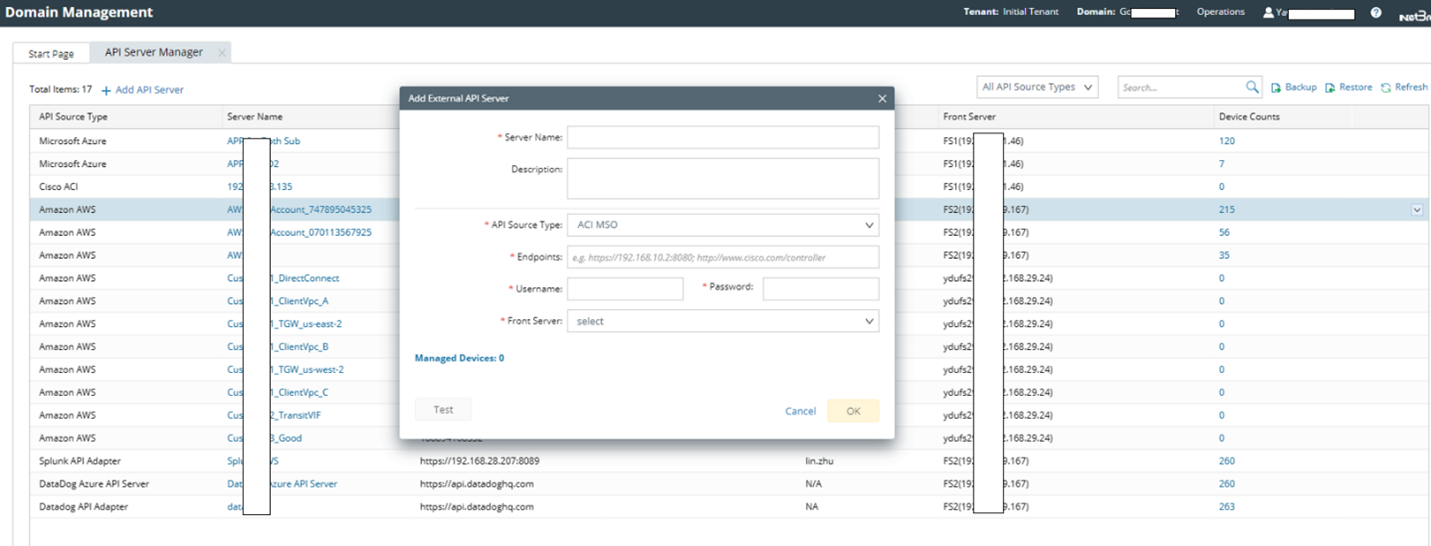
- Add a new external API Server for Azure access.
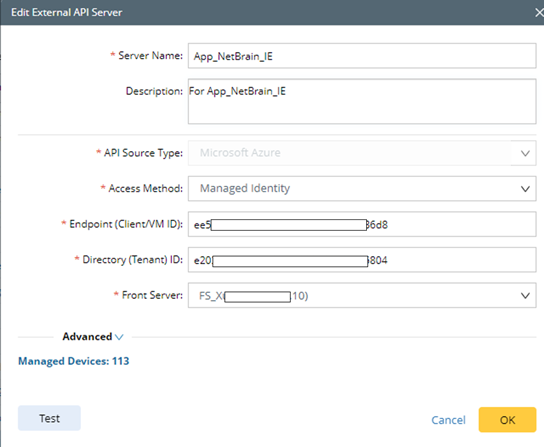
- Server Name: a unique name.
- Description: an optional field to describe this server.
- API Source Type: select Microsoft Azure.
- Access Method: select Managed Identity.
- Endpoint (Client/VM ID): copy/paste the VM ID value from the JSON format data in Azure Virtual Machine (VM) portal.
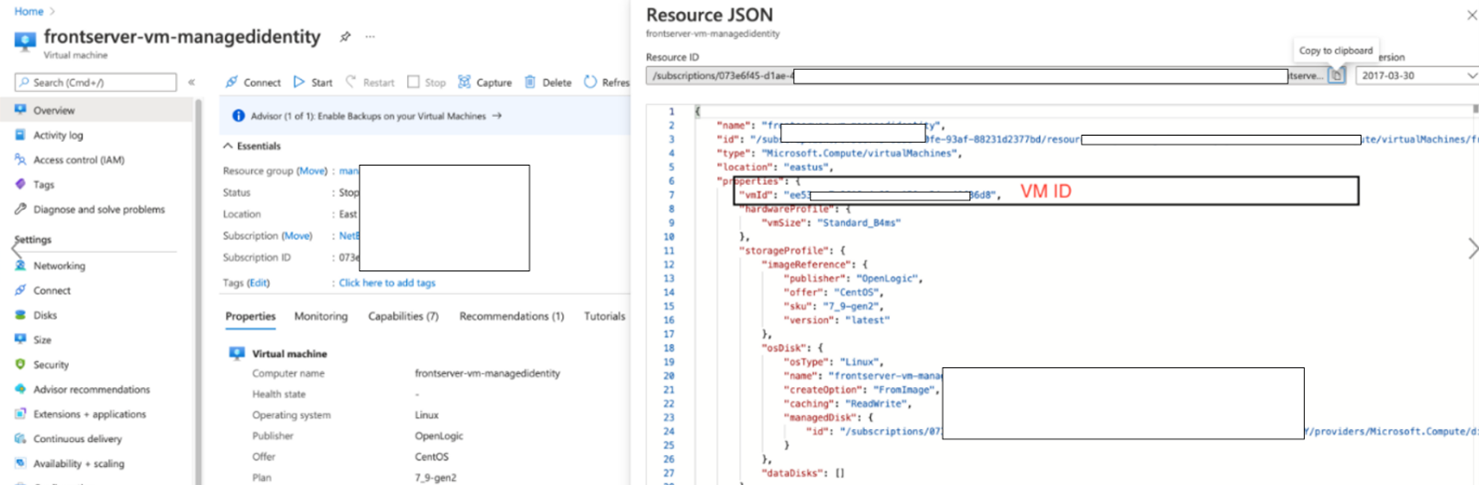
- Directory (Tenant) ID: copy/paste the Tenant ID.

- Front Server: select one front server VM with managed identity to access Azure.
- Click Test to verify that this API server works.
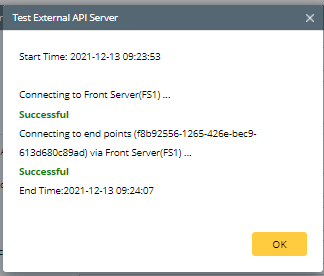
Once the API server is successfully verified and saved, you can proceed to Discover Azure Resources.