Searching for Paths

Contents
1.Enter one of the following search terms in the search bar:
▪path/application name
▪IP address or hostname of the source, destination, or a hop device
Note: If a path is calculated with IP addresses, it cannot be searched out by hostname keyword, and vice versa.
2.Click the  icon or press the Enter key on your keyboard to start searching. The search results are displayed with the matched keyword highlighted.
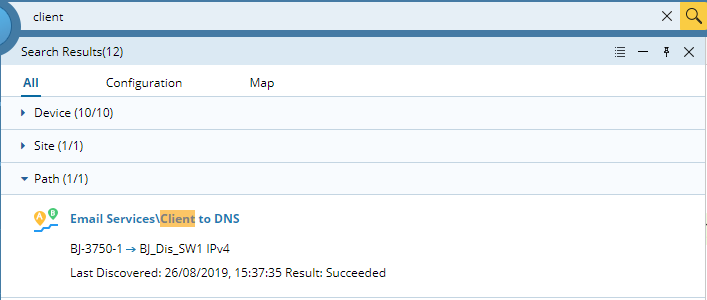
3.Point to the target path entry and then click Map, or click the path name to view more history records in detail.
Note: The Map button is only available if the path is successfully calculated.
See also: