Defining Login Template for Adaptive Connection

Contents
Login template is user-specific at the domain level, storing device-neutral login credentials. You can create multiple login template to connect a device under different circumstances. Once a login template is defined, you can reuse it for device connection with one-click.
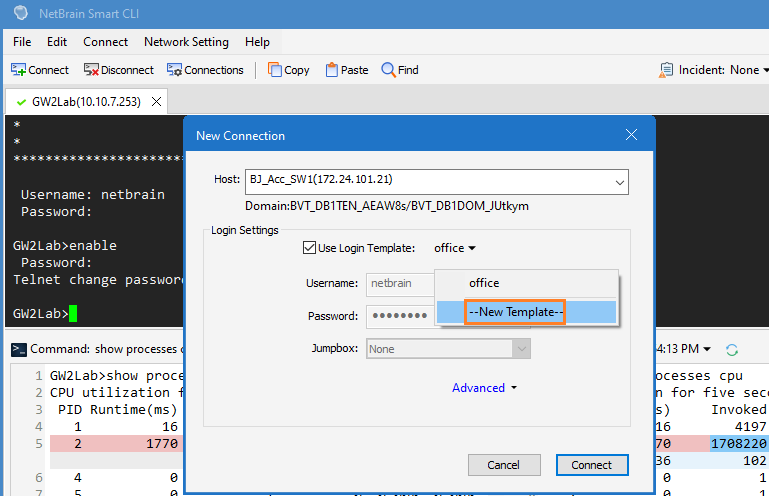
1.Select the Use Login Template check box and then click New Template form the drop-down list.
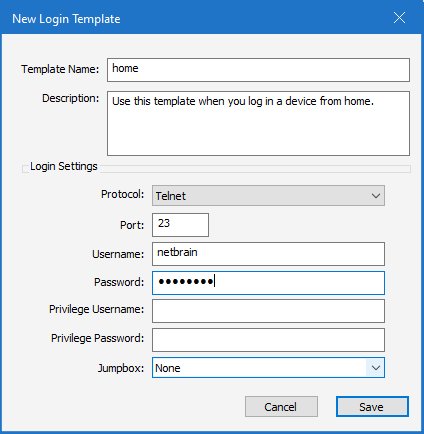
1)Enter a profile name and make a brief description.
2)In the Login Settings area, enter a username and a password, then select a jumpbox.
3)Define privilege username and password if necessary.
Note: To define login template in the other entrance, see Managing Smart CLI Access Credentials.
3.Click Save.
4.Once the profile is created, you can manage it in the Network Setting > Login Template Manager.
