R11.0a-March2023
Define the Post Execution Setting
- Define the Guide for Interactive Automation
You can select a Guidebook or a Runbook Template to guide the end user to run the recommended automation in the Incident Pane.
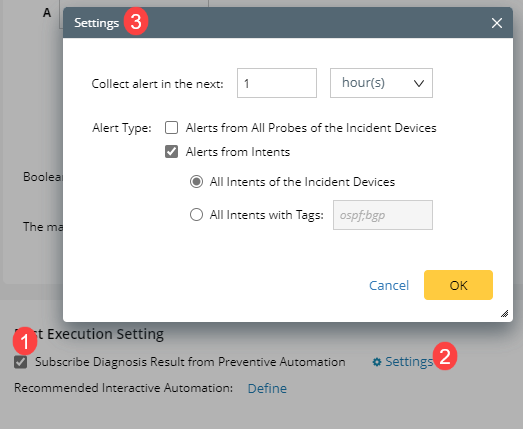
A diagnosis can be configured to collect the alerts from Flash Probe and/or NIs.
You can define the time range (e.g., next one day), filter tag (e.g., BGP probe or NI), and the alert should come from which Intent(s).
The system will collect all alerts from the flash probe or NIs on all incident devices in the configured time range and display them in Incident Pane.