R12 Publication-2025July16
Define Replication Logic
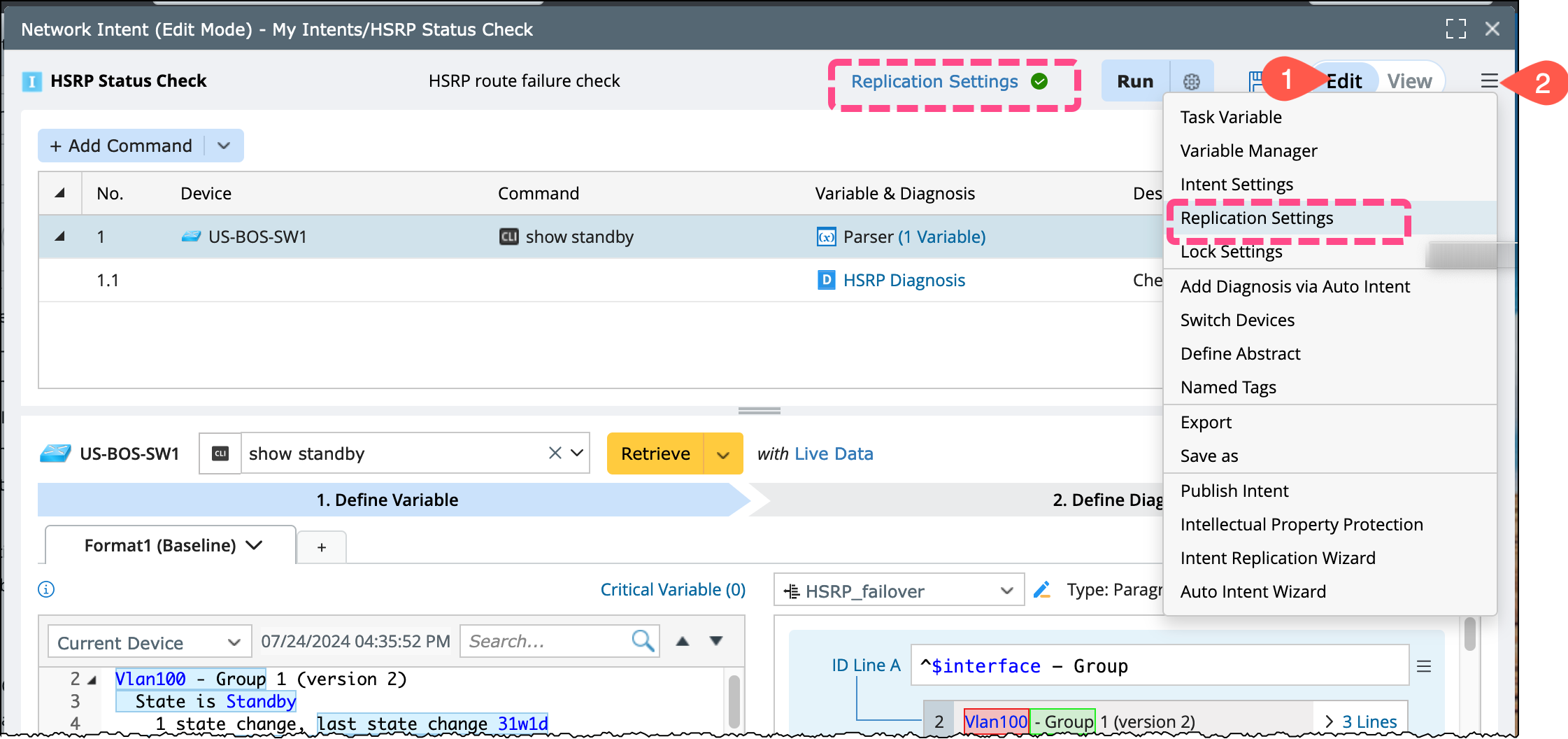
An intent is always associated with one or multiple devices. The intent diagnosis can be replicated to a set of target devices using replication settings, this scalable way is easy-to-do. To access and define the Replication Logic is:
- Open a intent and switch to Edit mode.
-
From the
 menu and select Replication Settings.
-
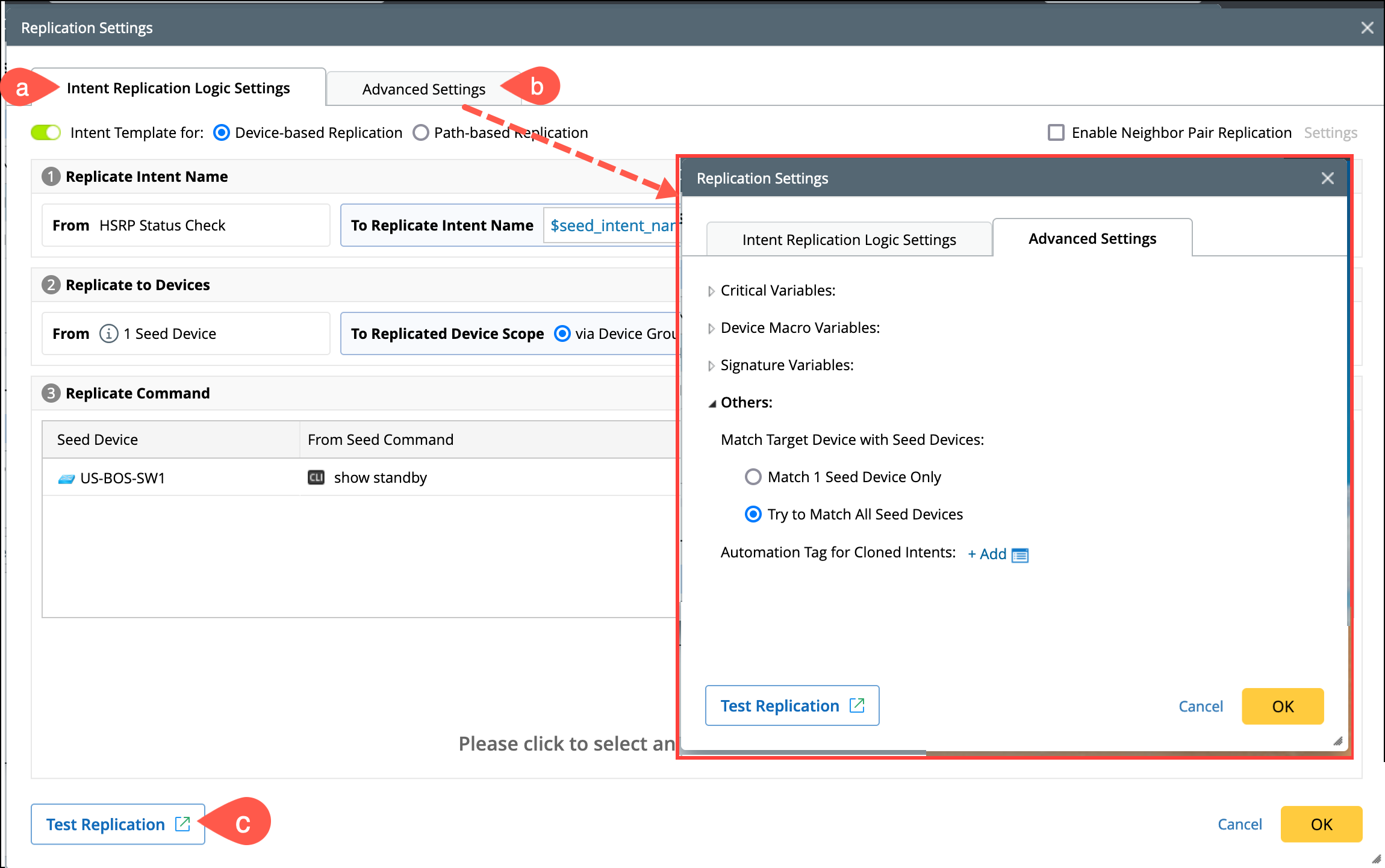
By default, the window will open in Intent Replication Logic Settings tab. The settings are organized into the following categories:
- Intent Replication Logic Settings: Define the replicated intent name, target device qualification, and command qualification.
- Advanced Settings: Specify critical variables, device macro variables, signature variables, and other matching settings between the seed and target devices.
- Test Replication: It allows you to select a batch of devices and perform test operations.
See Also