R12 Publication-2025July16
Assigning Network Change Privileges to a Specific User
To assign privileges of change management to specific users, complete the following steps:
- Log in to the Domain Management page.
-
On the Domain Management page, click
 and select Share Policy from the menu.
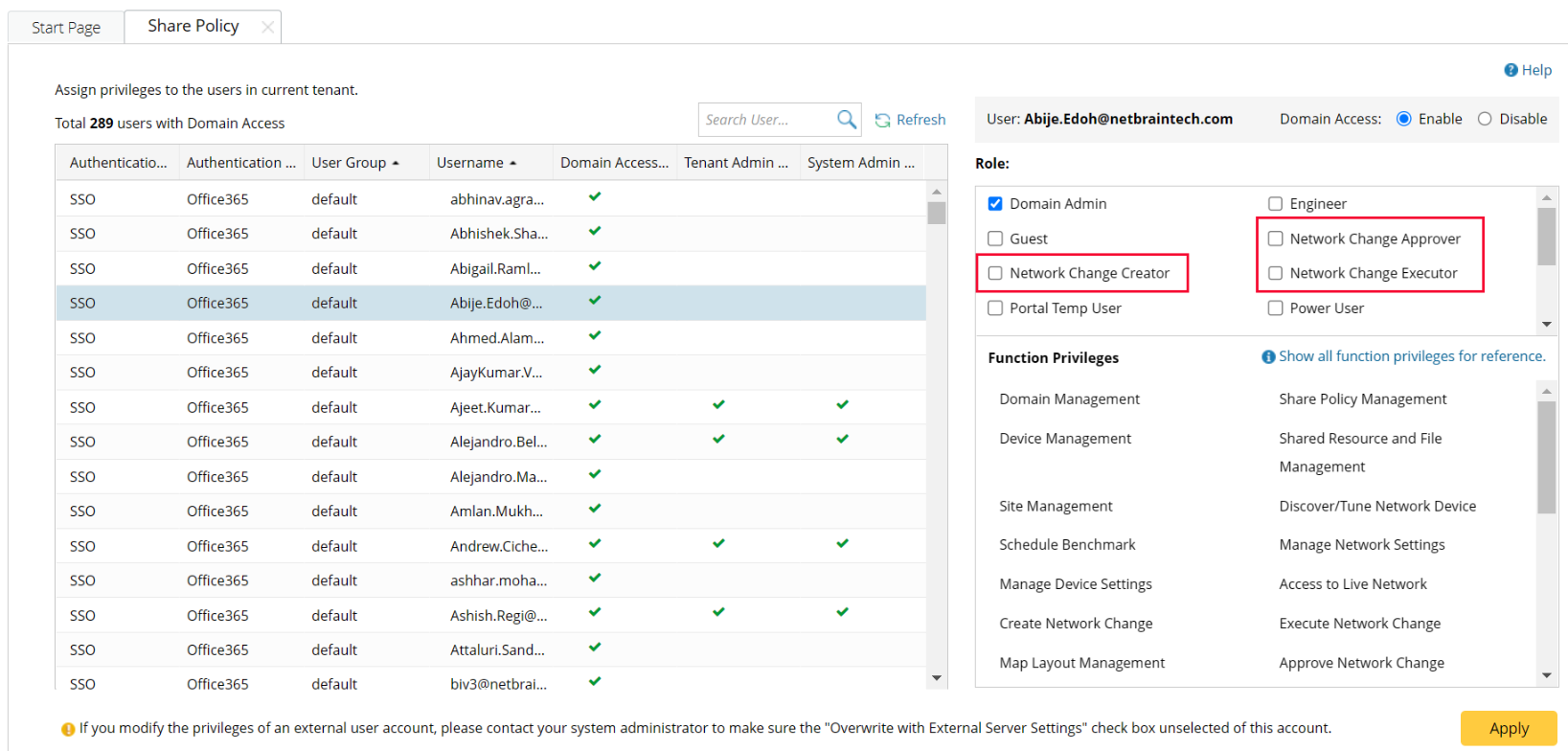
- On the Share Policy tab, select a user in the left pane and check the Network Change Creator/Executor/Approver option based on your needs.
- Click Apply to apply changes.
For more details about roles and permissions, refer to Share Policy.