Use Automation Data Tables in Sub Table and Macro Variable
Automation Data Tables (ADT) can be predefined as the data source for Sub Table to define whitelist or blacklist, and can also be used for Mapping Macro Variable in NIT definition.
-
Click the
 icon in the upper-left and select Automation Data Table on the Intent-Based Automation tab.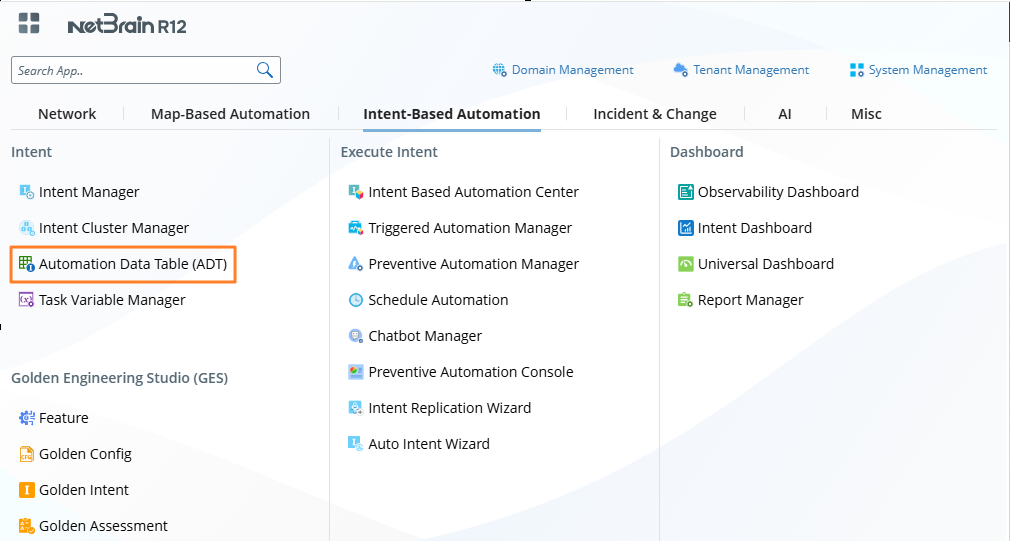
-
You can manage and define ADT in Automation Data Table Manager.


Note: The automation data tables are defined and maintained by users. Users can manually add columns and rows and input row data, and they can also import table data directly from CSV files.
If the intent template requires macro variables to be defined, ADT can be used to define the variables and pass them to the macro variables. The system will use the defined macro variable value to test for qualified devices. If a device has multiple entries in the ADT, all values can be tested and utilized.
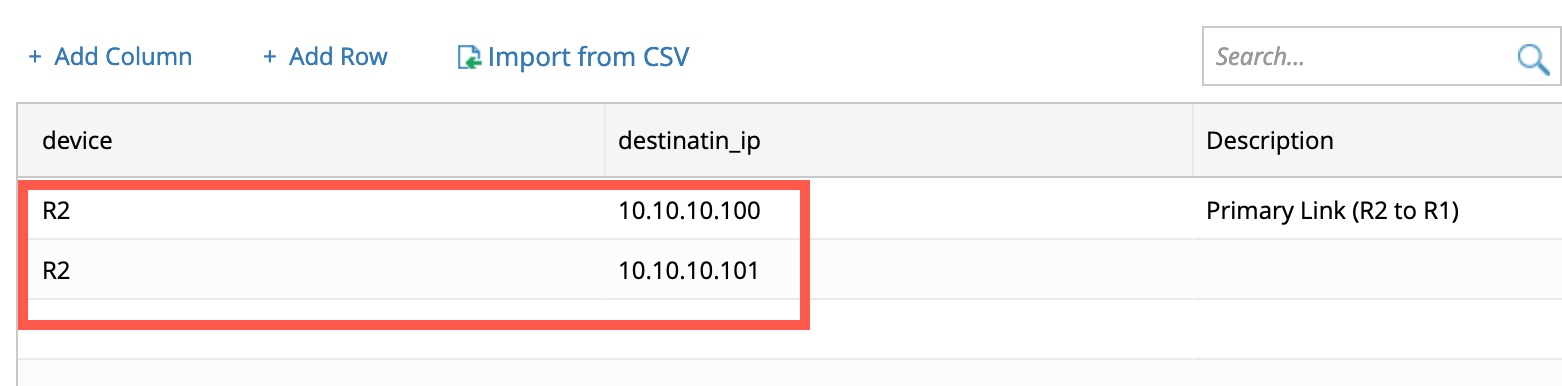
Example: If device R2 has two entries of values, and users select this variable in the intent template and use it. The cloned intent created from the intent template will have two command sections.
If the command section of the seed intent is defined as show ip route 192.168.1.1 (for matching $destination_ip), the system will use both show ip route 10.10.10.100 and show ip route 10.10.10.101 to test critical variables show command is matched. If both CLI commands tested successfully, the cloned intent will include the command section of both show ip route 10.10.10.100 and show ip route 10.10.10.101.