R12.1 Project Publication-2025Dec23
Add ADT View to TAF Lite
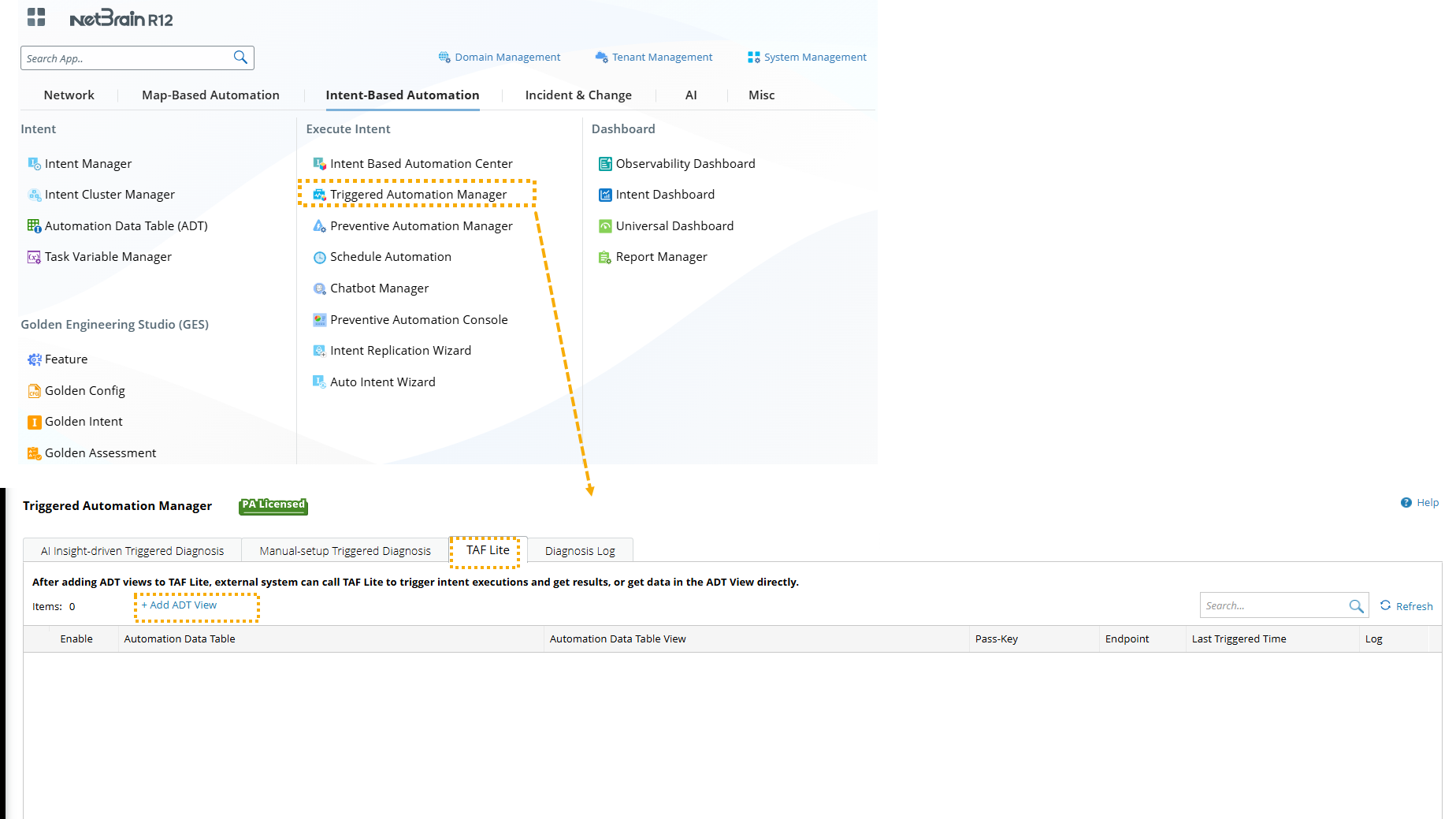
Users can add ADT View in Triggered Automation Manager.
-
Navigate to the Triggered Automation Manager > TAF Lite tab and click +Add ADT.
-
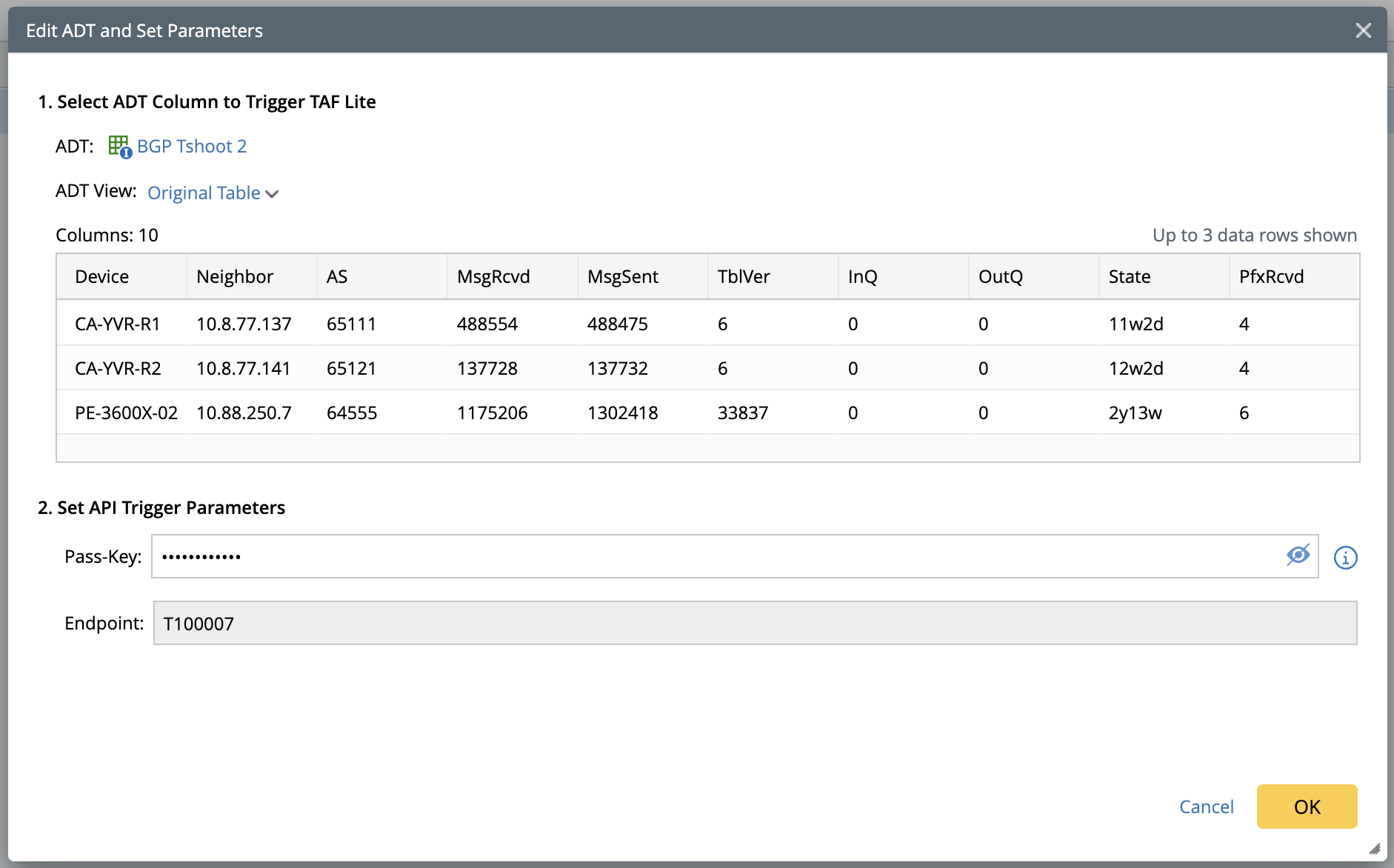
In the Add ADT and Set Parameters window, define the following:
-
Select ADT Column to Trigger TAF Lite: Select an ADT View. All columns from the ADT view can be called by API.
- ADT: Select an ADT.
- ADT View: Select an ADT view; the default is the original table. Upon selection, the first 3 rows of the ADT view will be displayed.
-
Set API Trigger Parameters:
- Pass-key: An authentication key to authenticate an external 3rd-party system for accessing data in ADT view.
- Endpoints: It is uniquely assigned by the system to locate and access the selected ADT view. Users are no longer required to specify Tenant, Domain, or ADT path for locating the ADT view.
-
Select ADT Column to Trigger TAF Lite: Select an ADT View. All columns from the ADT view can be called by API.