R12.1 JA-2025July15
Set Up MPLS Cloud

|
Note: If you want to show the provider’s MPLS network in the NetworkBrain System, you must set up the MPLS cloud by following NetworkBrain's MPLS setup instructions. If not, skip this section. |
NetworkBrain GCP support requires excluding all the Google Cloud Router devices connected with MPLS Cloud because the Cloud Router in GCP is in the control plane and should not involve the data plane.
Follow these steps to exclude all the Google Cloud Router devices:
- Log in to your NetworkBrain System.
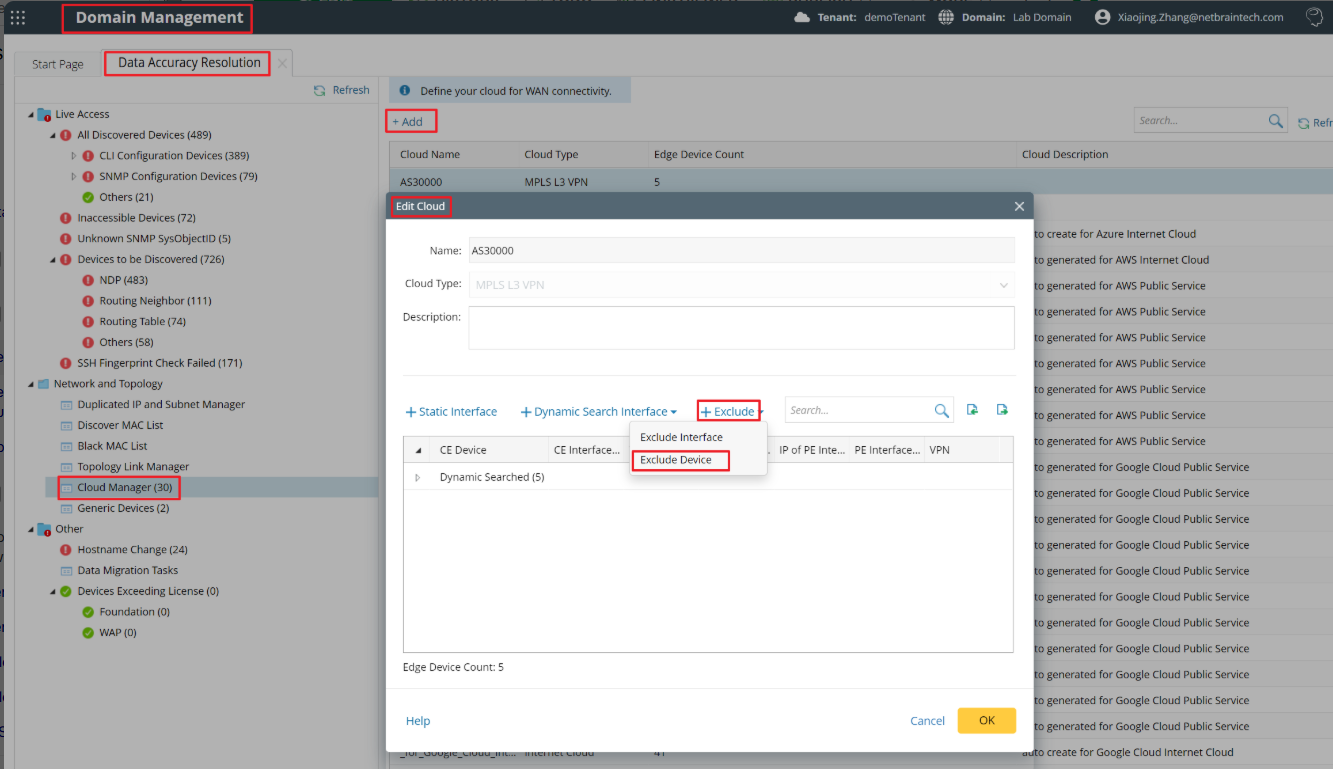
- Go to the Cloud Manager page from the Data Accuracy Resolution tab of the Domain Management page. Add your new MPLS or edit the existing one, and select Exclude Device.
- Select the Google Cloud Router from the drop-down menu, and click the
 icon to move all selected devices from left to right. Click OK to finish.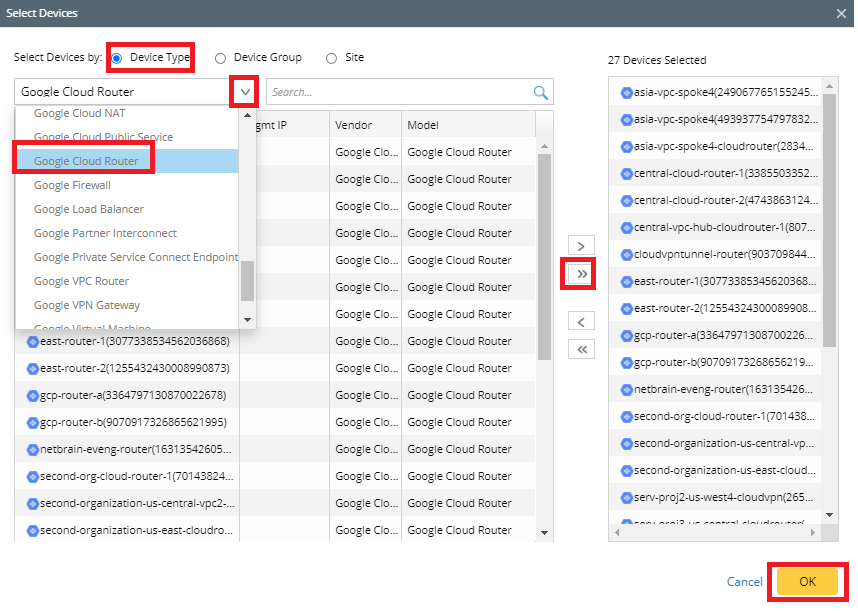
Note: Failure to exclude all the Google Cloud Router devices connected to MPLS may cause the path calculation issue. If you have any issue creating MPLS Cloud in the NetworkBrain System, contact NetBrain Support.