R12.1 JA-2025July15
Create a Custom IAM Role
Azure provides role-based access control (RBAC) to manage access to Azure resources. Follow these steps to create a custom IAM (Identity and Access Management) role for the NetworkBrain System to access Azure APIs:
- Go to Access control (IAM) under Subscriptions in Azure Portal.
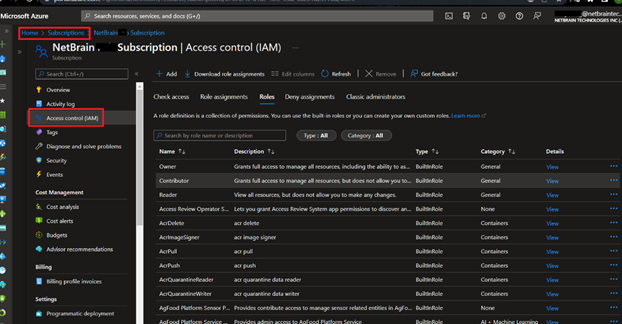
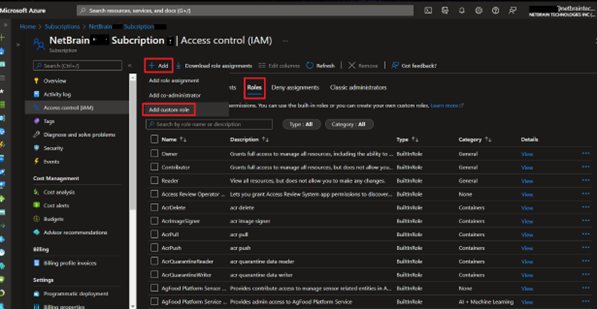
- Go to Roles and click +Add and click New custom role to create a custom IAM role.
- Define Basics Configuration.
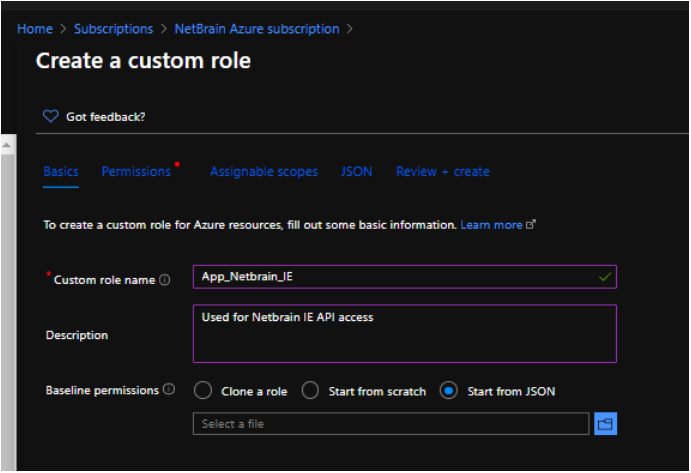
Select Start from JSON in the Baseline permissions field and import the JSON file below to customize the role with the minimal permissions required for NetworkBrain System discovery and data retrieval.
To get the latest JSON file, refer to Online Help: NetworkBrain Required Azure Minimum IAM Permissions.
- Review Permissions.
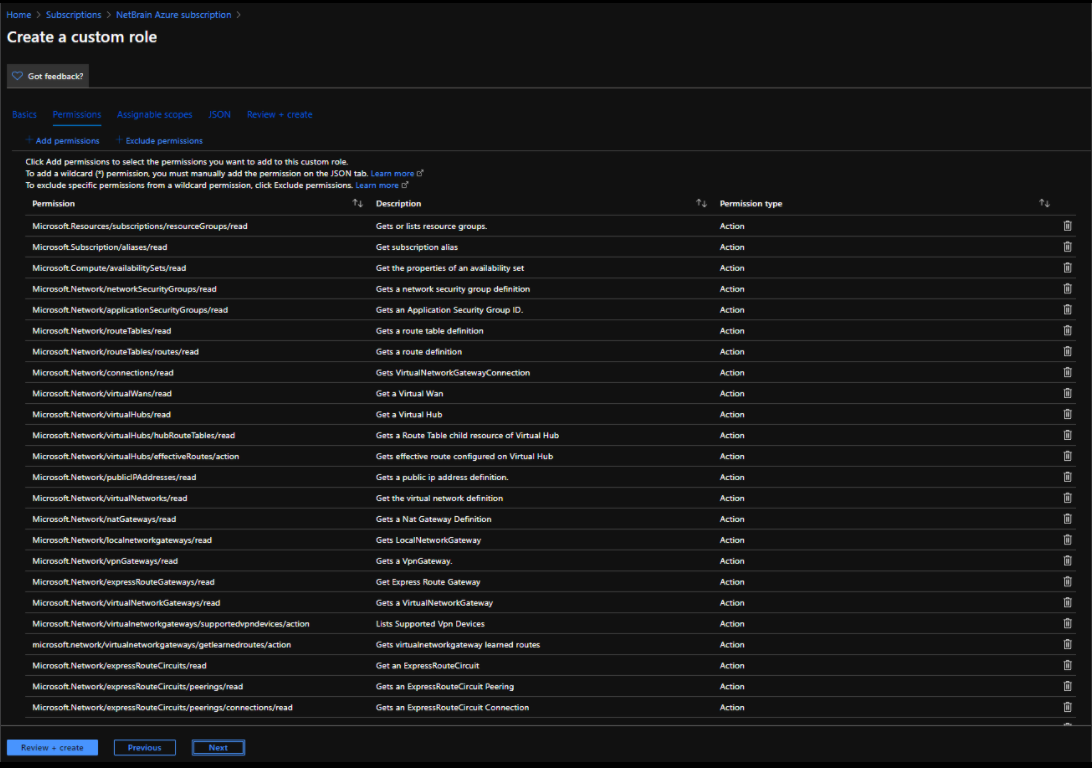
- Select proper subscription or management groups as Assignable Scopes.
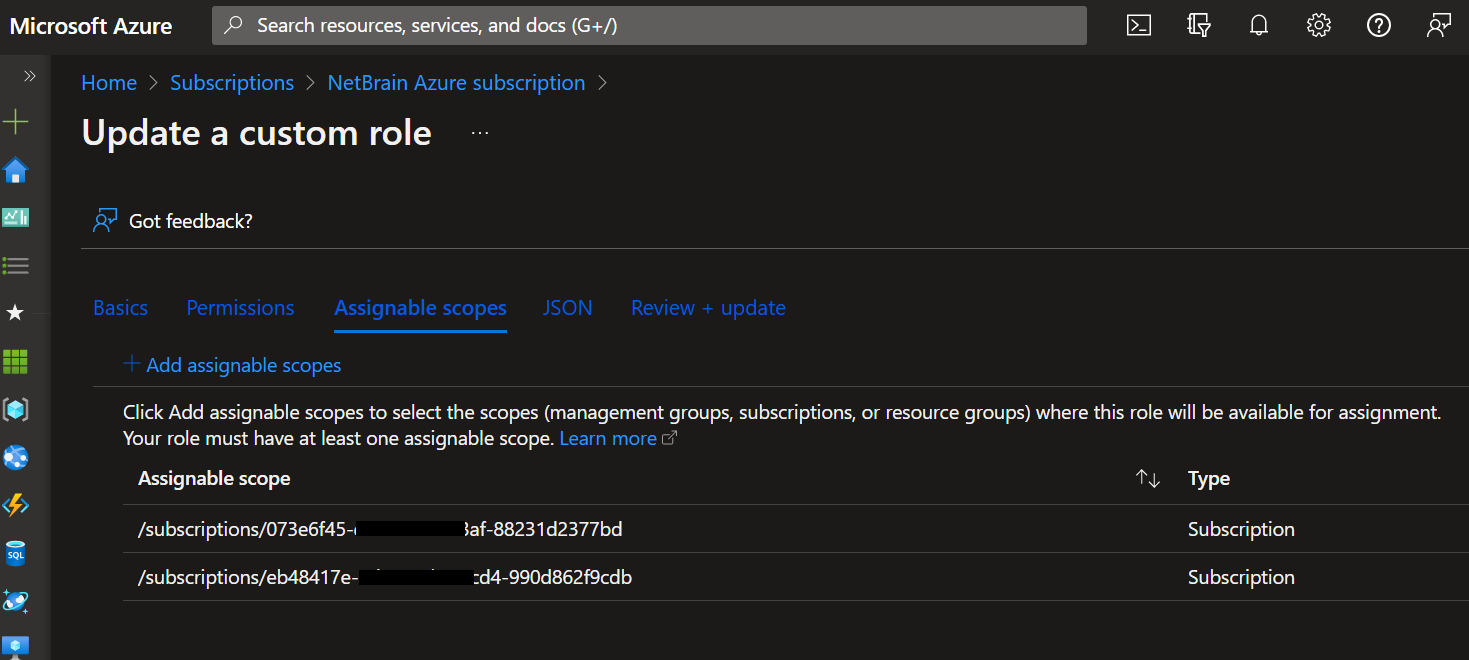
- Review Custom Role in JSON Format. Finally, click Create button after reviewing the Review + create page.
NetworkBrain supports both Managed Identity and Service Principal types to access Azure APIs.
- If you select Managed Identity, follow the steps in Access APIs With Managed Identity (Option 1) ;
- If you select Service Principal, follow the steps in Access APIs With Service Principal (Option 2) .