Overview
NetBrain’s NextGen
NetBrain’s NextGen network automation platform provides no-code network automation to streamline troubleshooting, change, and prevention workflows for your hybrid network. NetBrain NextGen includes a powerful data engine that auto-discovers the entire hybrid network and all its components to create a live full-stack “digital twin.” NetBrain uses this digital twin model as the foundation of all of its automation capabilities, including the baseline ability to generate real-time and dynamic maps of your hybrid network.
By leveraging this digital twin platform, NetBrain enables faster problem diagnosis through automation. To facilitate the use of automation, NetBrain captures the problem-solving knowledge and experience of any organization’s subject matter experts using a no-code approach and transforms that knowledge into repeatable automation units. By leveraging the previously captured expertise, any operator can solve similar problems in the future, reducing MTTR and providing consistency.
64% of enterprises still use 4 to 10 tools to monitor and troubleshoot their networks. -EMA
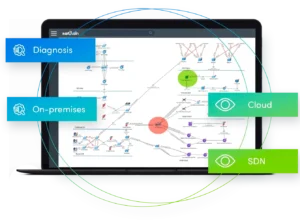
With NetBrain, service tickets need only be conducted the first time, and then by capturing that first remediation, subsequent occurrences of similar problems can be diagnosed and remediated automatically with dramatically reduced operator or engineer involvement. And, NetBrain and all of its intelligent automation and visibility can be used by anyone, individually or in collaboration within and across operational teams.
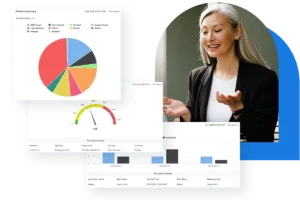
NetBrain’s preventive automation framework enables the system to periodically check the health status of the network based on SNMP/CLI variables and then perform automation diagnosis if it identifies an alert. It captures the diagnosis results for you to easily view in the dashboard. This helps engineers easily reveal possible root causes for urgent tickets.
By automating the network management of complex digital infrastructures, a business can scale its infrastructure without the need to scale its operational teams at the same rate.
Purpose of This Guide
This guide is intended to serve as a reference guide for NetBrain’s network problem diagnosis automation and visualization solution. It includes the key features and functions and the context to utilize these in the creation of the next generation of best practices and modern network operations tasks to reduce the organizational overhead associated with hybrid network operations at scale.